

Today, I’m going to give you part one of three of Steve and my adventures embracing even more of the products Eufy have to offer. When Wyze proved to be incapable of doing security correctly, we replaced all of our indoor cameras with the ones from Eufy. Let’s talk about doorbells!
Shortly after Ring came out with the first popularized video doorbell, Steve and I decided to get one. The first thing we noticed was that while it gives us a great picture of anyone standing at the front door, it doesn’t show anything below shin height. That meant it didn’t show us any packages left on the doorstep.
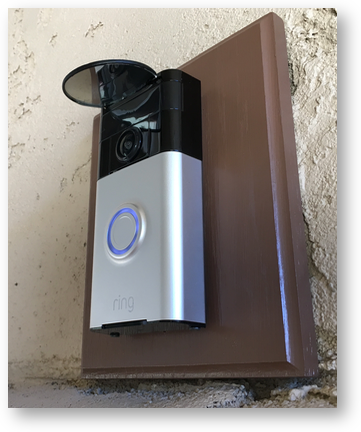
After a year and a half of being annoyed by this, in 2017, Steve designed and built an ingenious mirror attachment to the Ring Doorbell so that we could view the doorstep. If you want to read all of the details on his design, you can read the article entitled, Ring Video Doorbell – Mirror Mod Allows You to See the Doorstep. He bought one of those convex mirrors people stick to their rearview mirrors to give them a wider angle of view. He stuck that to a piece of plastic, which he connected to the top of the ring doorbell. With the mirror at the correct angle, the camera can see the doorstep.
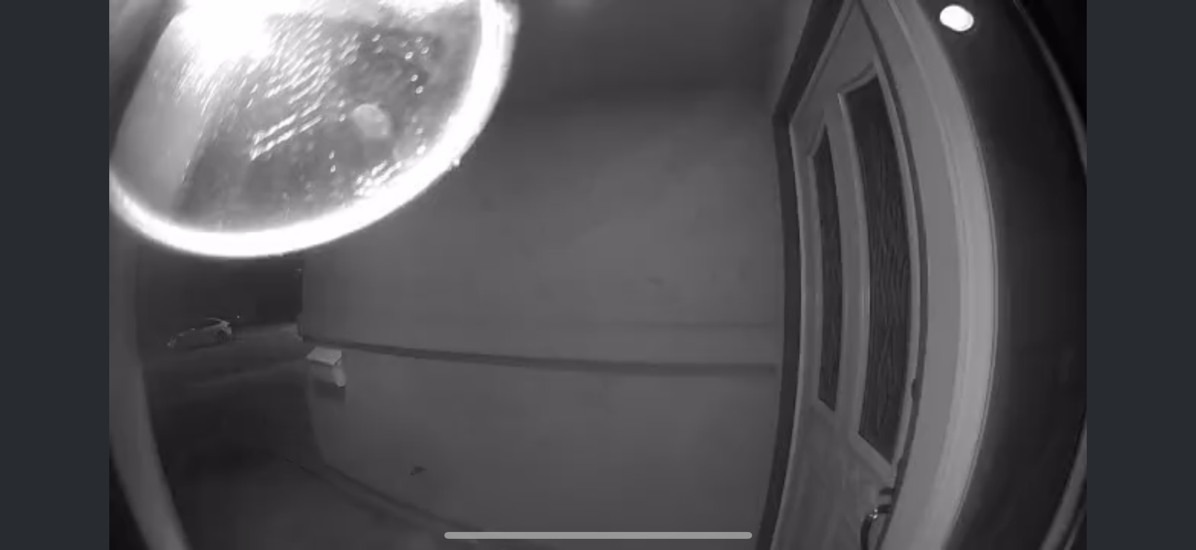
We liked his design, and it’s served us relatively well, but it has a big flaw. At night, when the infrared camera is in use, it reflects off the convex mirror and blows out the image. All we see is a big white blob. Oh, and the spiders simply love the overhang of the mirror as a swell place to build webs. But we lived with it.
A few months ago, I went to Listener Lynn’s house to bring her some simply awful cake I’d baked. She’s really good at baking, and I wanted her to agree with me that mine was terrible. She took the recipe and recreated it, so when I arrived, we had three versions of this cake. They were all bad, proving it was a bad recipe, but mine was the worst of the batch. After chatting with her husband, Gary, about whether I thought Apple would ever come out with a 27” 5K iMac with an Apple silicon chip (telling him sadly, no, they weren’t), I left their house.
But as I walked out, I noticed she had a video doorbell, but not one I recognized. Being nerds, she and I dug into the tech specs of her doorbell. It was from Eufy, and what sold me on it was that it has not one, but two cameras. The second camera is dedicated to looking downward at packages! How cool is that?
I procrastinated pulling the trigger on replacing our Ring with a Eufy dual-camera doorbell until it was time to pick out my birthday present. I knew this would be fun for Steve, too, not only because he was annoyed about the lack of visibility of packages at night, but because he likes playing with electrical wiring.
While I normally try to buy IOT devices from a different company each time to ensure our network is as complicated as possible, choosing Eufy wasn’t the worst idea. When we replaced our indoor Wyzecams with Eufy, we chose the HomeKit-compatible Indoor Cam C120s for most locations, along with one Indoor Cam C220 pan and tilt camera. Not all cameras from Eufy are HomeKit-compatible, so choose carefully if that’s important to you. The video quality on both of these cameras is 2K, but HomeKit Secure Video lowers the resolution to 1080p. They still look great, and the Eufy software worked well to get them set up.
Eufy E340 Doorbell
It took a lot of research on Steve’s part to narrow down the doorbell cameras because they have so many models, but in the end, he chose the $150 Eufy E340 Doorbell, which can be wired or battery-powered. We actually paid $120 for the E340 doorbell because we bundled it with another Eufy device, but that’s a story for another day.
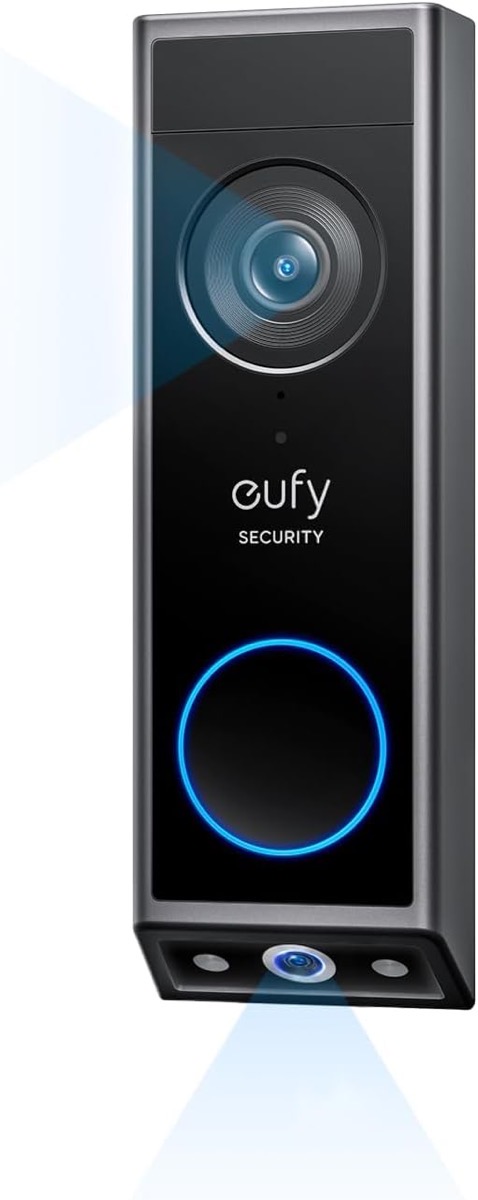
It’s important to note that none of the two-camera Eufy video doorbells is HomeKit compatible.
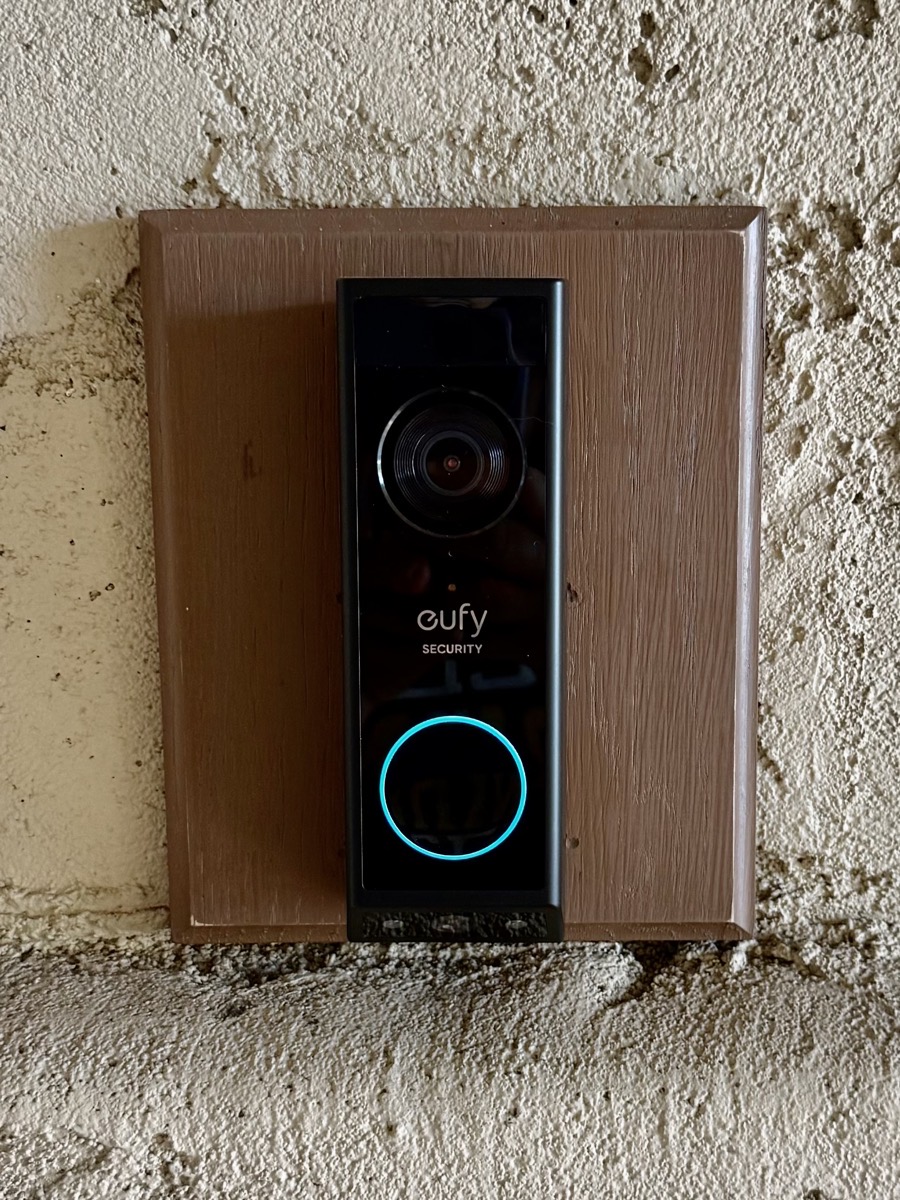
The Eufy E340 doorbell was an absolute dream to add to our network. You first scan the QR code on the back of the Eufy Doorbell with the app on your phone, then you press the sync button on the doorbell, then the doorbell’s camera asks to scan a QR code back in the Eufy app on the phone, and boom, you’re done. We took a ton of screenshots in anticipation of documenting exactly when in the process it became Hell on Earth, but it never did. It was glorious.
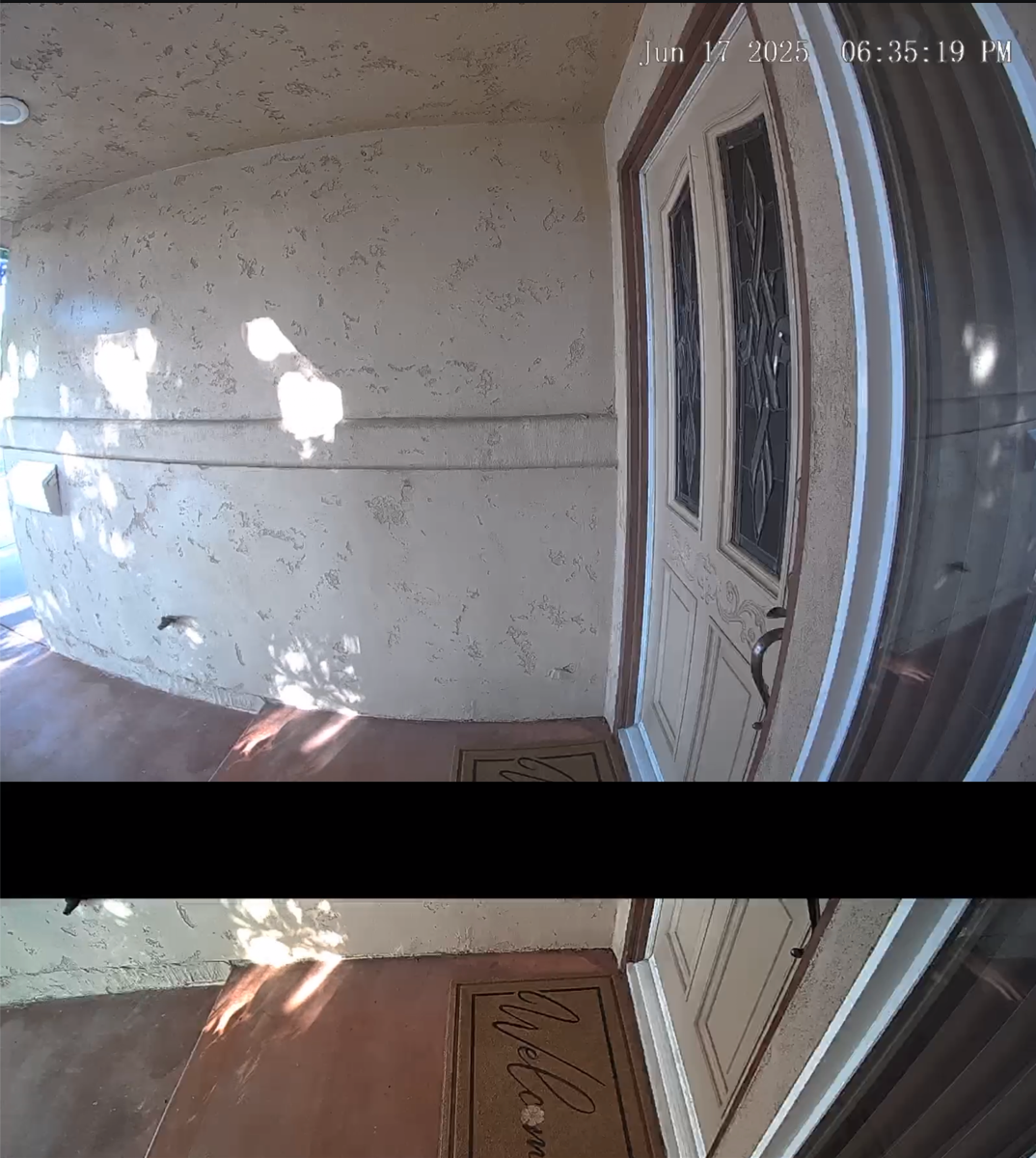
The configuration of the dual-camera video is fun. By default, the camera gives you a split view. You see the person in the top 75% of the view, and below their shins, you see the doorstep as the bottom 25%.
You can also put the camera in picture-in-picture view. The picture-in-picture view defaults to showing the person in the big image and the doorstep in a tiny image in the bottom right corner.
On the picture-in-picture view, you can swap the two images by tapping a little button. Unfortunately, that little button is also in the bottom right, which means you can’t see your packages by default. Luckily, in the controls, you can move the little picture to one of the other three corners. We put it in the upper left, and it works great to swap back and forth between the two views.
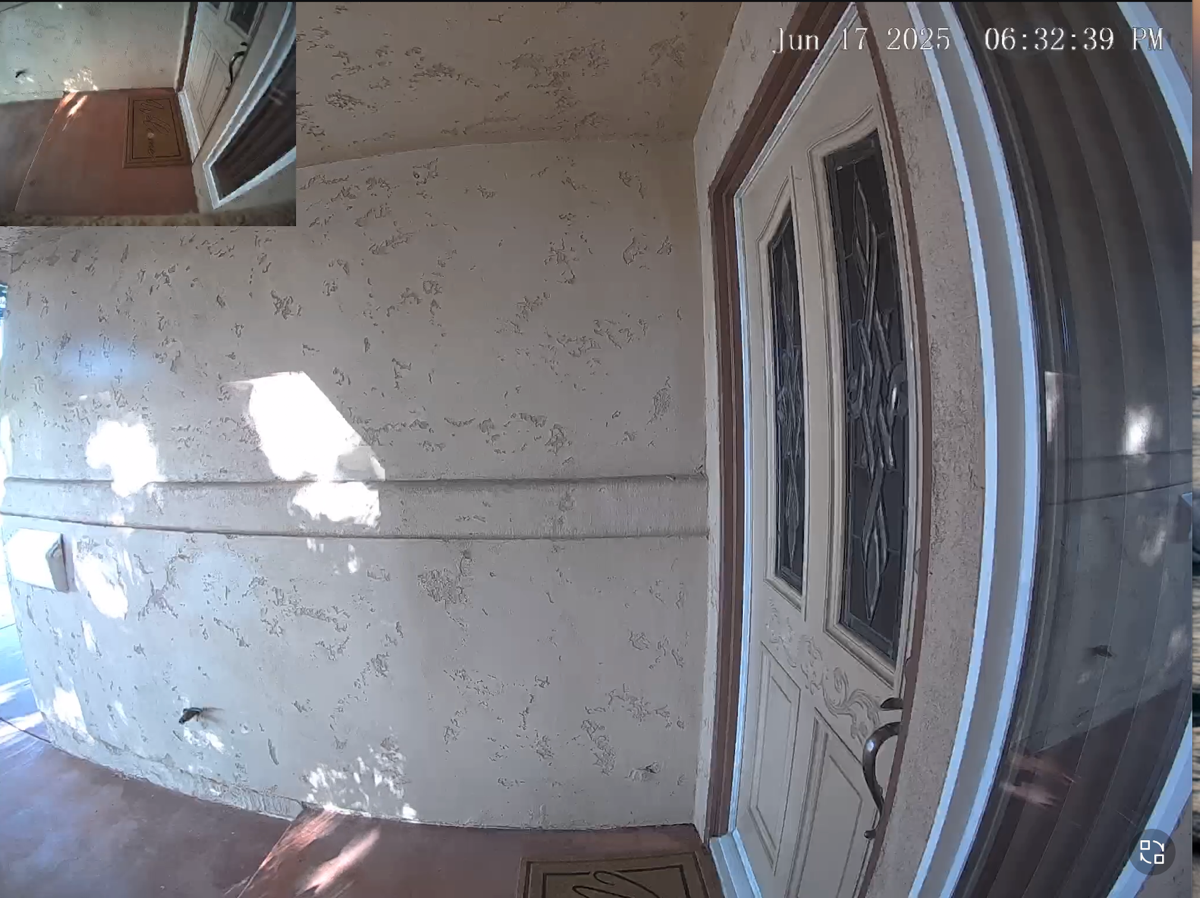
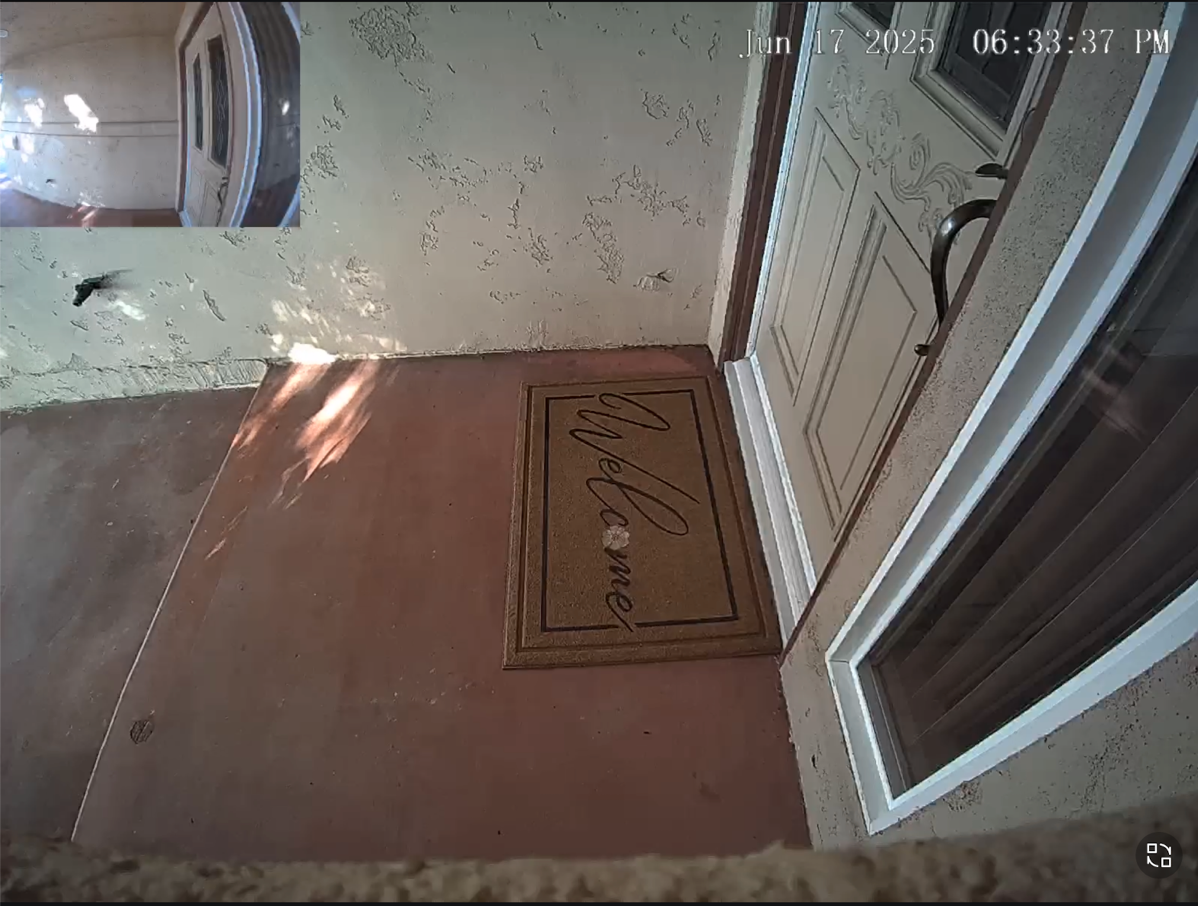
Eufy has a setting for Familiar Faces where you can take a photo of people you know, and it will recognize them and tell you when your buddy Ron comes over for pizza on Friday night. The daytime video is really good, and so is the nighttime view. You can have an infrared greyscale image, which is crisp and clear, but you can also choose to have color video. If you choose color video, it warns you that it will have to turn on the lights. As a result, color video will shorten battery life, but that’s not an issue for us since our doorbell is hardwired for power.
Like the Ring doorbell, we can answer the Eufy and chat with the people at the door. The audio coming out of the Eufy doorbell isn’t as clear as it was with the Ring, but it’s tolerable. It has a cool feature where you can pick from some canned responses, such as “Leave the package at the door, please.” It’s not your voice, but it’s fine.
Where Ring requires a subscription of $30/year per device to store video, the Eufy cameras have onboard storage. They pride themselves on not requiring a subscription. The E340 doorbell comes with 8GB of internal storage, which isn’t a lot. I like the idea of video being stored by me rather than Amazon, but to be fair, most of the recordings will be Amazon packages.
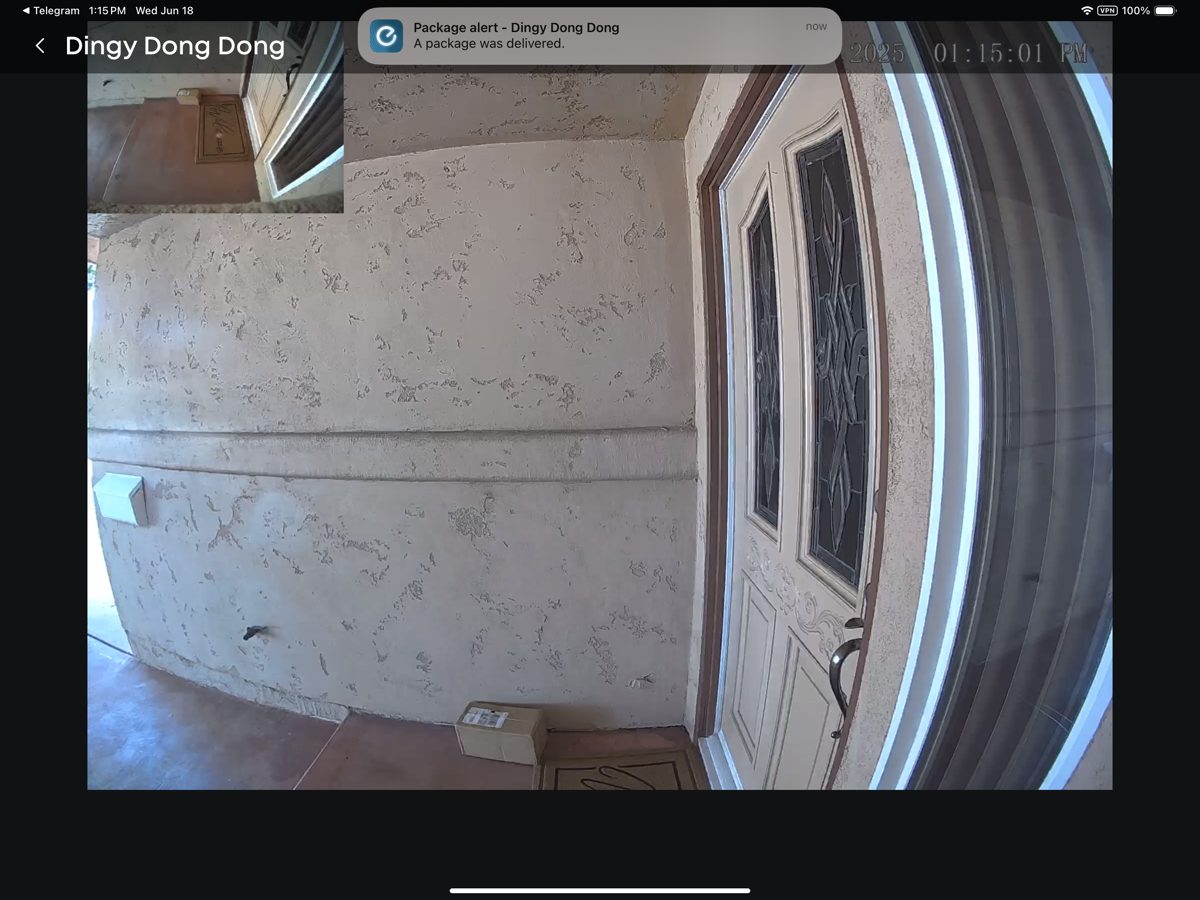
Speaking of packages, you can define a zone on your porch where packages will likely be delivered, and the Eufy doorbell will send you notifications when it recognizes a package. We’ve already had that happen, and it was pretty darn cool.
Doorbell Chime – Echo and Eufy
When we first got the Ring doorbell, we were shocked when our single Amazon Echo announced that someone was at the door. It was a cool integration from Amazon, but it seemed a bit rude that it never asked me if that was OK to do. I did like it, so we kept it that way. We were kind of sad that with the new doorbell from Eufy, we would no longer hear the Amazon Echo say, “Someone’s at the Ding Dong”.
I was poking around in the settings for the E340 doorbell and under indoor chime, I found a setting called Alexa as chime. It says, “When the doorbell is pressed, your Amazon Echo will send an audible chime to announce that someone is at the door.” We seriously use our Echo for nothing else, so I had to download and install the Alexa app. From there, it was easy enough to add eufySecurity as a skill. Now when the doorbell is pressed, our Amazon Echo announces, “someone’s at the Dingy Ding Dong”. Well, technically, she mispronounces it as dingy, meaning something gloomy and drab, but that makes us laugh even more than the real name.
With the Ring doorbell, we also had one of their Chime units to act as a ringer for the doorbell. Steve bought the $40 Eufy Add-on Chime that works with the E340 doorbell. Where the doorbell was a delight to connect to our network, the Add-on Chime was not. It’s one of those 2.4GHz devices that makes you connect to its network, but then it didn’t tell us the password for itself until after it stopped trying to let us connect. It wasn’t Hell on Earth, but it did take three tries and two engineers with advanced degrees to get it to connect to the network.
We’ve been laughing at ourselves for adding the Add-on Chime and the Alexa Skill, because when the doorbell rings, our Apple Watches, our iPhones, our Macs, and my iPad send us notifications. It’s really rather comical.
The Add-on Chime has one other trick up its sleeve, though. It has a microSD card slot in it. It doesn’t come with a memory card, but if you add one, it will store video footage from the Eufy Doorbell. Now that measly 8GB in the doorbell isn’t a problem with the 128Gb microSD card I added.
Adding Eufy Doorbell to HomeKit with Homebridge
I’ve talked a few times about Homebridge, the software you can run on a local server that lets you add non-HomeKit-compatible devices to HomeKit. I’ve been running Homebridge on my Synology for years. Using Homebridge, we now have in HomeKit our Ambient Weatherstation, our Daikin HVAC system, my Elgato Key Light, and our Ring outdoor cameras. Homebridge is tricky to set up, but once you’ve got the right plugin installed, it makes me happy.
With Homebridge, you add plugins for the specific device family you want to add to HomeKit. The plugins usually aren’t from the vendor, so your mileage may vary on how well they work. I installed a third-party Eufy Security plugin and created what they call a child bridge. Our first indication that I’d succeeded was when someone rang the doorbell, and the Apple TV at the time asked if I wanted to view it on the TV. That was cool!
But then, when we looked at the Home app, I realized I had two of every indoor camera! The indoor ones were already HomeKit-compatible, so using Homebridge, I’d added them again.
Because of some other shenanigans, I had to delete and reinstall the Homebridge plugin for Eufy Security. Steve asked whether I could pick and choose which cameras were put into HomeKit via this Homebridge plugin, and it turns out, you can!
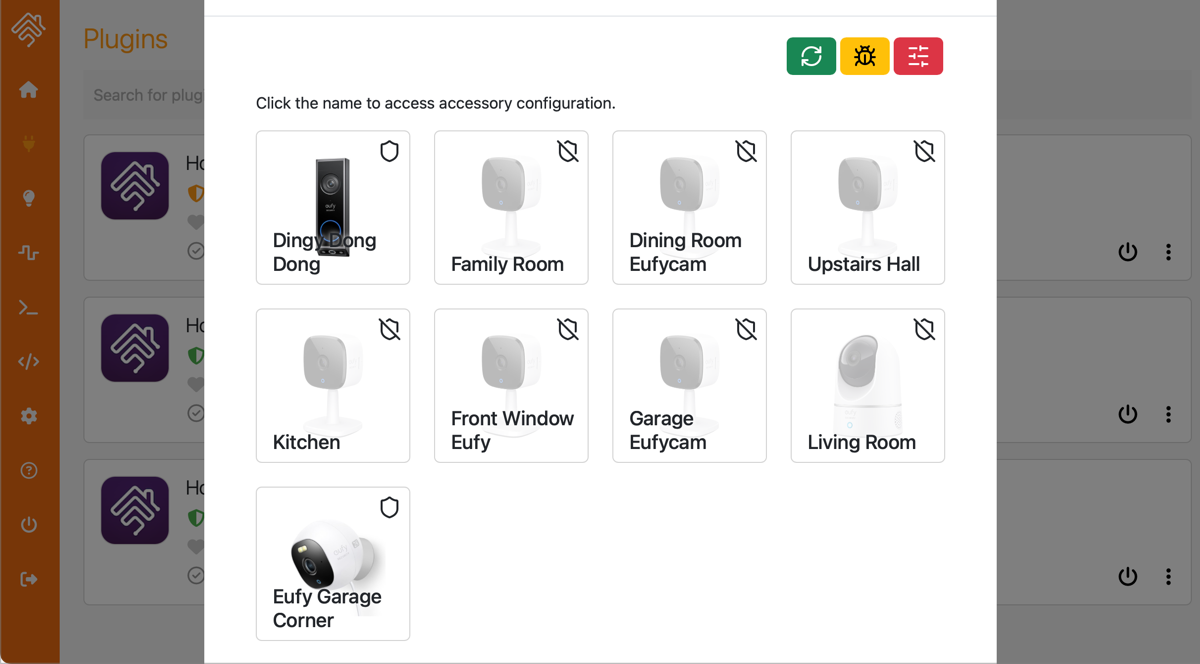
In theory, that is. After rebuilding things, now the plugin isn’t putting anything in HomeKit at all.
At this point, though, Steve and I are reevaluating whether we want to put our Eufy cameras in HomeKit at all. The Eufy interface is pretty good, and by putting the cameras in HomeKit, we go from 2K video down to 1080P video. We originally did it because we get free video storage with HomeKit Secure Video, but as you’ll hear in a later installment, we have a local video storage solution now.
We also get to define zones of movement detection with the Eufy app, and we lose that with HomeKit integration as well. We’re probably going to let things ride with the indoor cameras in HomeKit and all devices visible in Eufy for now. But I wouldn’t be surprised if, at some point in the future, you hear me say I moved all of the indoor cameras out of HomeKit.
Bottom Line
We may be in the honeymoon phase, but we are really happy with the Eufy E340 dual camera doorbell. The video is great, having color video at night is excellent, and most importantly, we can actually see the packages on our doorstep.
And for anyone who was still worrying about him, Listener Lynn’s husband, Gary, bought an Apple silicon 24” 4K iMac, and he’s delighted with it.
and he would be even more delighted if it had a 27 inch monitor.
I pushed for a 27” Studio Display with a Mac mini, but he felt the 24” would be fine and he loved the iMac all-in-one design. He loves the new Mac so it’s all good.
Wow, this is such a thorough review! I love how the Eufy E340 solves the package visibility issue with the dual camera setup that split view feature looks amazing. Also the onboard storage and Alexa integration are huge pluses. Definitely considering this for my own front door!