
When last we left our heroes, Steve and I had just finished having our house recarpeted. I walked you through the agony just as therapy for me, and then gave you the tech angles to taking a house apart and putting it back together. By the end of the day Saturday, the house was mostly in good working order.
Saturday night, I was walking by the kitchen TV, and I could hear a hiss, like a speaker that was just generating noise. I put my ear up to the TV, and that wasn’t it. I moved my ear to the HomePod to which it was connected, but it wasn’t making the sound either. Finally, I tried the Amazon Echo (whose only job is to tell me when something has been delivered). That wasn’t making any noise either. I have surprisingly good high-frequency hearing, but I dragged Steve over to the area to see if he could tell where it was coming from. He heard it but also couldn’t identify it. We were exhausted, so we went to bed.
And … in the morning, when Steve got up, the kitchen was flooded! Turns out that hiss wasn’t a speaker; it was a water leak inside the kitchen wall. Before you panic, no, the flood hadn’t yet reached any of the carpet, for which we are quite grateful.
So … two weeks before our entire family will be staying with us, including 5 kids, one of whom is 2-years-old, we’ve had the south wall of our kitchen torn out, a pipe replaced, and giant heaters and dehumidifiers drying out the area. Our kitchen has a plastic tent erected around the whole area.
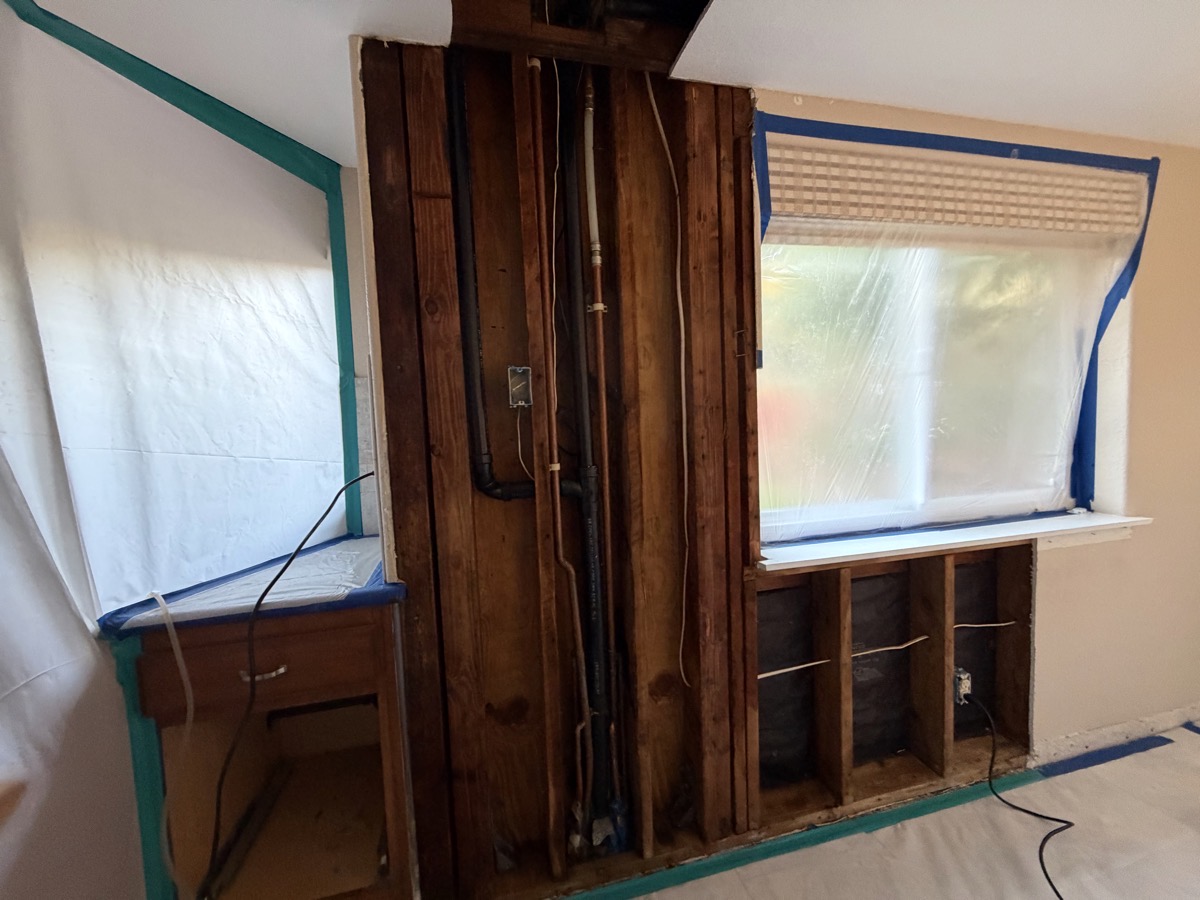
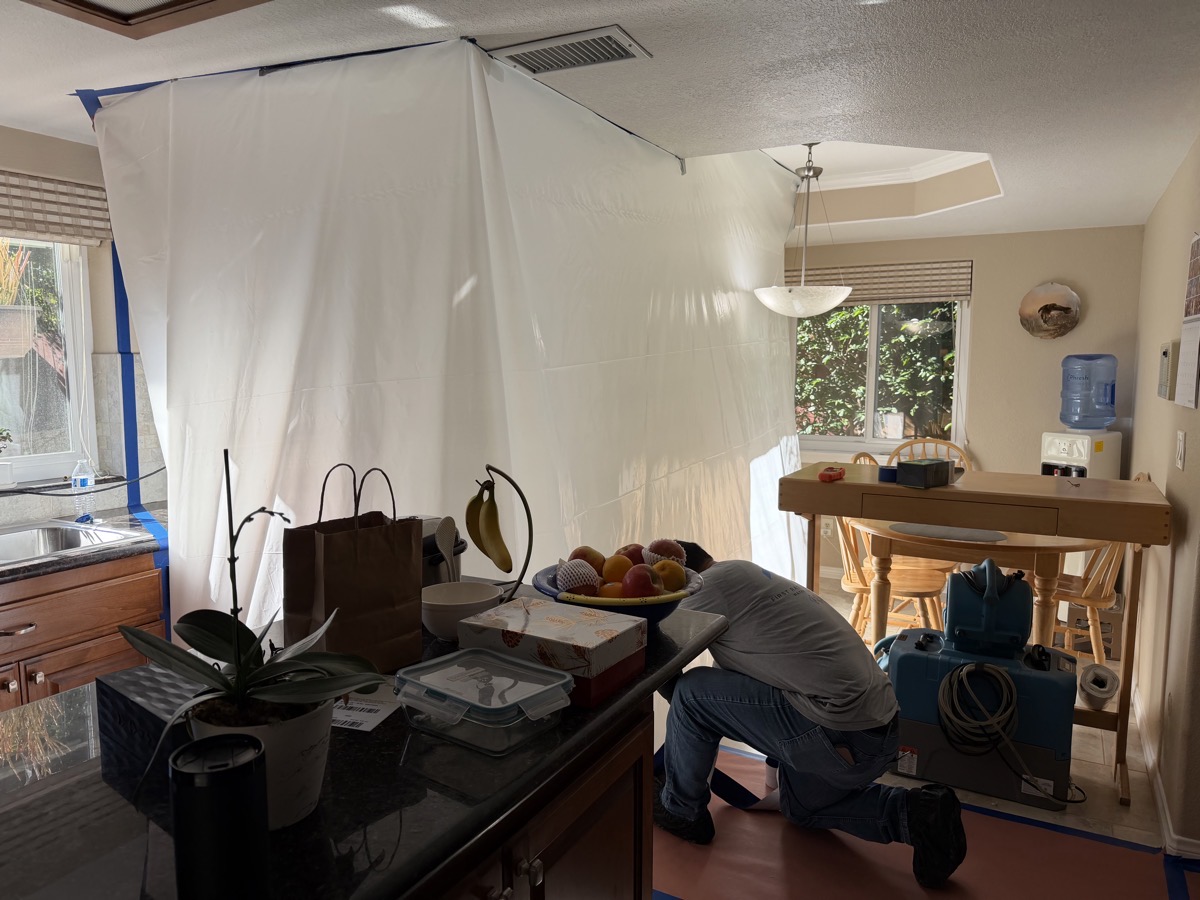
The only good news (beyond the carpet being unaffected) is that we have no mold, so now we only have the joy of getting someone to put in new insulation, replace the drywall and baseboards, texture the wall, and repaint. Our fingers are crossed that they can make our Christmas deadline only a week away!
We’ve tried to keep a stiff upper lip about this, but what pushed us over the edge of annoyance was that, as this was happening, a giant pile of tech stuff started to fail. But here’s the crazy part, for the most part, I was able to fix all of it!
Frontier FiOS
Let’s start with the worst one, which we only noticed on Thursday. With all the house chaos, it was really hard to meet my deadline for a video tutorial for ScreenCastsONLINE all about using Unite to create site-specific browsers, but I got it done late in the day on Thursday. I used the web interface to upload the 1GB video to Dropbox, and went off to run an errand. When I came back, after an hour and fifteen minutes, the video was only 53% finished!
That made no sense, because we pay for gigabit FiOS! I started running some speed tests and saw numbers in the 200 Mbps down, but only in double digits on upload speed.
You may remember that I just recently installed the Eero 7 Pro routers that David Roth gave us, so I was a little bit concerned that something was misconfigured. I rebooted the gateware Eero router first, but that didn’t fix it. Next up was powering down the coax to Ethernet adapter from Frontier, which, for word saving, I’ll call the ONT (even though I don’t think it technically is an ONT). Brought the ONT back up and then the Gateway Eero, and still the speeds were awful.
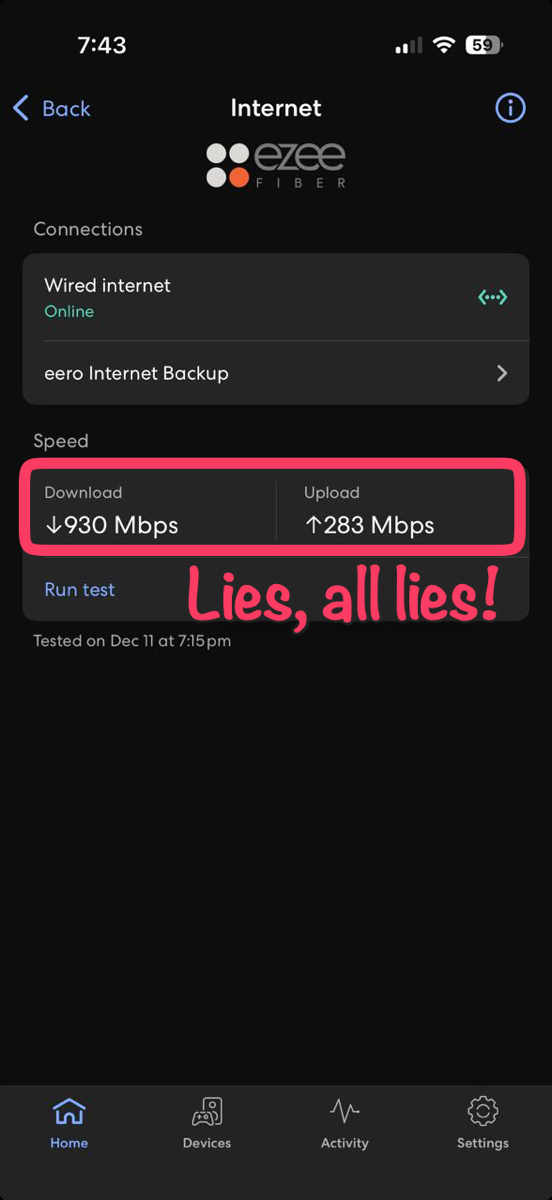
I decided to ask the Eero app to test my network speeds and it showed over 900 Mbps down and nearly 300Mbps up. This whas wholy inconsistent from my hardwired tests using speedtest.net. I’ve seen this before, and I can’t explain why the Eero app reports incorrect results.
To prove without a doubt that the Eero app was lying, I unplugged the gateway Eero from the ONT and connected my Mac directly to it using an Ethernet cable. This eliminates all of the Eeros, any WiFi signals, all of my interior wiring, and the Ethernet switch for all of that. This would be a pure test of what Frontier was sending to me.
And the test confirmed that I was now getting 200 Mbps down and 4 up!
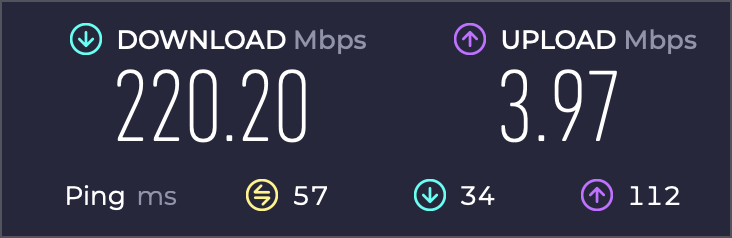
I called Frontier and got my new friend Win on the phone from tech support. It did take me about 20 minutes of conversation to convince him to test things on Frontier’s side, but when he finally checked, he said he was seeing that they were only sending me 200 Mbps down. For some reason, he was unable to see my upload speeds, but now he knew it was on their end.
He evidently has quick access to senior engineers, because he chatted with them from time to time. Eventually, they told him to “bounce the data port”, whatever that means.
He had me power cycle the ONT up in our bedroom (the one that goes from coax to Ethernet), but it still didn’t fix the problem. By the way, it was Win who kept calling this an ONT, even though I know for a fact that we had the ONT removed years ago.
I verified with Steve that we don’t have an ONT in the outside closet, but he reminded me that there’s a second little box like the one in the bedroom that converts Ethernet to coax to go into the house. So we have Ethernet to coax conversion and then coax back to Ethernet conversion. When I pulled power from the one outside and rebooted the gateway Eero, we were back in business!
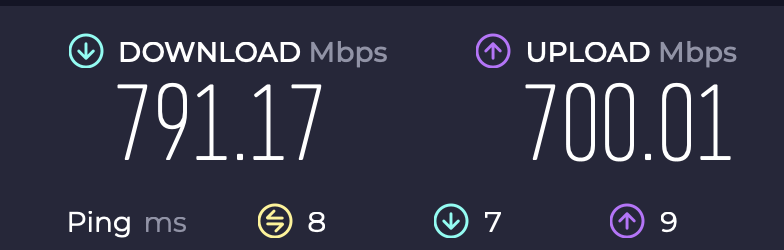
I never expect to see what we’re paying for, but 800 down and 700 up was more like what I’m used to. I thanked Win for his quick support and was quite pleased that the worst tech problem was solved.
August Lock
As much fun as having 4 Mbps Internet was, we had a security problem we didn’t know about that might have been worse. We have had an August smart lock on our front door for years. A month or two ago, it started getting a little bit twitchy in an odd way.
If you used the app to unlock or lock the door, it worked just dandy. But if you tried to rotate the cylindrical doorknob by hand from within the house, sometimes it would get stuck. It also felt like it was kind of grinding inside when it would turn. It was very curious why, when being sent the signal to move electronically, it didn’t grind or bind, but it did by hand.
I bought and installed the new version, which sports a much smaller cylindrical door handle and works with WiFi. The old model required a device plugged in nearby to relay the signal to WiFi. It worked great.
Until the week when the house was under siege by demons. We have the lock set to unlock when we come close to home, and to auto-lock a few minutes after the door is closed, whether we’re home or not. One day, Steve went to walk out the front door, and it was unlocked.
He opened the August app, and the symbology showed that it thought the door was open when it wasn’t. If the door is open, it won’t auto-lock, so as long as it thinks the door is open, it won’t ever lock itself. This is in that “you had one job” category, right?
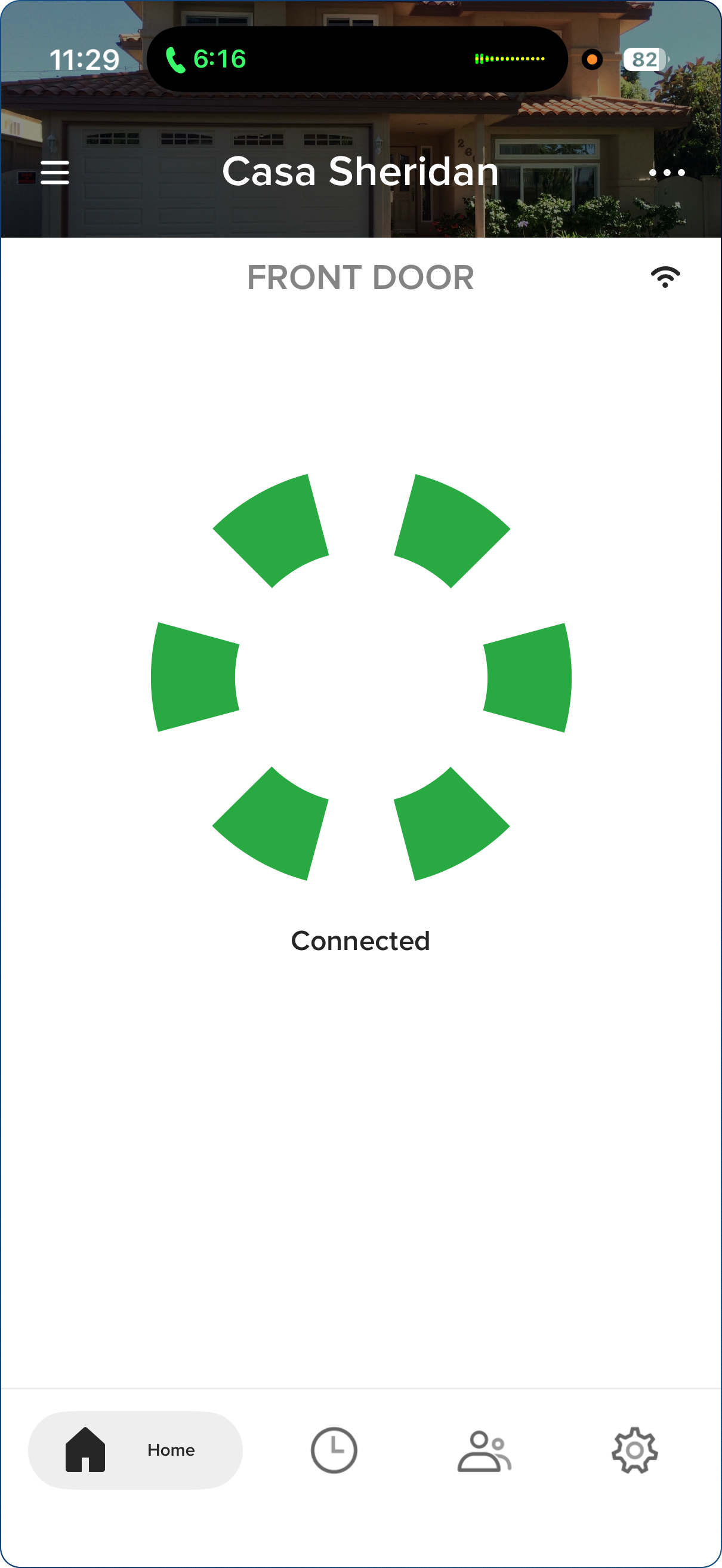
Steve started doing some experiments with the magnet you embed into the door frame that the August lock uses to determine the open/closed status of the lock. He wondered whether somehow it had shifted or somehow the gap between the door and the doorjamb had increased. He started pondering whether a stronger magnet would work better. We had just replaced the batteries too so we were giving them the side-eye.
I decided to see if Perplexity could shed some wisdom on the problem. The first three suggestions were to play with the magnet, make sure it was in place, and to check the batteries, so we were on the same page with it. But the second section suggested we rerun the calibration steps between the lock and the DoorSense (which is their fancy name for the pairing with the magnet in the doorjamb).
In a few seconds, we had followed the instructions to unlock the lock, open the door, close the door, and relock the lock … and it worked to fix the August lock!
I have to say, I was feeling pretty strong, going two for two in solving problems.
Eufy Doorbell
About six months ago, we replaced our aging Ring doorbell with a Eufy E340 doorbell, mostly because the E340 has two cameras: one for people and one for packages. It has worked swimmingly since June. While the indoor cameras from Eufy are HomeKit-compatible, the outdoor ones are not, and require a Eufy Homebase if you want to store video locally rather than pay for a cloud service. We chose the Homebase S380, which was a bear to set up but has been working since we wrangled it into submission.
In this same week of tech madness, the Eufy disappeared from the network, and to our surprise, the root cause appeared to be that the battery was dead. The E340 has a removable battery that you can charge via USB-C, but it should never have discharged, as we have ours hard-wired into power from the original doorbell.
Steve removed the wiring, unplugged it, and charged it until the little light went from red to green, and then tested it just holding it in our hands, and it still didn’t behave properly. The weird thing was that it would still give us alerts, like, “Allison detected” using its face-recognition, and we could see recorded video but not live video. It also wouldn’t ring … you know, like a doorbell is supposed to.
After days of fussing with it, it showed the battery was dead again, down to 5%. While recharging it, I found a reset button (black rubber in black plastic with black indented letters). I was able to essentially start over, connecting it to WiFi. The Eufy app does this cool thing where it shows a barcode, then you point the doorbell camera at the barcode, and it connects to the network.
My third miracle of the day was achieved when it showed us live video, and we could hear it ringing upstairs on the Homebase. I never did get it connected to the chime down in the family room, but I declared victory anyway.
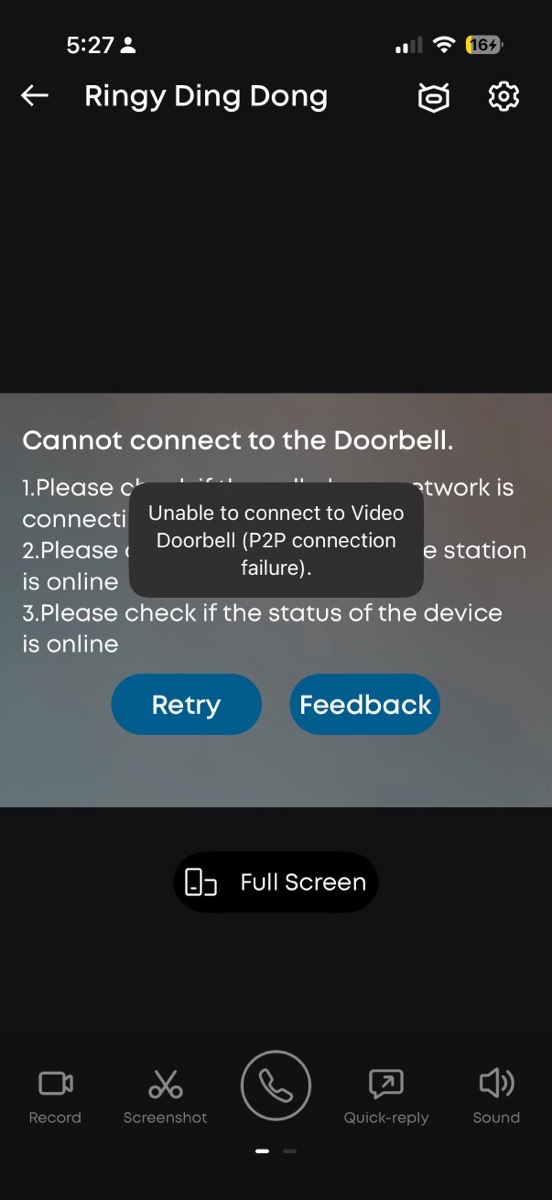
I’d be a little bit more excited about this third victory if it weren’t for the fact that, as of the time I’m writing this up, the doorbell has failed again in the same way. I can watch incident videos where it detected, but I can’t watch live video. It’s throwing an error about a peer-to-peer network and then asking me to make sure the cell phone network is connecting normally.
Looks like I’m going to have to try my luck with Eufy support on this one.
One Apple TV couldn’t play Peacock
I’ve got a long and tragic story to tell about my trials and tribulations trying to take advantage of the newly announced Apple TV/Peacock bundle, but I’ll tell you about that some other time.
We’ve been watching the old TV show Suits on Peacock for the last year. On Thursday night, we sat down to watch, and to our dismay, the Apple TV in the family room told us we’d have to pay to watch Peacock. I had finally conquered the bundle pricing, which I verified by going into my account on the Apple TV and looking at subscriptions.
The “pay us money” page had a login screen, and going to that told me it was going to send a notification to my mobile device to do the verification. On my iPhone, it popped up, but it just took me back to the login screen. I tried a couple more times that night and gave up, and we watched something else. The next day (my day of victories), we tried again, but we had the same failure.
Steve checked one of the upstairs Apple TVs, and it gladly offered all of our Peacock content. I gave up trying on my own and enlisted Apple for help. Ben answered my call, and asked if he could share my Apple TV screen. What? I didn’t know you could do that! If nothing else, that would be cool to see.
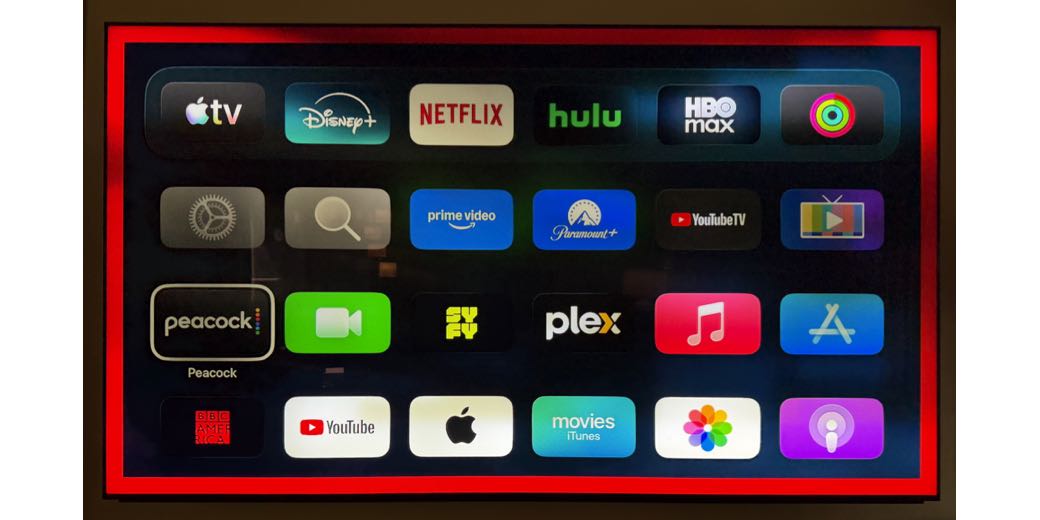
As soon as Ben read me the caution that he’d be able to see my screen but he could pause at any moment if something sensitive was going to come up, like a login screen, my TV screen got a giant red border on it. I mean, like close to a two-inch wide border of flaming red. There is no way you could miss that something was different about your TV (as long as you have the gift of sight, of course). I wonder whether with VoiceOver it would tell you (really loudly?) that it was being monitored?
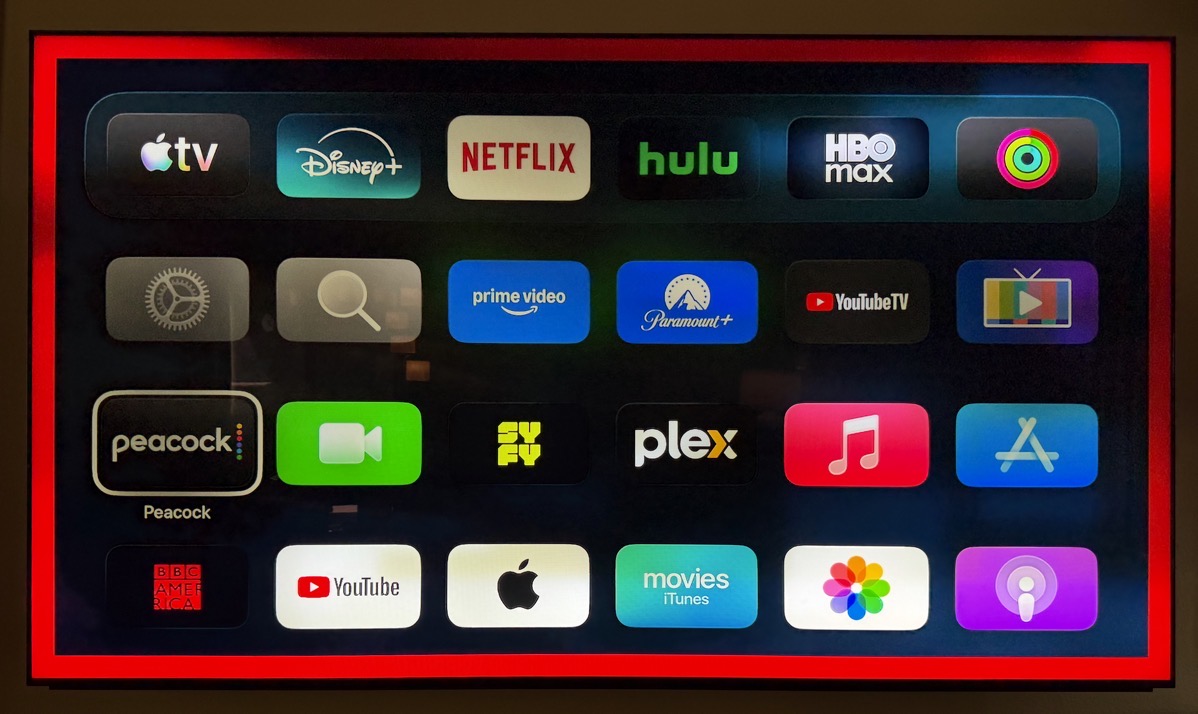
I was gushing to Ben about how cool this was, and he confessed that it was the first time he got to do it, too! He was a little wistful when he said he couldn’t see the red border, though.
Now here’s the fun part. He had me follow the exact same steps I’d followed at least three times before: hitting the sign-in button, and authorising from my phone. It went right back to the sign-in page again, as it did when I tried it alone, but then after a second, that disappeared, and we got a spinning orange arrow circle. After probably 30 seconds or so, Peacock came up, and I was logged in!
I would guess my call to Ben was less than 10 minutes, and we spent at least 2 of those minutes talking about how cool it was that he could see my Apple TV. I wished him a happy holiday and celebrated my fourth victory of the day.
Steve’s TV dropping signal
Let’s see, what else went wrong? Oh yeah, Steve’s Apple TV started intermittently losing signal. Good news, though, this was an easy fix. He swapped his HDMI cable with the one in our bedroom and the problem came along with it. He put in a new HDMI cable and things were back to normal.
We’ll call that victory 5 (since we’re still counting the Eufy because we didn’t know it had broken again).
Bottom Line
The bottom line is that while we feel like we’re in a tech fixer-upper these days, we’ve managed to slay most, if not all, of the dragons that have infested this house. I almost wonder if the tech gods sent us all this madness just to distract us from worrying about drywall, broken pipes, and giant loud fans. I feel like I’ve made fire fixing everything. Except the Eufy doorbell …
sounds like you need to get someone who knows Feng Shui to check your house or have an exorcism performed. Especially with your family coming.
Sounds like the house is mad at you for replacing the carpet. It’s demonstrating it’s aggravation in any number of ways. 🙂
Bary and Dan – you’re both onto something!!! It does feel possessed.