
If your podcatching client grabbed the NosillaCast feed between 6:18 PM and 10:55 PM Pacific Time last Sunday night, the 18th of January, you will have noticed that I made a dog’s dinner out of the audio. I thought you might like to learn exactly how I borked it up so badly, and what it took to fix it.
On Sunday at 5 PM Pacific Time, Steve and I joined the friendly and enthusiastic NosillaCastaways for the live show. We had a lovely time as I recorded the podcast, and carefully embedded the audio files from CES that Steve exports from the video interviews we do on the show floor. I recorded the outro, and then Steve and I did our chapter counts to ensure I hadn’t forgotten any articles. I can’t tell you how many times I’ve forgotten to mark the chapter for Security Bits, which is probably the single most important chapter, right? Kevin, in the live chat room, always reminds us to do this ever-so-important chapter count at the end.
After we finished the live show, I exported an AAC file from my recording software, Hindenburg. Next, I uploaded the file to Auphonic.com. This service does a lot of things, which I wrote up in detail, in an article entitled Auphonic – Sweetens My Audio and More. In short, Auphonic levels the audio, brings it up to the loudness standards, and then transcodes it to an mp3 file and to a silly video file of a waveform in front of the logo for YouTube. Auphonic also uses Whisper AI to create the transcript you see in every post for my shows.
When all of this is complete, it uploads the silly video to YouTube, creates a download link for the transcription, and most importantly, it securely FTPs the transcoded MP3 file to Libsyn.com, which is the service I use to host all of my audio files.
Once Auphonic has done its magic, I download the MP3 for long-term storage and move a copy of the transcript up to podfeet.com. At this point, I can add the links to the audio from Libsyn to the blog post and to the app Feeder from ReinventedSoftware.com and publish the blog post and the podcast.
That sounds like a lot of work, but I’ve been doing this for so long that I can whip all of this out in about 15 minutes. The longest part of the process is waiting for Auphonic to finish its magic. As the shows have gotten longer, it takes longer to do all of this work.
On the most recent Sunday, I had the MP3 file back in my hands by around 6:18 PM and posted the show shortly afterwards. I went downstairs, where Steve had cooked me a lovely grilled chicken dinner with brown rice and steamed broccoli.
So What Went Wrong?
At exactly 9:20 PM, two separate people tried to get my attention that something was wrong.
Aris Skamagakis from Greece sent me an email that said:
In the third chapter of the podcast, there are 2 chapters playing at the same time. It is impossible to hear it. Thank you for your great work.”
It was lovely of him to give me a compliment whilst telling me that the file was a hot mess!
At the exact same time, Michael Westbay from Japan wrote in our Slack community:
I’m sure you’ve been told this already by a number of people, but in this week’s podcast, you start talking over the end of the CES segment before it is finished and go into the next segment also before it is finished. Looks like something didn’t get lined up in your timeline. That first CES stock is played again after presentation of the panel. I remember when this happened before, you chastised us all for not telling you.
I didn’t see Aris’s email until the next morning, but luckily, I did see Michael’s message on Slack. He was still online, so we had quite a few exchanges to diagnose the problem.
I opened up Hindenburg, which is a multi-track audio editor. I always record my audio on the top track, and then when I interview someone, it’s on the second track, with the jingles on the third track and the intro/outro music on the fourth track. I jumped to the first CES interview and discovered that I had the second CES interview on the wrong track, and it was actually overlapping the next segment as both Aris and Michael had reported.
Fixing it (incorrectly)
It didn’t take me long at all to drag the following segment (and all of the audio that followed it) to the right where it should have been. I even remembered to drag each chapter mark into place so they were properly lined up, since Hindenburg doesn’t move the chapter marks when you move the audio. Ok, I’m golden now, I just have to repeat the entire post-recording process. I exported it to AAC with an “A” at the end so I could tell it apart from the first version, uploaded it to Auphonic, and waited.
While Auphonic was doing the transcoding and SFTPing of the audio file, I went back to Feeder to stop the wrong file from being served to the audience. I use a kind of hack to do that. I have a fake local feed where I can drag in an episode for storage that never gets uploaded anywhere, and then I delete that item in the real feed. I push the feed again to the server without the latest episode, so at least nobody new gets the wrong file. Later, I can drag that item back in, point to the new and improved audio file, and push it back out again.
Next, I had to go into the belly of the beast — I had to get rid of the original version on Libsyn. I’ve been with Libsyn since nearly the very beginning of podcasting. Their interface is arcane and confusing at best. Even though I use the standard secure file transfer protocol to copy files to their server, I can’t see them in a normal file structure after I send them up, so it’s very difficult to fix problems.
I’ve been using version 4 of their web interface, at four.libsyn.com for ages. The interface is very ugly and looks like a design from the early part of the century … since it is from the early part of the century. But at least there’s a button that says “Replace” next to any content I upload, which means I can swap in the new file. Ugly as it is, that’s exactly what I need.
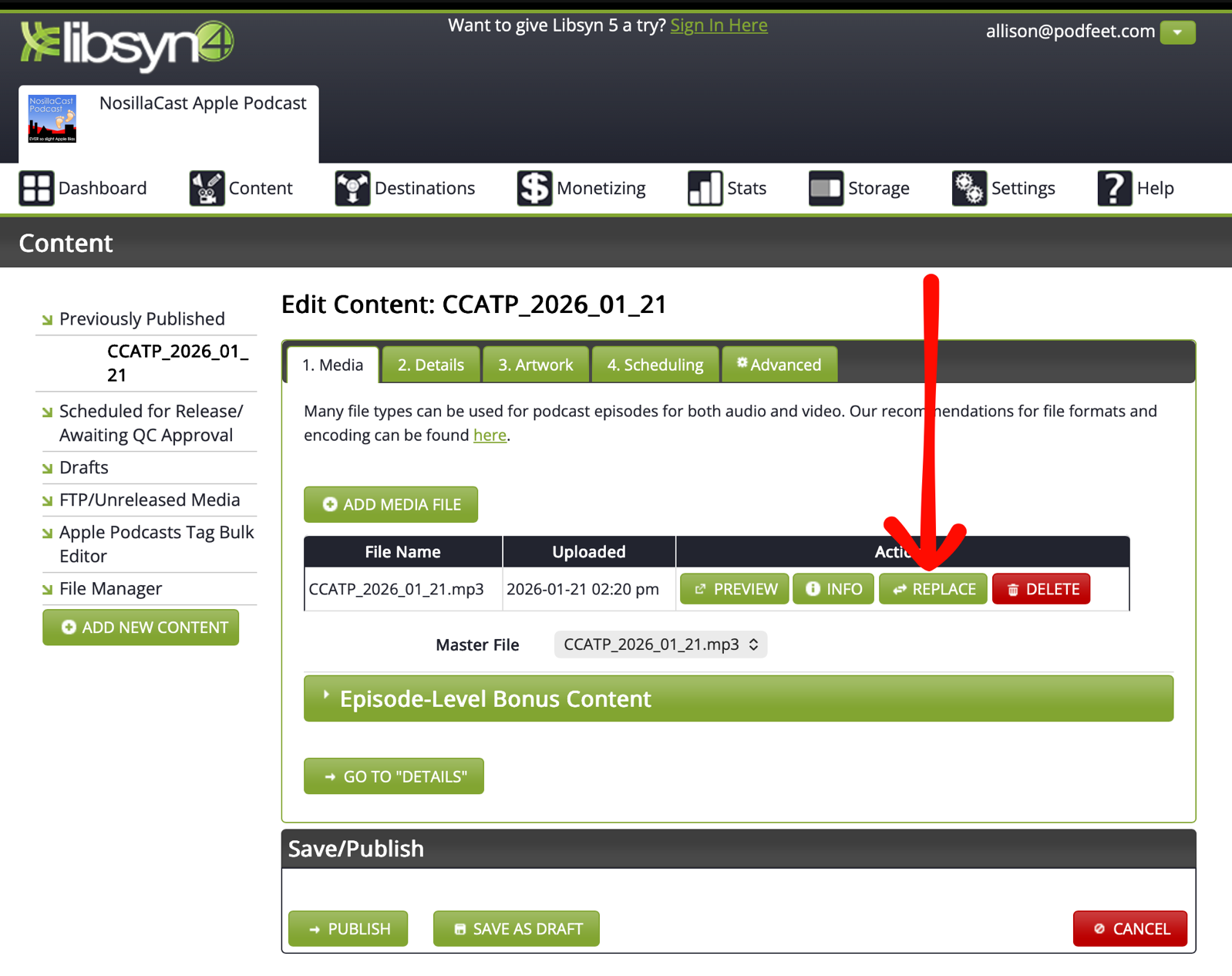
However, Libsyn has been pushing version 5 of their site, at five.libsyn.com for at least a year. Every time I look at version 5, though, it has still been missing basic functionality, including that handy dandy replace button.
Just a few weeks back, I needed to do something in Libsyn’s interface, and when I went to version 4, I was greeted with a giant pop-up telling me that it was being sunsetted in January of 2026. It was time to learn version 5. It’s a good thing that I buckled down and conquered it then, instead of hitting this during an emergency like last week. It’s also good that when I figured out how to get things done in Libsyn 5, I updated the guide I have for Jill, Allister, and Bart. I create references for when they take over my show during our travels, using the application Folge.
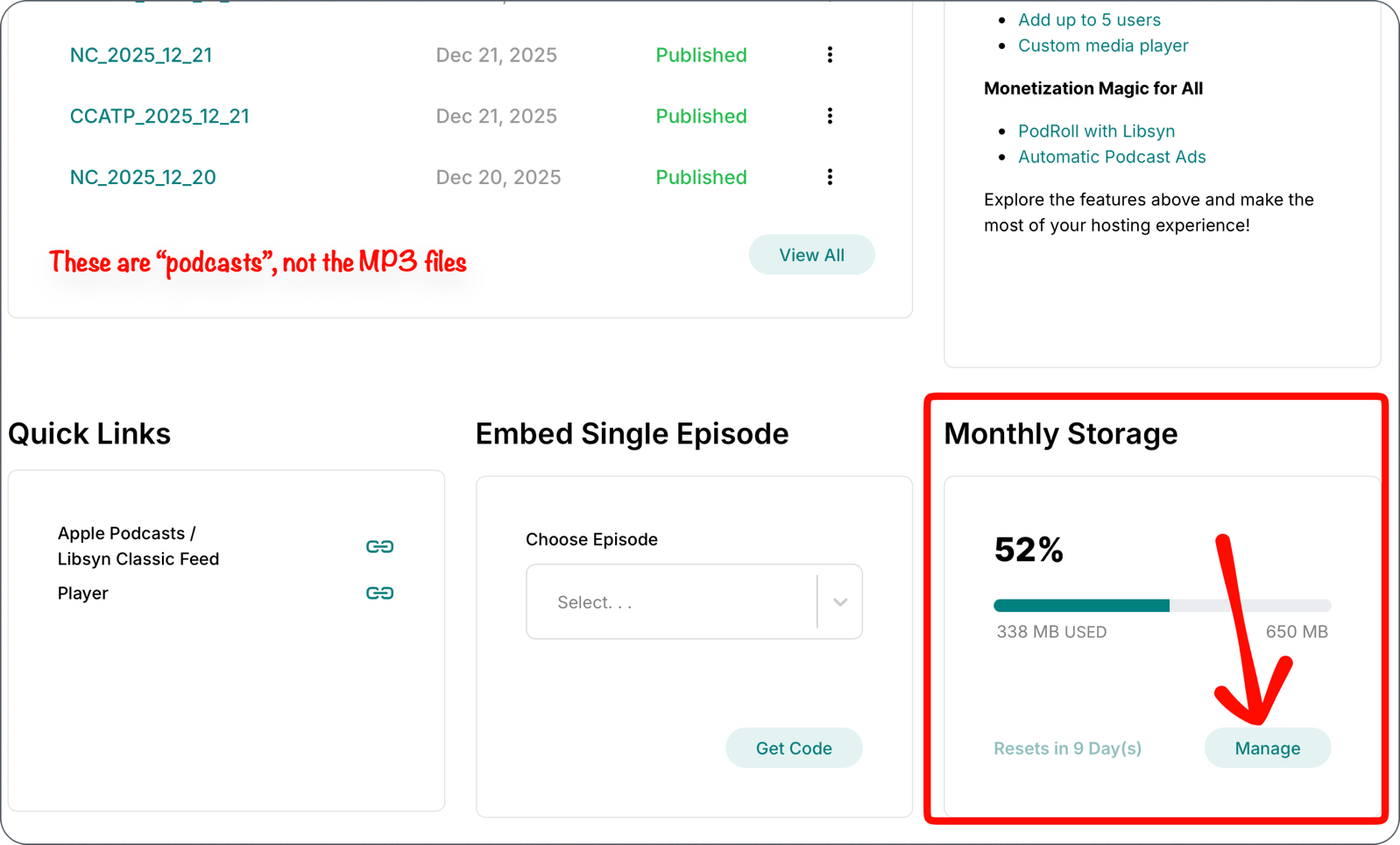
When I went to Libsyn during this catastrophe, I saw two files for Sunday’s show, but they had the same name! I had renamed the audio file, but in my haste using Auphonic, I hadn’t changed the title of the production, which is what Libsyn was showing. I forget exactly how I figured out which one was which, but I did, and deleted the borked version.
Ok, with the bad files erased on Libsyn, I could go back to Feeder, bring the latest episode from my hacky folder, edit the audio file name to add the “A” at the end. I checked the size, and it was definitely different from the original, and I hit post. Then I went to podfeet.com and updated all of the links to the audio file in the blog post, and published again.
Whew! Now time to respam all of the socials, telling everyone to delete the original episode from their podcatcher of choice and download the new one.
And then I noticed that I had swapped the bookmarks for the two CES interviews. It was supposed to be the interview with Birdfy first, but I could clearly see that Aerleum was the first interview. You know what? I decided everyone could live with that mistake. I told Michael I was done and pointed out the chapter mistake, and started to brush my teeth to go to bed.
But then Michael wrote back at 10:39 PM to tell me I still had a problem. I hadn’t swapped the bookmarks. I had put the interview with Aerleum in TWICE instead of using Birdfy and Aerleum!
I believe my exact words were, “Shoot me now.”
How I Made That Mistake
As much as my pillow was calling me, I had to fix this problem. I’m glad I did, not just for you and for the woman from Birdfy who took the time to give us the interview, but because, in fixing it, I realized how I caused this mistake.
As I’ve mentioned in previous years (but neglected to mention this year), Steve does all of the heavy lifting with these interviews. I hold the microphone and try to ask insightful questions, but once we stop recording, it’s all Steve. He creates the videos for YouTube, creates the subtitles, and he exports the audio for me to embed in the podcast.
Last week, when he gave me the audio files, I asked whether he could do some noise suppression on the files. Steve thinks it’s good for you to be able to hear the environment we’re in with all of the crowds, and I don’t disagree, but I was worried the noise was too high and might be fatiguing. He gave me a second copy of the two interviews, Birdfy and Aerleum, with around 50% noise suppression, which is the default in Final Cut Pro.
During the live show, I dragged in the Birdfy audio with noise suppression and played a bit of it. As I listened, I realized that I didn’t really like that version. It sounded kind of crunchy and weird. I decided to let the live audience decide which one they liked better. So picture this: I’ve got the noise-suppressed version of Birdfy on one track, and the non-noise-suppressed version on a track below it.
With Hindenburg, I can press the “M” button to mute one track, which allows me to toggle back and forth between the two versions of the Birdfy recording. I asked the audience to listen carefully and tell me which one they liked better. A lot of people said they couldn’t hear the difference, but a few folks said they liked the noise-suppressed version better, so I decided to stick with it.
After that, I recorded my segment about Panel Editor. After Panel Editor, I dropped in the noise-suppressed version of Aerleum and played a few minutes of it. I had to go back to the video from the live show, where at 45:28 I said, “I think I might want to go back to the original version.” Steve asks me if I want to do that on both, and I say yes.
And that’s when I replaced the noise-suppressed version of Aerleum with the original version, and then accidentally dragged that same Aerleum audio file in to replace Birdfy. While it would have been bad to have Aerleum in there twice, the Aerleum interview was longer than the Birdfy interview, which is why it was still playing when I started talking about Panel Editor.
When Michael clarified the mistake for me, and I was able to see and hear for myself what I had done, I knew I had to go through the whole rigamarole again of fixing it, exporting from Hindenburg, and having Auphonic do its magic. And stop the feed again. This time, I took the blog post offline as well until I could get it fixed. The only good news was that I remembered to change not just the file name to append the letter “B”, but I also appended the project in Auphonic with the “B” so that when it got to Libsyn, I’d more easily be able to find the correct file. Since I had time on my hands, I went into the seven circles of Hell that is version 5 of Libsyn and deleted the A version of the audio file so that no podcatchers could find it.
I anxiously scrolled TikTok for the 10 min or so while Auphonic did all the heavy lifting, and when it was complete, I verified that Libsyn had the new and improved “B” version of the audio file, fixed the feed, fixed the blog, and posted both.
Bottom Line
The bottom line is that I’m sad that you got a bad audio file last week, but I’m happy that both Aris and Michael jumped in to let me know the file was borked. I really, truly do want to know when I mess things up so I can fix them if it’s at all possible. While I complain about the Libsyn interface, I’m very glad that I just happened to have cracked the code on beating it into submission just a few days before this happened.
One more thing. I pay a monthly subscription to Auphonic based on how many minutes of audio I expect to process in a month. Because of our upcoming trip to Texas and our trip to Norway and Estonia in February, I’m trying to get extra content into the can. And, because I had to run this 90-minute podcast through the Auphonic pipeline three times … I ran out of credits!
The good news is that Georg from Auphonic also offers one-time credits you can buy to supplement your monthly plan, and those credits don’t expire. So for the grand sum of an extra $12, I’m able to process both the NosillaCast and Chit Chat Across the Pond this week.
Thanks again to Michael and Aris for saving the show.