
I thought it might be interesting to talk a little bit about tech in the hospital, since that’s where my most recent experience lies. To give a little context, I spent three nights in the proper hospital, and then I was transferred to a rehab hospital where I spent another six nights.
WiFi
The first thing you’d want to know about is the WiFi. In the proper hospital, we had a symmetrical 5 Mbps. I know that’s nothing to write home about, but it was a consistently stable connection. As you heard last week, I was able to publish the show from my hospital bed. The main constraint there, since we didn’t do a live show, was the time it would take to upload a ~100 MB audio file. Since there are 8 bits in a byte, we can do the math to predict how long it would take to upload.
(100 MB/s * 8 mb/MB)/60 sec/min = 13 minutes
We tried to use Tailscale to tunnel into our home using our Synology as an exit node to provide us a VPN, but it really seemed to bog things down. I just realized I’ve never explained what anything in that sentence means, but I’ll put it on my to-do list! In any case, when we had to do anything sensitive, we switched over to tethering from our phones.
But then I moved to the rehab facility, and it went completely in the pooper, if you’ll excuse my French. While ping times and jitter weren’t too bad, I was getting 1.17 Mbps down and 2.82 Mbps up. But at least it was unstable.

After a day or so of trying to make that work, I completely abandoned using the rehab WiFi and only used AT&T tethering. That sounds dandy and all since I have an unlimited plan, but I only had two bars of 5G sometimes, and often only one.
For my last two iPad Pros, I’ve purchased them with eSIM capability, but I’ve always been too frugal to ever enable it. I already pay a fortune for the family plan for AT&T, and adding another $25/month just seemed like a waste when I could always tether off of my phone.
I thought maybe this was the time to make my life just a wee bit easier, even though tethering isn’t all that bad in my opinion. At first, I tried to see if I could get maybe Verizon or even GigSky to have some options for some better coverage. But those plans were super expensive. GigSky was, I think, $136/month for unlimited, and Verizon was even more, I think $160/month.
Even though it wouldn’t give me any better signal, I treated myself to the $25/month for AT&T on the iPad. Even with a poor signal, AT&T’s downloads were pretty darn good at 37 megabits per second. But the upload seemed to hover at just around 2 megabits per second.

Another piece of critical tech when you’ve got dodgy Wi-Fi going on is called Online Check from sindresorhus.com/…. This little $5 menu bar app is designed to notify you when your WiFi gets disconnected. There are a few options to play with. I have mine set to be visible in my menu bar at all times, but when my Wi-Fi goes down, it turns red. I just learned, in looking at the documentation, that you can actually set a shortcut to do other things, like switch to maybe tethering from your phone when your regular Wi-Fi goes down, and then switch itself back.
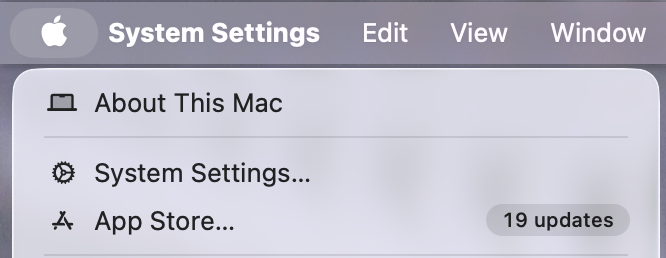
In the hospital, I used it to let me know when my tethering had connected so I knew I could start waiting for things to refresh. Another reason this slow internet was annoying was that I was getting a real backlog of apps that needed to be updated. Xcode needed an update, and even worse, there was an update to Mac OS.
Shockingly, we did have a relatively successful Zoom call with our family on Friday night, even under these trying circumstances, but the clear solution was for me to get well enough to go home and back to my gigabit symmetrical Internet.
One last thing on Internet speeds, I was up to 19 updates from the App Store when I got out, and I even had a macOS update by the time I left. You know those would have really gotten out of control if I hadn’t escaped the rehab center.
Best charging strategy
I wanted to talk a bit about my charging strategy because I think it worked pretty well. In any hospital, you’re often limited on how many outlets you have access to. Imagine you only have one outlet. How would you take care of your iPhone, Mac, iPad, wireless headphones, and Kindle?
Last July, I wrote up the magic combination for travel charging. In my article, I explained that I combined the 3-in-1 Anker MagGo Travel Charger that Sandy reviewed for us with this Sharge Retro 67 GaN Charger Block.
As you know, we travel a lot, and this combination has been fabulous for simple trips like going down to see Lindsay and the more complex trips like to Finland. Having one device to charge my iPhone, Apple Watch, and AirPods (if I use them) is perfect with the Sharge 67. I have a 67 W port for charging my laptop and two lower-powered USB-C ports for charging other devices if I need them.
For my hospital stay, I only needed one more device. Instead of plugging devices directly into the charger block, I connected a large battery to the charger first. My large battery is the Baseus Laptop Portable Charger 100W 20000mA, but you can use any battery capable of charging a big iPad or a MacBook if you have one. I connected a single USB-C cable from the large battery to whichever device was thirsty at the time. With this configuration, the charger was always charging the battery, so if something happened and the charger got disconnected (which happened several times in the hospital), the battery was still there to give me power.
Even with my high-demand use of my devices, I was able to stream Grey’s Anatomy on my iPad for most of the evening and do my computing during the day on my Mac. I could unplug for a while and maybe give my headphones or my Kindle a little bit of juice.
At night, I took the USB-C cable from the battery and plugged it into the Anker 3-in-1 charger that Sandy recommended. This device lets me see my phone in nightstand mode while charging, and charge my Apple Watch on the back. I still don’t use my AirPods Pro very often, but if I did, I would be able to put them on this and keep them charged as well while I slept.
I hope I’ve conveyed the simplicity of this method of charging rather than making it sound complicated. Think of it as a charging cable with an extension cord with a battery in the middle.
Remember, you’re just lying there in a bed most of the time, so moving one cable from device to device is pretty easy when everything is within arm’s reach, and nothing is tucked behind the desk or anything. The biggest challenge was that the GaN charger block kept falling out or getting pulled out.
Now that I’m back home, I’m using the same strategy in my bed. Power adapter to USB-C cable to battery to USB-C cable. Gives me lots of length and lets me pull the power cable to the left side since the MacBook Air has both ports on that side.
Lights in Rehab
The first night I arrived in rehab, they put me in a double room. I’m not sure what happened, but in short order, a nurse came in and whispered to me that I was being moved to a single room. I was, as you can imagine, quite happy about that new development.
I mention that because of one “technology” that I found amusing. Above each bed is a long set of fluorescent lights: one that points upwards with a mild light, and one that points down to be more directional. As this light fixture is about 4 feet above the bed, the patient needs some method to cycle through the light options.
The solution is a very long (maybe 7 feet) plastic ribbon that hangs down over the back of the bed. The ribbon is attached to a very strong mechanism that makes a super loud clunking sound each time you pull down to mechanically change the light setting. To simply turn off the light, you have to cycle through each of the options.
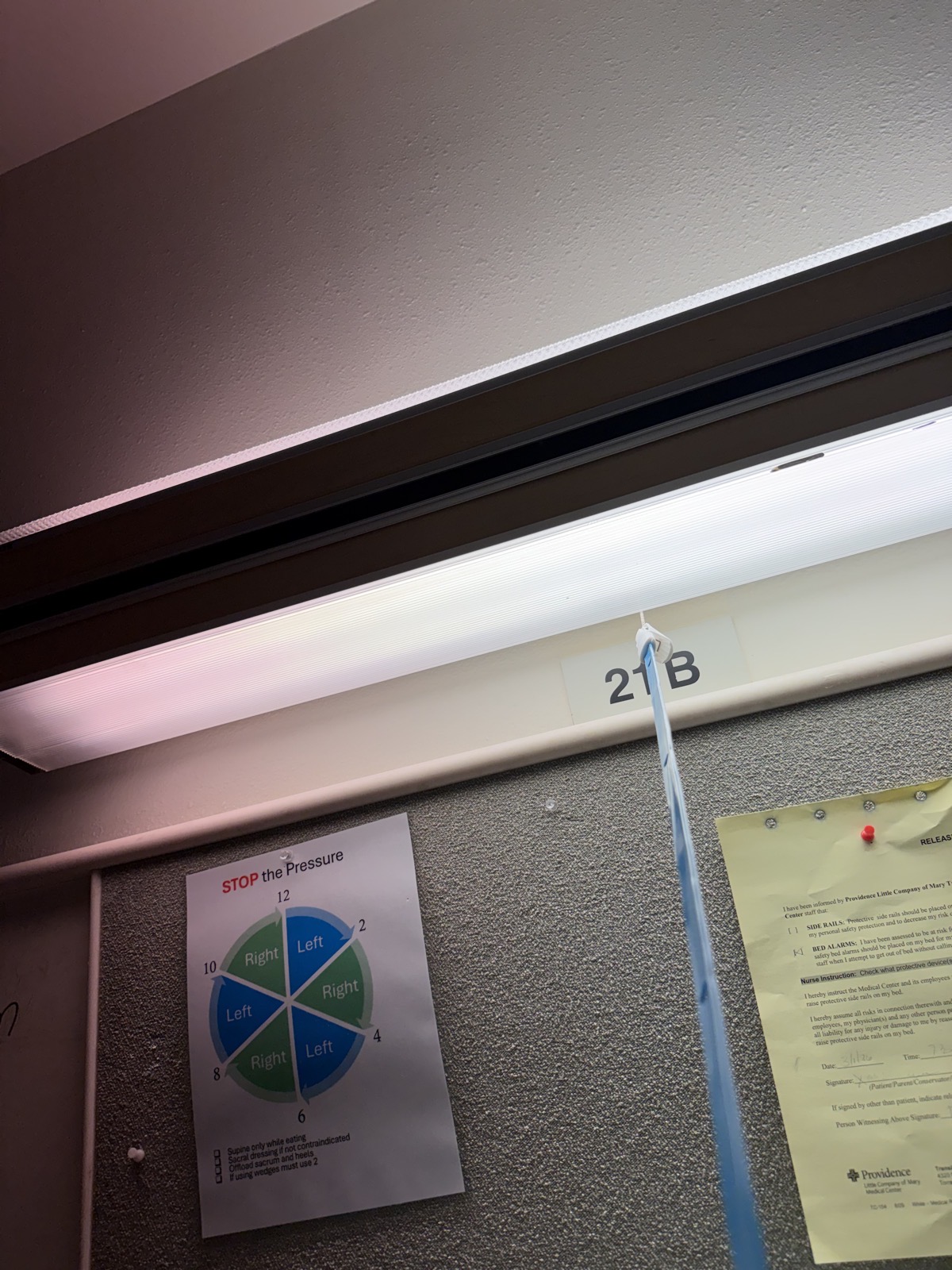
I could not imagine how annoying this is to a roommate. I imagined my first roommate having finally fallen asleep when I decided to turn my light off and scared her to death. I recorded the sound so you could see what I mean!
Computers down
A lot of healthcare providers in the US use a system called My Chart. I’d heard many people sing the praises of this system over the years, but I’ve only recently gotten to enjoy it. The effect from the patient’s side is that you have nearly instant access to lab reports. I was able to pull up my blood levels while I was in the hospital and see that things like my hemoglobin and hemacrit had plummeted. I asked questions of the doctor about what that meant. Don’t worry, though, it turns out when you have surgery, you lose some blood, and those levels naturally drop. Over the course of the next three to four days, the numbers went back up, and I was happy. I really like having that level of access to information to ask the right questions.
Evidently, the system underneath My Chart is Epic. I’m telling you this because while I was in the rehab center, the entire Epic system went down. The effect of this was pretty catastrophic. Normally, after meeting with physical therapy, the therapist goes to a computer and types in their notes about what happened during that session. With the system down, they had to walk to the hospital, which is nearby but maybe a 15-minute walk, and then fight for time on a computer that’s shared by every person working in the hospital.
The same goes for the nurses. For example, they walk in and use a scanner to scan the wristband to make sure they’re working on the right patient, and then provide medication, which is then entered into the computer automatically. Without the computer system, they had to write everything down by hand and also go enter it into the computers over at the hospital.
The system outage lasted about a day and a half, and by the end of that time the nurses and physical therapists were simply frantic. They were wasting so much time running back and forth and waiting to use the computer that they couldn’t get everything done. You could tell they were very frustrated.
To make it even more entertaining, the internal phone system went down at the same time and actually lasted a little bit longer than the outage of the computer system. This meant that instead of being able to dial your nurse or nurse’s assistant directly from your room, you could only use the call button. Most people resorted to yelling from their rooms. It was terrible because you could hear all of these people just wailing, asking for help.
I was pretty ambulatory by that time, and when I needed something, I could just get myself out of bed, use my little walker to go to my door, and politely ask for help from anybody walking by. I felt terrible for everyone else.
It’s not clear to me from talking to the nurses and nurse assistants exactly what happened. They said they were told, “It’s the internet that’s down”, which wasn’t a very satisfactory answer to me. I started searching online to see if there were reports of a hack at this hospital, but I never found any evidence of that.
Hip Kit
This is going to sound funny, but I think the best tech I ran across in the hospital was actually analog. I had physical therapy to help me learn how to walk with the walker and climb stairs with Steve’s assistance and to keep my strength up. I also had occupational therapy. These people have to clear you to prove that you can go potty by yourself and dress yourself. Jen was my occupational therapist and she told me about something I could buy on Amazon called a hip kit. This kit comes with a bunch of fun toys.
The most useful item in the box of toys is called a sock aid. The problem to be solved is that with a broken hip, it’s not possible to pull your foot up to put on a sock. The sock aid is a plastic half-cylinder that’s rounded at the top, with two ropes connected to the sides with handles at the ends of the ropes.
To use the sock aid, you stretch a sock wide and pull it up onto the semi-cylinder. You then hold on to the ropes and throw the sock aid down on the floor and fish around for your foot. When you get the sock aid over your toes, you can then just pull on the ropes. They slide the sock and this whole sock aid onto your leg, and then you just pull the sock aid out with the ropes.
While I was still in rehab, Steve recorded a dandy video of me demonstrating the sock aid.
Workouts
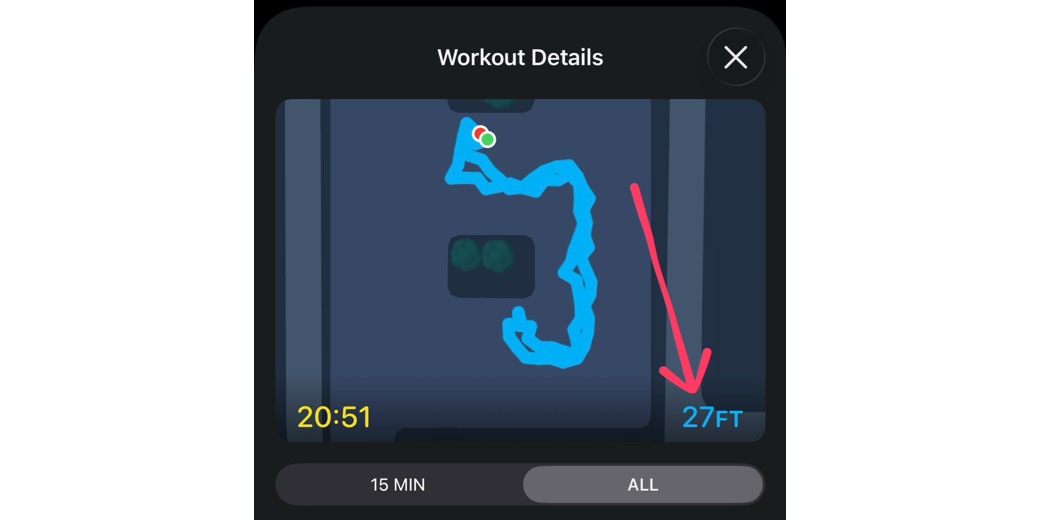
The one thing I was disappointed with was that Workouts on the Apple Watch would not give me any credit for physical therapy. I thought that at the very least, I could get it to measure how far I was walking to get to the PT gym. I think it was around 200 feet away, but it only gave me credit for 27 feet!
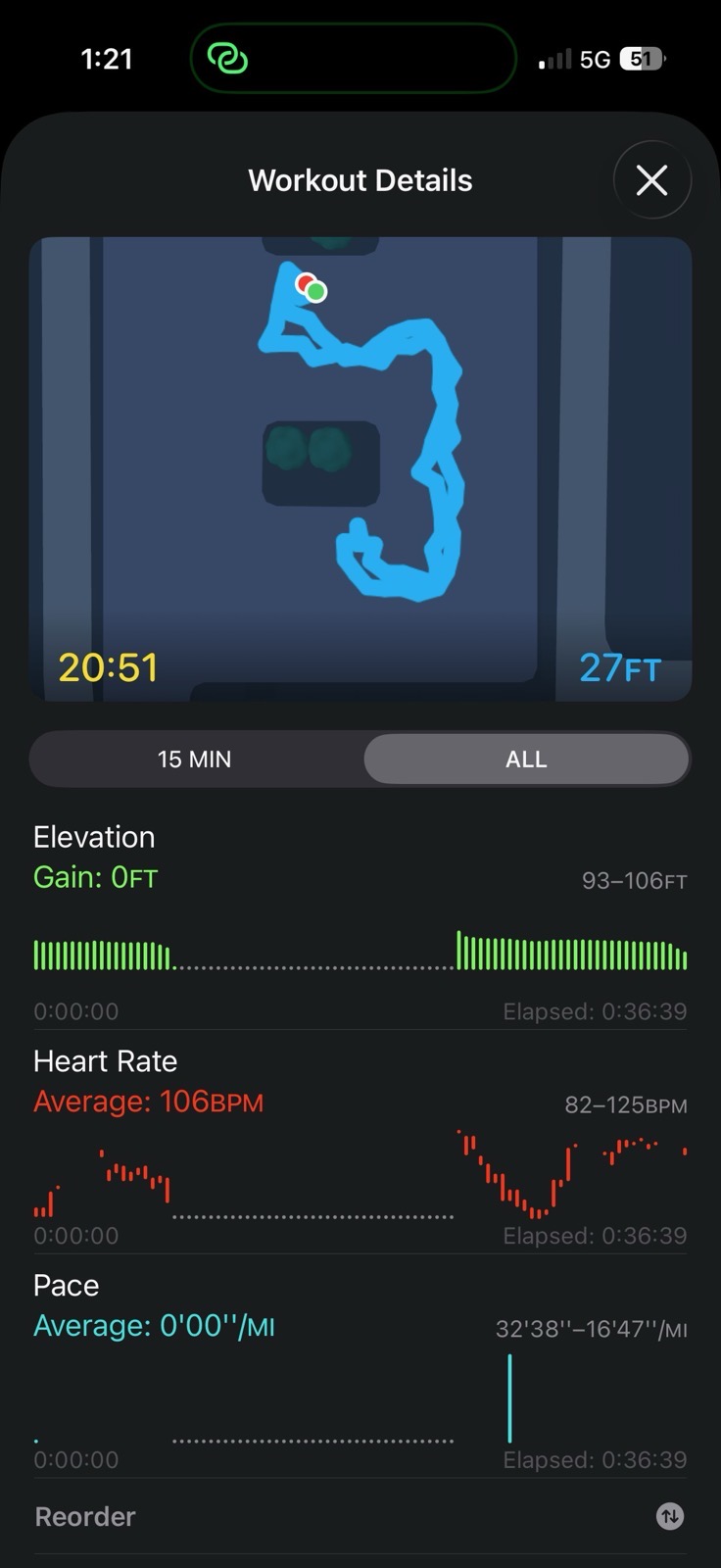
I had heard complaints back in the early days from people who walked with strollers that they didn’t get distance credit. The assumption has been that since people who push strollers don’t swing their arms, that’s why they didn’t get credit. With a walker, I am swinging my arms but in a completely different way, and both at the same time. I guess I had assumed that Apple had figured out how to still measure walking distances even if you don’t swing your arms, but I guess I was wrong.
Bottom Line
I’ll close my hospital tech article with something funny about my physical Therapist. His name was Jay, and the first time he talked to me, of course, I mentioned the podcast and how into Apple tech I was. He said, “I don’t wear an Apple watch, but I do have an iPhone. What’s an iPhone for, anyway? What am I supposed to do with it?”
I figured this was going to be a very long couple of weeks if I couldn’t even talk about tech with him. But the next day, we were chatting while I was doing some legwork when he really surprised me. He said, “I was reading some stuff online and I heard about how people are using Mac minis with Open Claw as an agentic AI to get things done. That’s pretty crazy, isn’t it?”
I gave him a hard time for pretending to be a Luddite. He just got a little grin on his face and said, “I can’t show all my cards on the first day.”
You remember last week, I put a link to a video by Brian Regan where he talked about being in the hospital and how painful a broken femur was? It turns out Jay is as big of a fan of Brian Regan as we are. We’ve never met anyone else who could quote every single Brian Regan line.
The only thing I can’t control right now is how fast my bones heal, so I will definitely still be laid up for another three or five weeks, but I’m very glad to be home with my high-speed internet, Kepler, our cats Ada and Grace, and Steve.