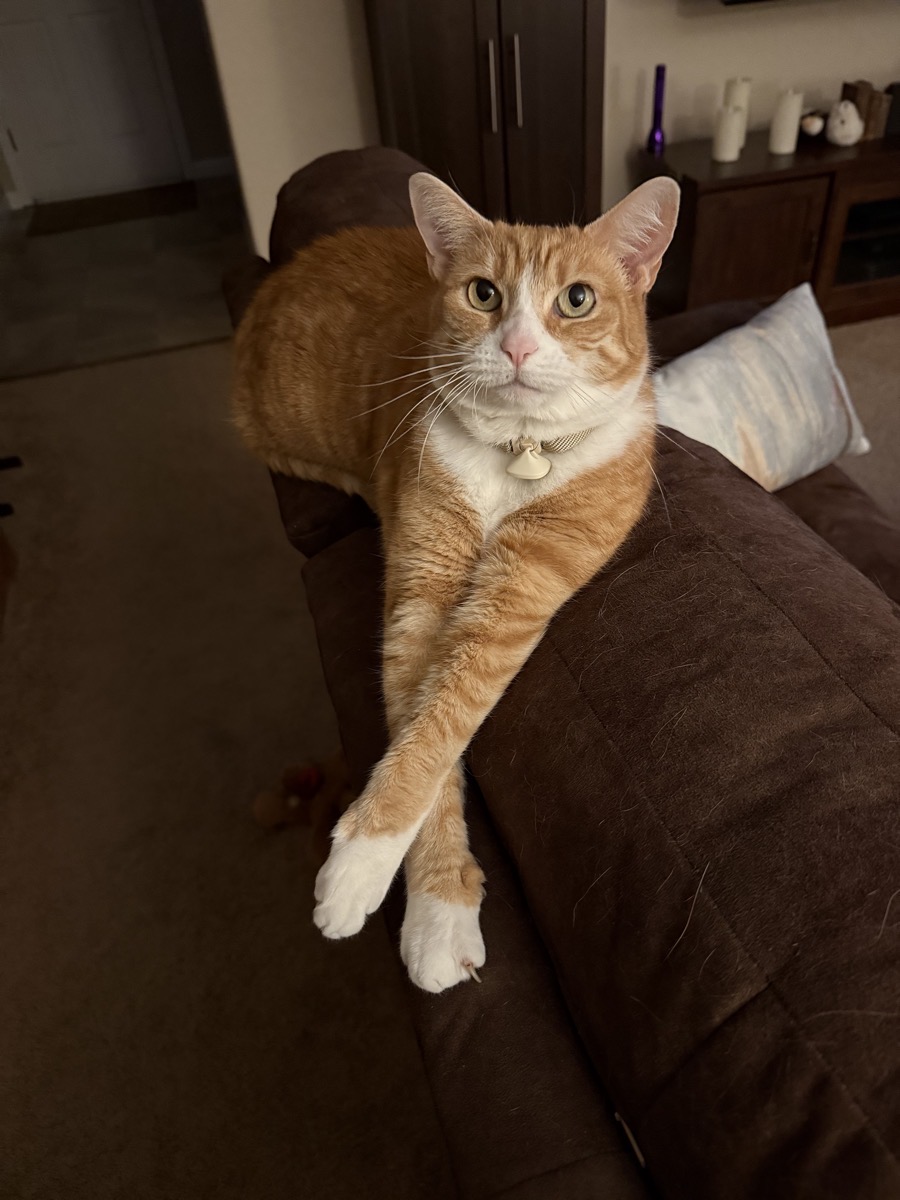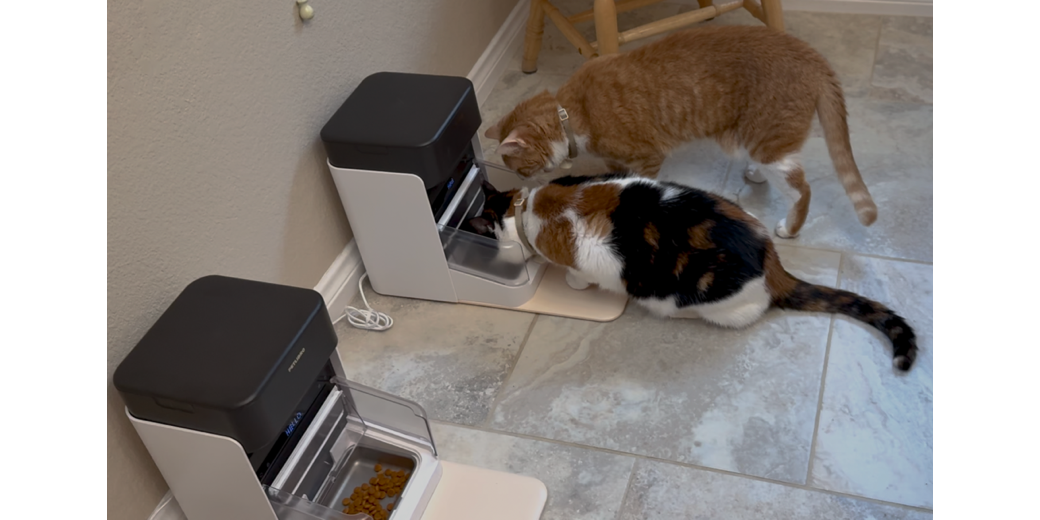
Two years ago, I penned an article entitled, “Will the PETLIBRO Smart Cat Feeder Keep My Cat from Overeating?” I’m back with a report and a big update. For the past two years, our two cats, Ada Lovelace and Grace Hopper, have been happily fed by our PETLIBRO dual-cat feeder. We travel a lot, and it gives us peace of mind knowing they’re getting controlled portions in our absence, and they don’t have to wait for the cat sitter to show up for a daily visit to be fed.
The question of whether it would keep Ada from overeating has a complicated answer. She did stop getting fatter every time we left the house, but she still ate out of Grace’s bowl, so she managed to maintain her Reuben-esque figure.
It turns out that the best way to get a cat to lose weight is to bring a new puppy into the house. We’re not sure if it was stress, or just having to run around a bit more to get out of Kepler’s way, but both cats lost 2 pounds in the first six months Kepler has been in our home.
Sick Kitty
The way we discovered that, though, was quite unfortunate. Grace went through a bout where she was sleeping all day, not eating, and hiding in weird places. She was also doing that head movement cats do when they have a hairball they’re trying to eject. After having blood tests, an X-ray and a sonogram, and 3 vet visits (which cost a grip as you can imagine), they couldn’t find a reason for her lethargy.
We felt all along that it was some tall grasses she might have eaten in our back yard, and one day she coughed a bunch and then sprang back to her normal, energetic self. We were relieved, and a smidge annoyed we’d spent all that money when the answer was somewhat obvious.
However, the blood tests did reveal some important information: Grace’s thyroid levels were way off. The good news is that there’s a very easy fix. A company called Hills makes a food designed to bring the thyroid levels back into balance in a matter of weeks by lowering iodine intake levels. It’s called Hills Prescription Diet y/d. The “y” in the name stands for iodine, but not because it’s some scientific abbreviation; they just picked it. So y/d means iodine diet.
Anyway, this isn’t a show about medical or cat stuff, it’s a tech show, so let’s get back to it. I asked the vet if it was ok if I just fed this low iodine diet to both cats, and she said no, that would harm Ada. I whined – “How do I feed two cats different diets???” She suggested I buy cat feeders that use an RFID chip to open only for the correct cat. Now, why didn’t I think of that?
RFID Smart Feeder from PETLIBRO
Since we were happy with PETLIBRO from a product standpoint, and we’d gotten good support from them, and we were comfortable and happy with their software, I started looking at their RFID product offerings first. I then did a smidge of research to find out if other companies were doing it better, but most sites I looked at ranked the PETLIBRO solution at the top.
The product we bought is called the “One RFID Smart Feeder, and you can buy one at a time, a bundle of two, or a bundle of three. I wondered why they offer an RFID feeder as a single unit, but realized it could eliminate the problem of a dog eating the cat’s food. For obvious reasons, I bought the bundle of two. The pair costs $270, which sounds like a lot of money, but when you compare it to the thousands in vet costs, it doesn’t sound that bad. Ok, it’s still a lot, but keeping her alive for a long time is worth it to us.
To keep each cat only able to eat their own feeder, the cats wear a collar with an attached RFID tag, and when they go to the correct feeder, it’s supposed to open up and allow them to eat. When the wrong cat tries to steal food, the device won’t open, and will even close on them if the correct cat just walked away.
Packaging Genius
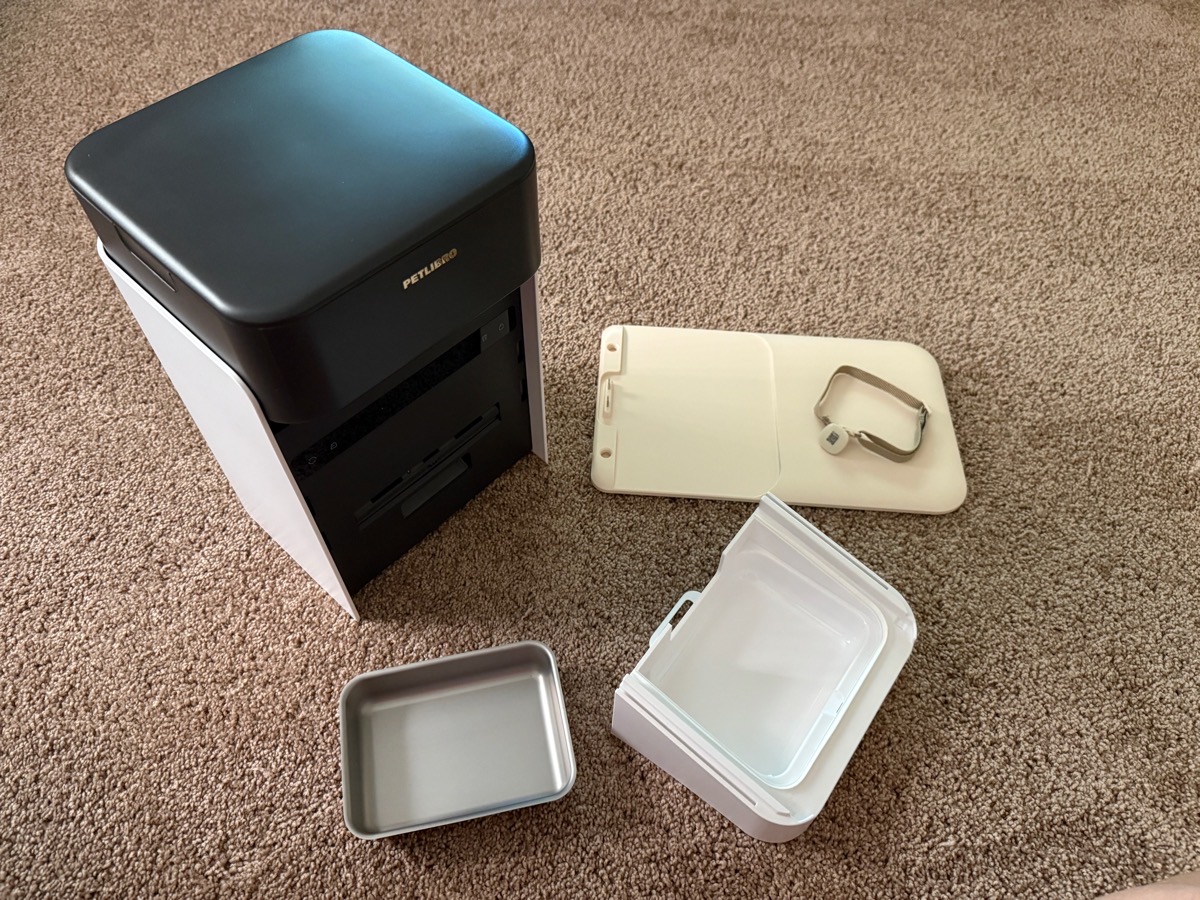
When we got the two RFID feeders, the packaging confused and then delighted me. Upon opening one feeder, there were only 5 pieces. A cat collar with an RFID tag pendant on it, a small, rectangular metal food bowl, a plastic tray that looked designed to hold the food bowl, a plastic mat, and a large chamber that clearly would hold the food and dispense it.
Being of the persuasion that waits till desperation sets in to look for a manual, I began assembly. Pretty obvious to put the food bowl in the plastic tray. The plastic mat had a rectangular depression about the size of the plastic tray, and a connector sticking up that looked like it would mate with the tray. I was right that these three pieces fit together nicely. The assembly then connected in an obvious way to the food container. But then I was baffled. Where were the rest of the parts? There must be more to this feeder!
I turned it over and found a cover for three D-Cell batteries to be inserted, and a USB-C port, all on the bottom. I wouldn’t be needing the battery backup since we have a whole-home battery system in case of power outages, but for most people, that’s an important feature. Worst thing ever if you’re out of town when the power goes out and your kitties don’t get fed.
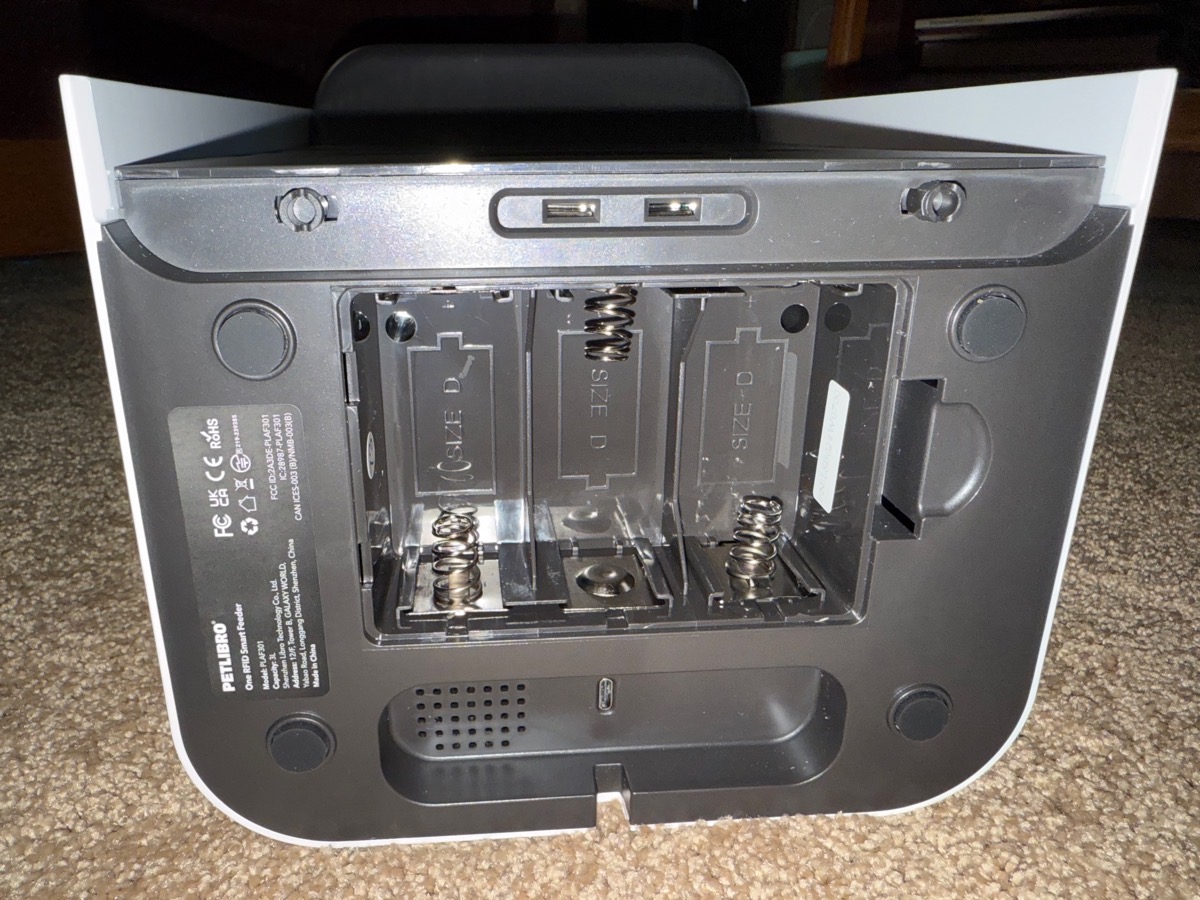
But there still seemed to be an awful lot of pieces missing, like the power supply, USB-C cable, and some way for the food bowl to be covered up when the correct cat isn’t standing there looking for food.
I opened the top of the feeder’s large food chamber and was delighted by the genius of those who designed the packaging. Instead of putting the device in a giant box with room for all of the parts, they’d packed the extra parts inside the food chamber! Genius.
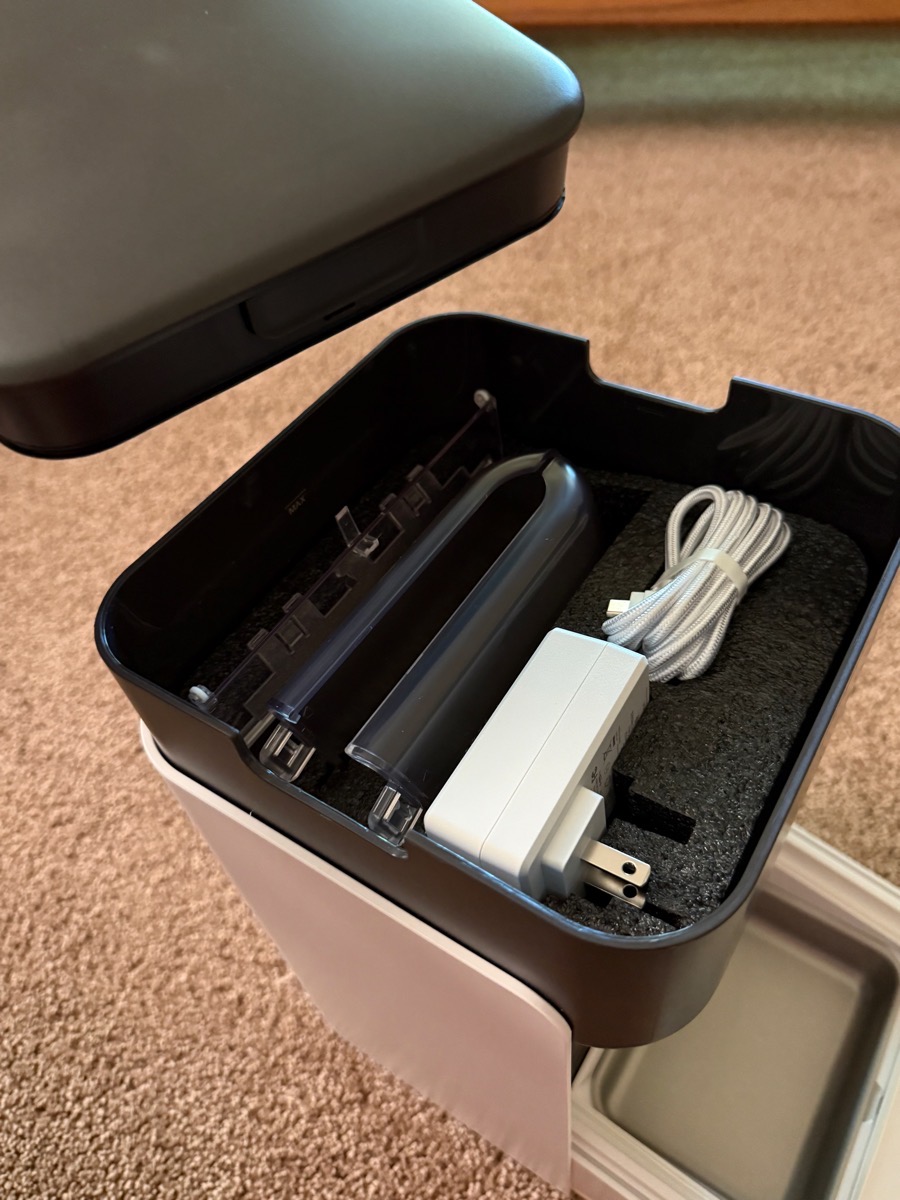
There was stiff foam inside to keep the parts safe, but I could see the power supply, the very nice, braided USB-C cable, the jointed plastic cover that would keep the greedy cat out of the wrong feeder, and the side guards that also keep the greedy cat from stealing food while the correct kitty is eating.
Setup
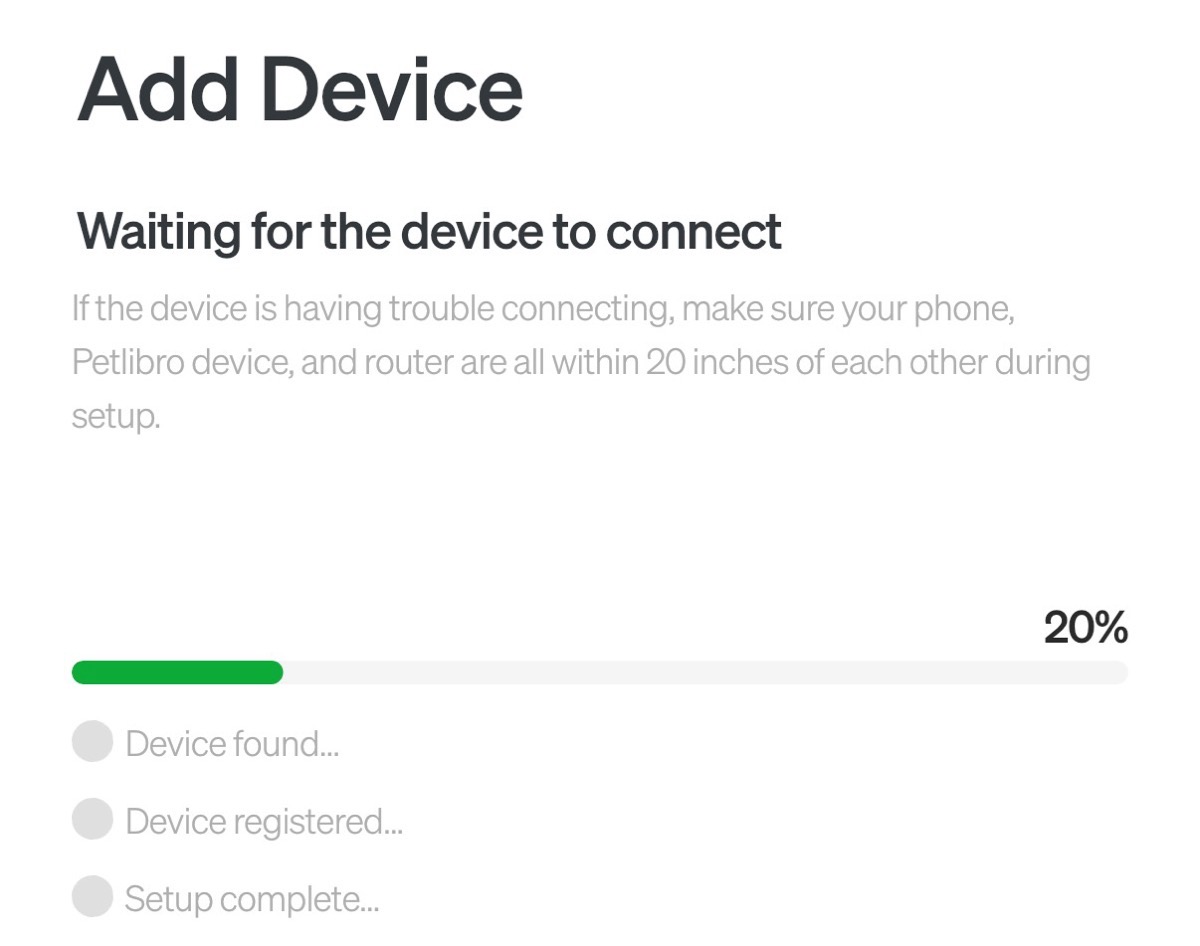
One of the reasons we went with PETLIBRO was the ease of setup with our original Granary feeder, and the One RFID was just as easy to set up. The app explains to plug it in (in case you forgot that part) and then press a button on the front of the feeder for three seconds to start the network configuration. The device looks for nearby Bluetooth devices and then makes the connection.
Throughout this process, our Ruben-esque cat Ada watched with anticipation.
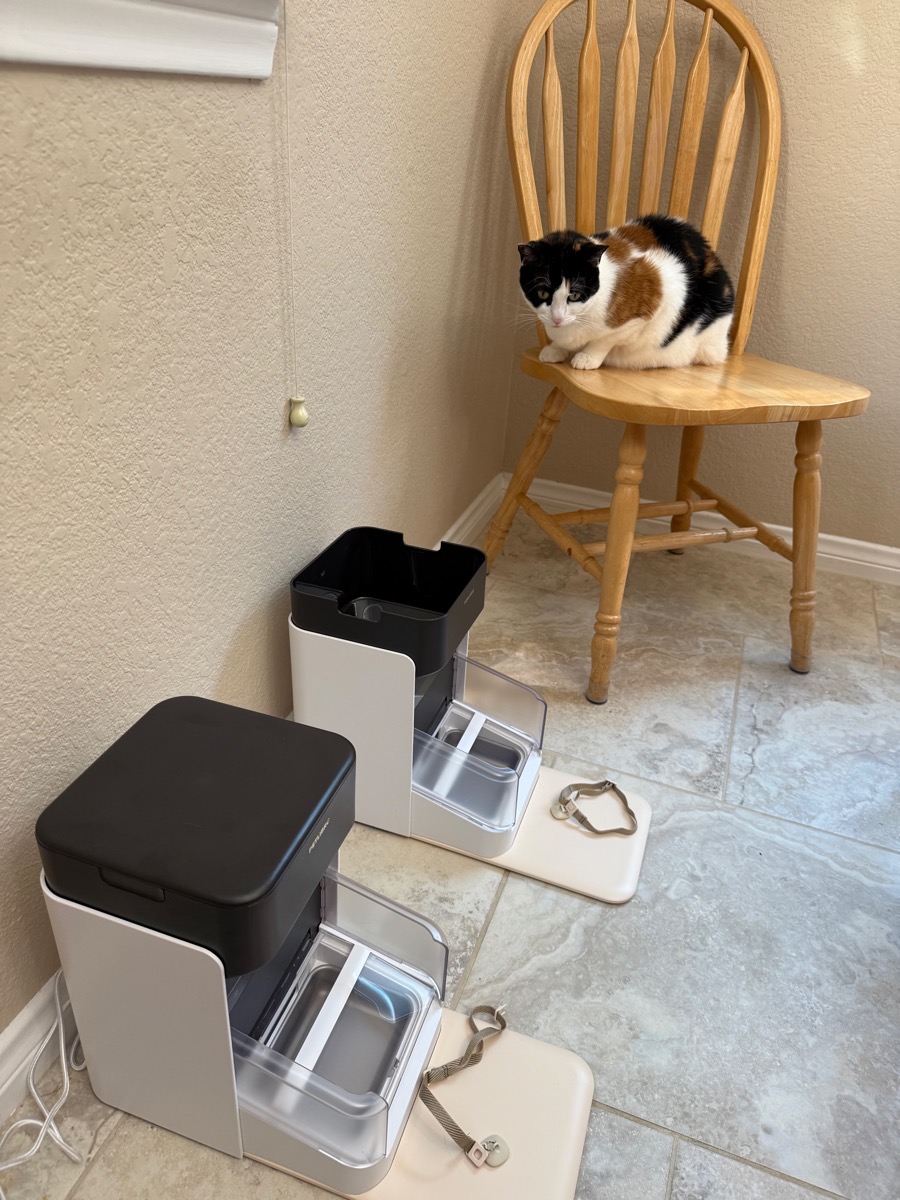
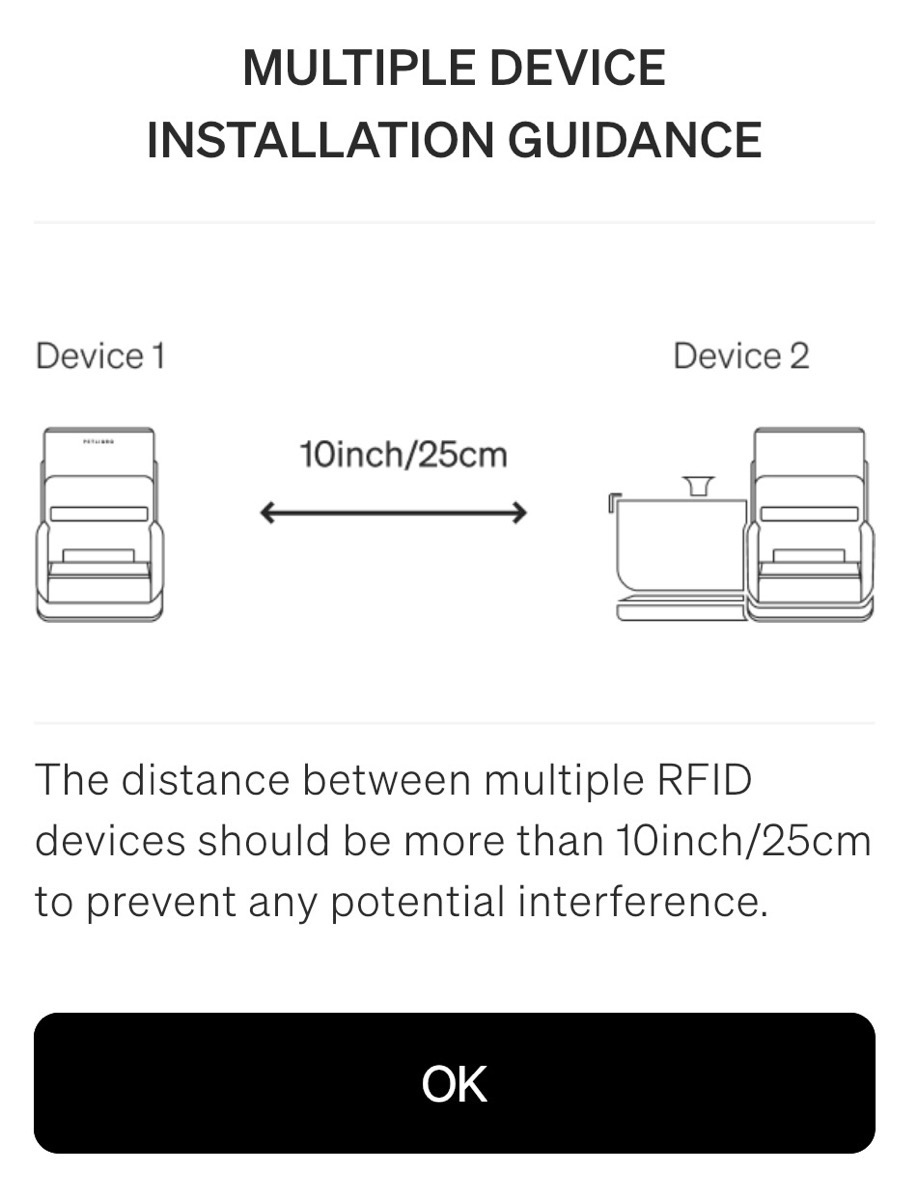
After we added the two devices to our network and named them after the two different cats, the instructions told us that our two RFID feeders needed to be more than 10 inches (25cm) apart to prevent interference.
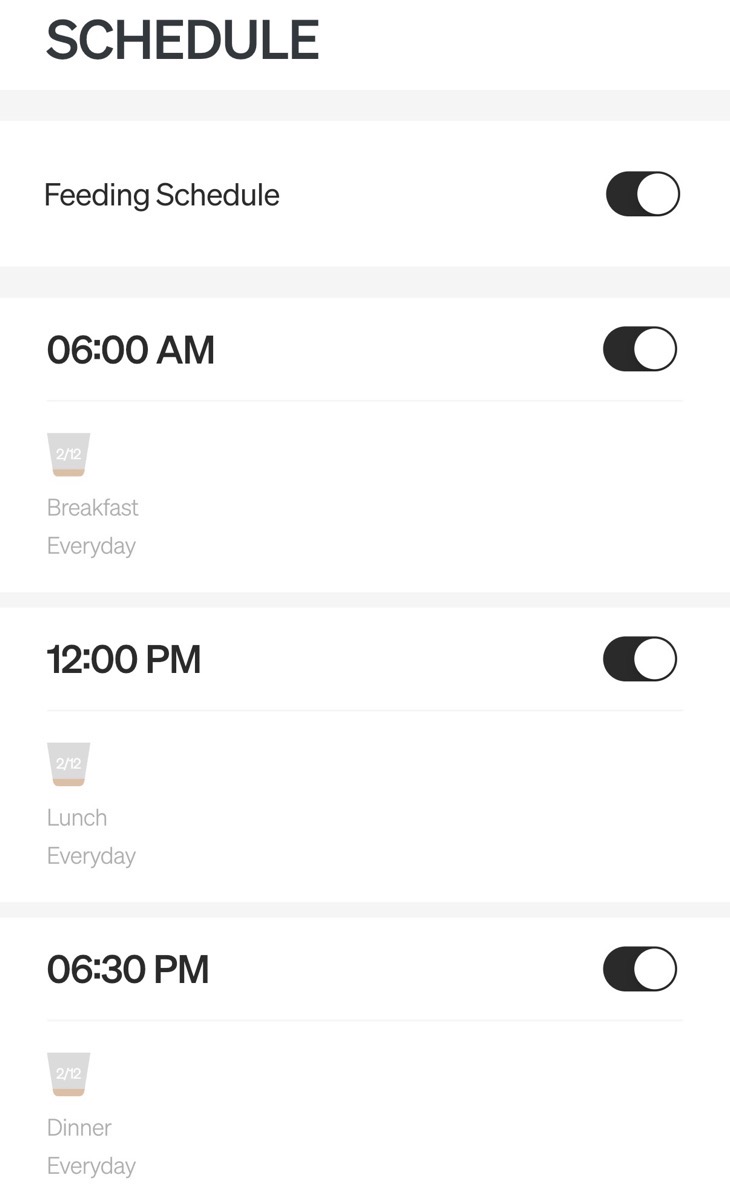
The next step was to pair the RFID collars with the separate feeders. You simply set an RFID collar onto the little front pad where the cats would stand, and then tap the “add collar” button in the app. As with our previous PETLIBRO feeder, we were able to set up feeding times for each meal, name the meals, and set the food quantity. You can also set which days to have the meal repeat, which I thought was kind of odd. Would you give your cat lunch Monday through Friday but not on weekends?
You may remember the joy of our previous feeder when we learned that we could record audio to play when a meal was imminent. I recorded my voice giving a pig call, “Soueeeeee pig pig pig pig pig!” Steve even let me name the device “Pig Slop.”
With the new feeders, Steve and I both wanted the experience of setting them up, so we each did one. That meant we had to negotiate what to record since only the original owner of a given device had that privilege. Of course, I did the pig call for Ada’s feeder because it continues to amuse me. Steve recorded, “Here … kitty kitty kitty!” for Grace’s feeder. This created a kind of cacophony as both feeders went off at the same time.
We considered offsetting the time of the two by a minute to reduce the effect, but Steve had a better idea. He has heard my voice doing the pig call so many times that he was actually able to replicate it on the second feeder! We do entertain ourselves around here.
We were able to share the devices with each other so we can control most of the settings for either one through our separate phones.
I just had an epiphany on why you might not schedule a meal for every day! The breakfast call for our cats is at 8 AM. What if you want to sleep in on weekends? You could create a “brunch” meal for Saturday and Sunday! Not very nice to the kitties who do get used to a set feeding schedule, but I’m just saying you could.
I took a screenshot of the feeding schedule from the app, and saw something I hadn’t noticed before. At the top, there’s a global feeding schedule to turn it off, as well as toggles for each meal. Imagine you’re going on vacation and your little darlings are going to summer camp — you wouldn’t want that food bowl filling up and jamming the whole thing. Or maybe your baby is off to the vet overnight; you could turn off just the dinner feeding.
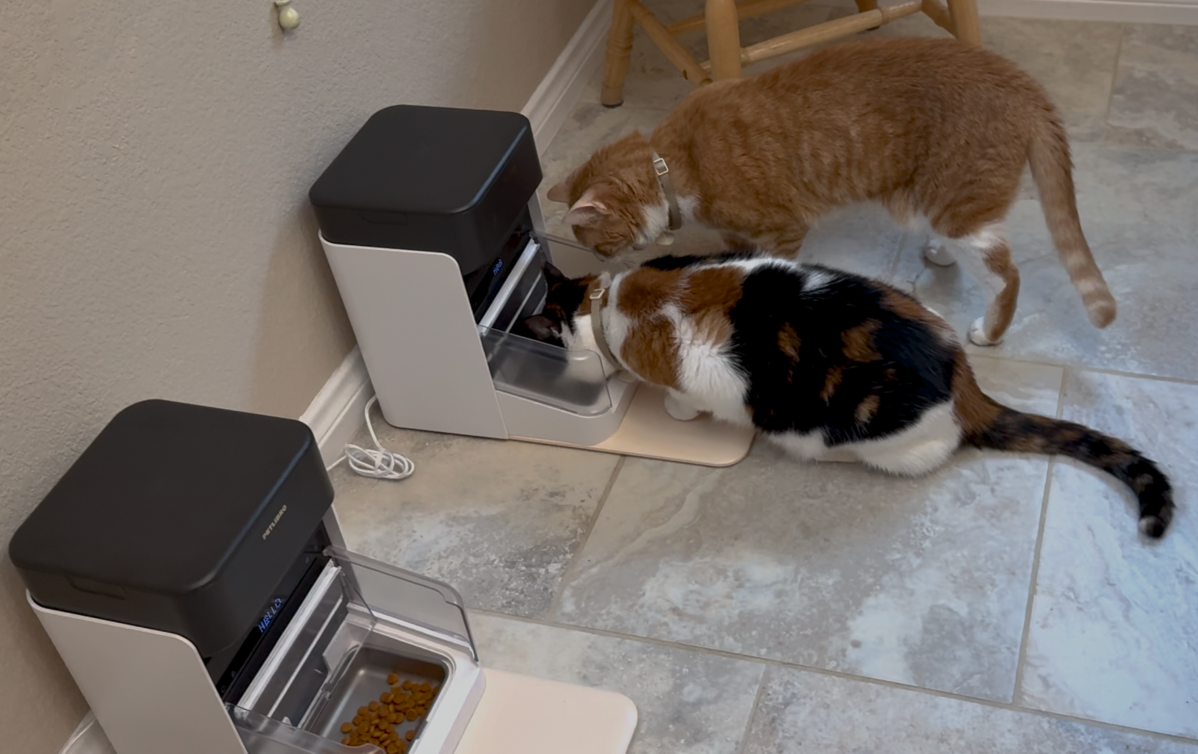
After we got the settings straight, we poured Grace’s special diet into her feeder and Ada’s plain old Purina Cat Chow into hers. Each bowl is covered by a rectangular, louvered door. The default condition is for it to lie flat, but when the RFID tag is over the little pad in front, the doors fold up and back to expose the food. If the correct kitty is standing on the pad, thereby opening the doors, the other kitty still can’t get into the food because there are plastic guards on either side of the bowl.
On the front of the device, some non-tactile buttons allow you to override the normal behavior and manually feed the cats, or just open the door. I mention them being non-tactile because if you’re visually impaired, it would be very hard to find the right one. The app still isn’t accessible, so this wouldn’t be the right device for you.
Do They Work?
The big question is whether this would work to feed the two cats two different diets. I can report that although Grace is still not at all fond of her new food, she is resigned to her diet. Ada isn’t any happier. She eats all of her food, and then looks forlornly through the closed, clear plastic doors at Grace’s uneaten portion.
Grace was trepidatious about standing on the pad at first. For a few days, we had to put cat treats on the pad, and then a few in the food bowl just to get her to eat. Eventually, she learned to straddle it with her two front paws so she didn’t have to touch the pad, and that would hang the RFID tag in the right place to open the doors. She’s gotten comfortable with standing on the pad in the month or so we’ve had the feeder. Notably, food-motivated Ada had zero problems figuring out how to get fed!
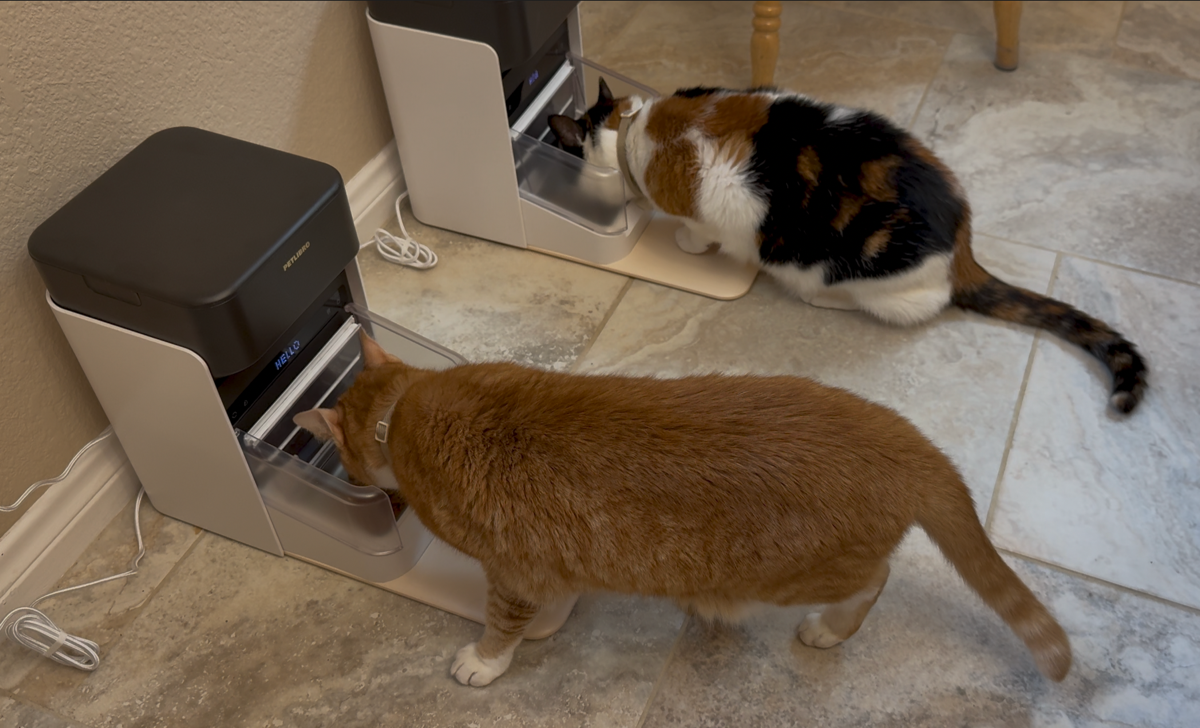
Early on, we caught Grace in the act of trying to eat over Ada’s head to get to the good food, but those plastic guards did their job.
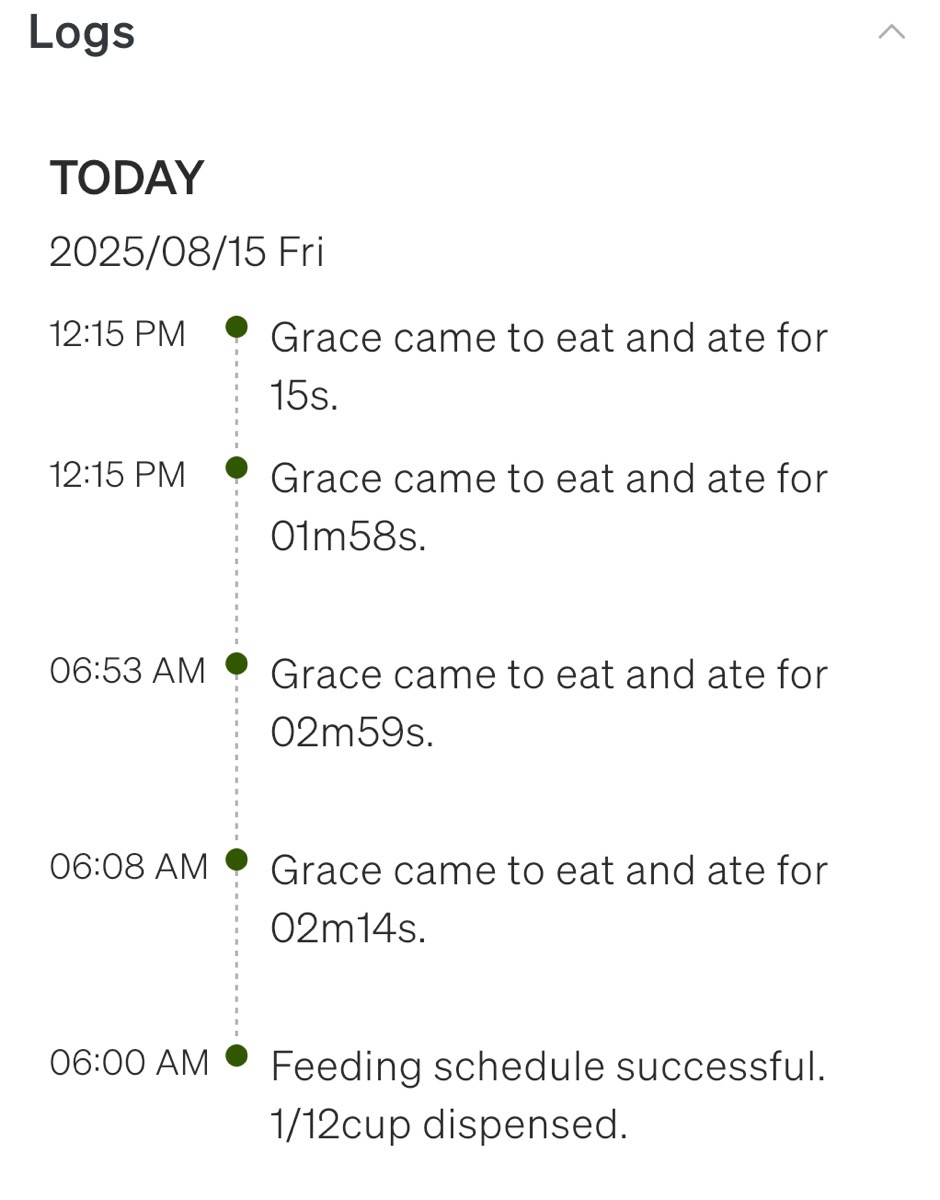
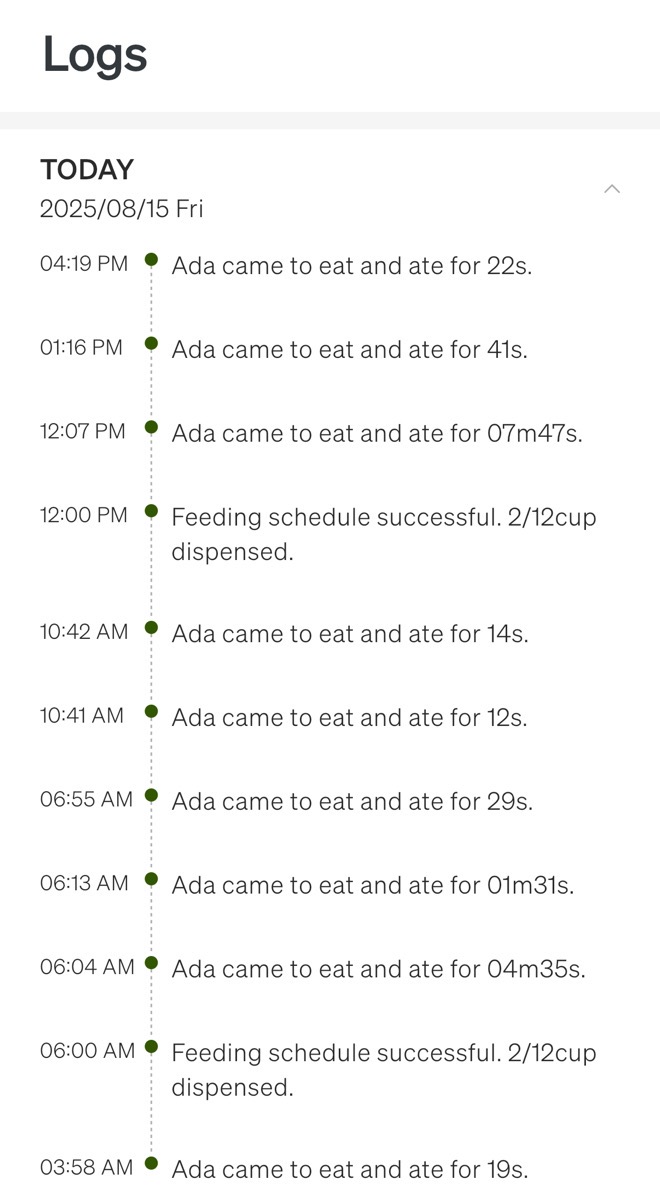
We’ve also learned through this experience how much the cats eat. The PETLIBRO app gives you logs that identify the cat and tell you how long they ate. It has been no surprise to find out that Ada eats a lot, and eats often, and that Grace eats much less often. We suspected that, based on the size of the two cats and how often we saw Ada chowing down, but now we have measured data.
As of the day I wrote this up, Grace ate 4 times today for a total of 8 minutes, while Ada ate 9 times for a total of 16 min. Pretty crazy difference for two cats who are sisters!
We actually had to cut back how much we were dispensing to Grace’s feeder because it was backing up. We now feed Ada three times a day, but Grace only twice a day. Both cats seem healthy and are equally active. I’ll be able to share this data with our vet when we take Grace in for a checkup.
If you’re interested in any of the PETLIBRO products I’ve talked about, I have a referral code that gives us both 30% off if you decide to buy. Just go to podfeet.com/petlibro to get the discount.
Bottom Line
The bottom line is that we’re very pleased with the PETLIBRO One RFID automated feeders because they’re helping Grace maintain a healthy life, and they’re limiting how much Ada can eat. This will make the vet happy and help them live longer. The cats were not at all pleased with wearing collars for the first time in their lives, but I think they both look quite elegant with their little pendants.