
Before I tell this story, I want to say up front that I find Elon Musk’s ideas and actions abhorrent.
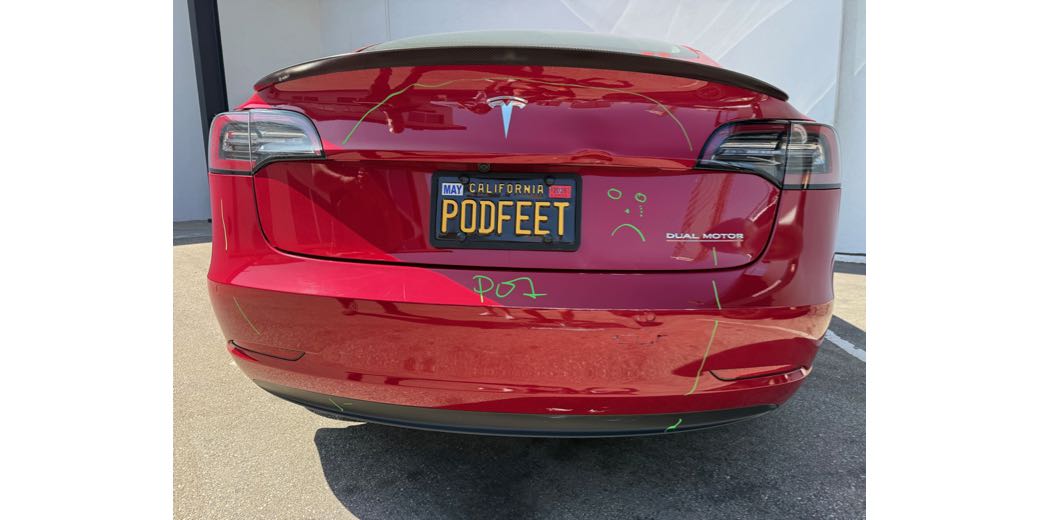
With that out of the way, I want to talk about an awesome feature of Tesla cars and how it helped me last week. To refresh your memory (or bring you up to speed if you’re new here), I drive a fire engine red 2019 Tesla Model 3.
Like many modern cars, Teslas have a slew of cameras on them. Several of the cameras are there to assist in automated driving, but some of them are there to assist the driver in operating the vehicle. I want to focus on the latter.
Teslas have a very wide rear camera, which is super helpful when backing up. To give the driver an even better view, these cars also have two backward-facing cameras on the front left and right fenders that point out at about 45°. When you combine the three camera views on the one giant display, you can see absolutely everything you need to back up safely. In a recent software update, they even added a feature where the side of the camera view turns bright red if a vehicle is approaching from either side.
When we turn on the turn signal, the giant display screen shows the view looking back in that same direction using that same fender camera. Let’s say I’m about to turn right at an intersection, and I want to start hugging the curb to make the turn. Without turning my head, I can already see if there’s a bicycle coming up on my right. When they enabled those cameras on the display a few years after I got the car, I was thrilled.
When backing up, both of the backwards-facing fender cams and the rear view camera show on the big display, giving me a perfect view of my surroundings. Even if I’m parked between two big SUVs, I can still safely pull out of a parking place and know I’m not going to hit anything.
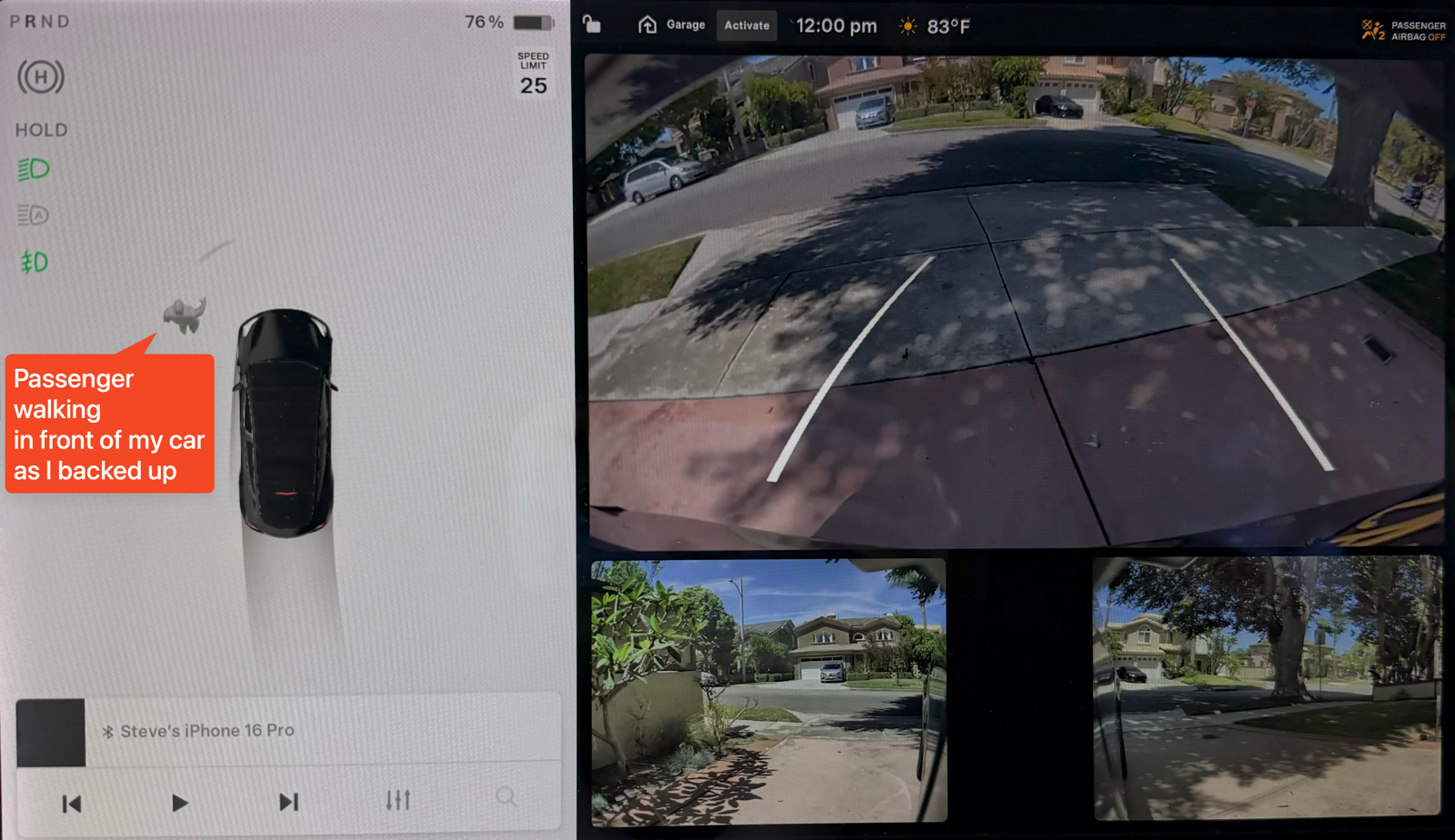
This week, I was backing out of a parking place and realized yet another advantage of the combination of the Tesla views on the display. As I was watching the screen for pedestrians and other vehicles behind me using the camera views to the left, right, and center, I had one more piece of information. I was rotating my car to the left, and a woman started to walk across from my left in front of the car.
I could have seen her out the front window, but my concentration was on what was behind me as I was driving backward. On the left side of the screen, Tesla shows the driver an animated view of the vehicle and surrounding objects it detects with other cameras. One of the types of objects it identifies is humans. I saw in the same display where my attention was focused, her figure walking across in front of me.
She was never in danger, but because of the animation I knew before I put it back into forward that there was now a pedestrian in front of me. The situational awareness the Tesla sensors give me keeps me and the people around me safe every day.
The cameras I’ve described, along with the front-facing camera that’s mostly used for automated driving, all tie into another system on the car called Sentry Mode. If you connect a big enough thumb drive or SSD to the USB connector inside the center console, Sentry Mode will record video from all of these cameras if something happens to your car.
The rear-facing camera records at 1280 x 830, while the fender cams record at 724 x 470, so the view is a bit smaller. I’m not sure why they’re non-standard resolutions.
Over the years, pretty often we see a Sentry Mode alert on our display when we come back to the car, but it’s always been just a case of someone getting close to the car. Maybe they open their door next to the car, or perhaps walk too close for comfort to the front bumper. In any case, when we get these alerts, we can watch the video of the “incident” on the display. It has provided mild interest over the years.
Fast forward to last week, when I had an eye doctor appointment. Since I was having my eyes dilated, Steve drove me to the appointment and waited with me. While we were waiting, Steve got a critical alert from my car saying it had been in an accident! He ran down the stairs to the parking lot to deal with the incident.
It turns out a 15-year-old with only his driver’s permit was driving his dad in his Volvo (because dad had also just had his eyes dilated), and he’d hit my car.
The first good news from Sentry Mode is that it sent the alert. I was curious why I didn’t get the alert, so I looked at Notifications on my phone and discovered that I had critical alerts toggled off. I assure you, I have it turned on now.
But here’s the cooler part. In the Tesla app on my phone, I was able to watch video of exactly what happened because of Sentry Mode. The inexperienced driver backed out of the parking place next to me, partially straightened up the wheel, and proceeded forward. Unfortunately, he didn’t turn the wheel back sufficiently to complete the process of backing out and straightening up — in fact, not by a long shot. As a result, he drove straight into the back of my car.
The rear-facing camera above my license plate showed the Volvo straighten up, then get close enough that you could clearly see the license plate, and then plow into my car. I put the video of him plowing into my car in the show notes, but for his privacy, Steve obscured their license plate.
The right fender camera captured two different events. First, it captured the car backing out, turning towards the back of my car, and then hitting my car’s rear end. At the tail end of this view, you can see the dad get out of the passenger side to look at the damage, so we know he wasn’t driving.
But the fender cam recorded another segment a minute or two later. It shows the kid walking around from behind the Volvo to inspect the damage on the back of my car. You can clearly see his face, what he’s wearing, and his build. While he’s assessing the damage, the Volvo drives to the next parking stall, which means the dad must have taken over. In the video, we obscured the young man for his privacy. He’s already having a bad enough time.
The good news is that this was not a hit-and-run. Steve is quite fleet of foot, and they were still at the accident scene when he arrived. He says the son was clearly distressed by what was most likely his first accident. Steve was able to get photos of all of the driver’s licenses and insurance information on the spot.
But if this had been a hit-and-run, because of the Tesla’s Sentry Mode, we had video of the accident, including the license plate, the make of the car, and exactly what the driver looked like.
When you call the insurance company after an accident of any sort, an eyewitness is gold. But guess what’s even better and makes the process super smooth? Video of the whole thing!
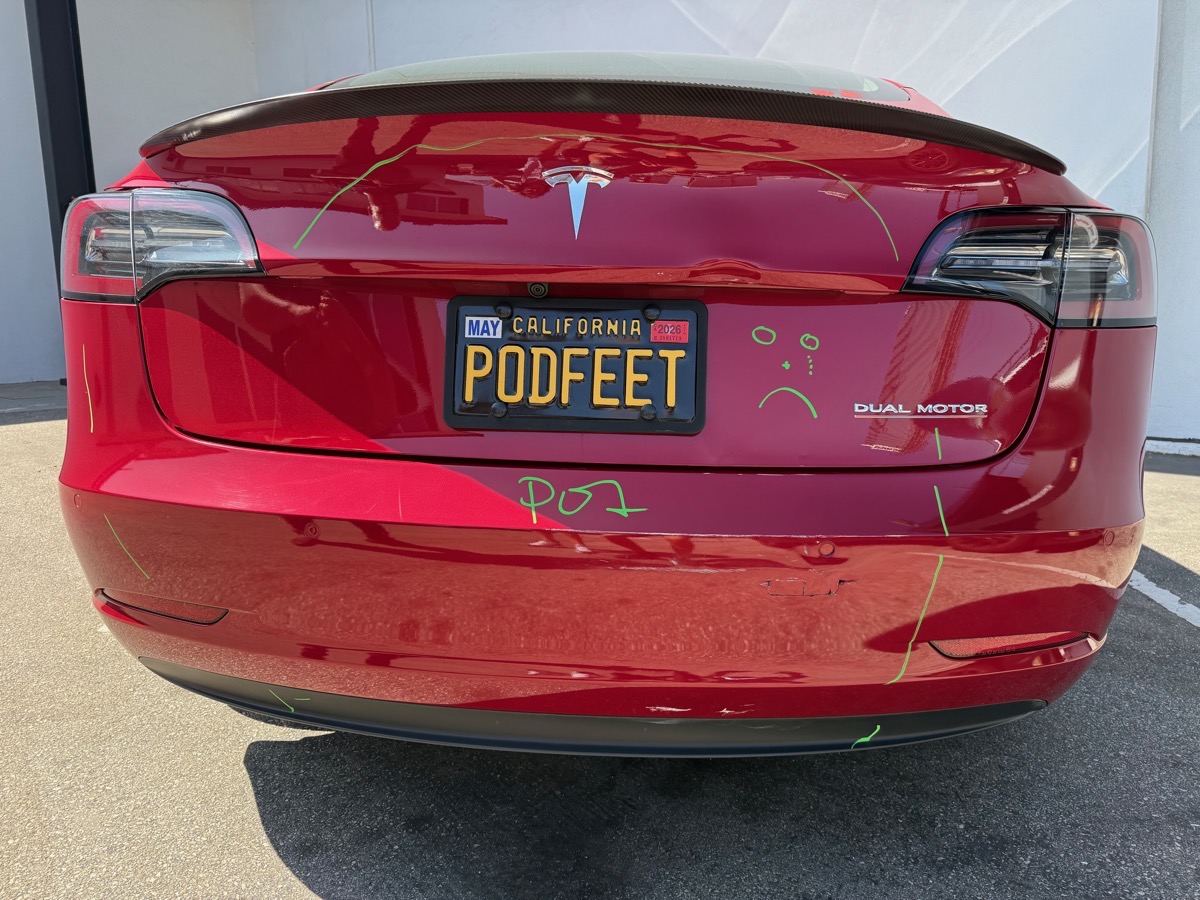
The bad news was that it will take about a month for my car to be repaired because the damage was extensive. Since it was a giant SUV, its bumper didn’t just destroy my bumper; it severely dented my trunk as well. According to the repair shop, both cannot be repaired and will need to be replaced.
I feel for the dad. Insurance on a teenage boy costs an absolute fortune (more than for girls). I cannot imagine how much that poor dad is going to have to pay now, with an accident on the policy even before his son has his license! If you see the video of the kid looking at what he’s done, it’s kind of heartbreaking to watch.
This incident increases my appreciation for Tesla cars. I always assumed other cars had this kind of feature too, but of the EVs currently on the market, only Rivian, the Cadillac Lyriq, and BMW (if you buy their Drive Assist+ feature) have a system similar to Tesla’s Sentry mode. There’s a lot to love about my car, and now I love it even more. I can’t wait to get my baby back sometime in September.
Bottom Line
The good news is that the kid didn’t hurt anyone with his inexperienced driving. I’m very grateful that it’s just stuff, and it’s just an inconvenience.