
This week, a woman on a user group message board I contribute to asked whether it was ok to update to iOS 26, or whether they should just apply the iOS 18.7 update and wait for a little longer for 26. I advised her to wait and applauded her for noticing that there was a security update to 18.7. But some other folks said, “Come on in, the water’s fine!”
Don’t get me wrong, iOS 26 isn’t terrible, and I actually dig the new Liquid Glass interface. I love a fresh coat of paint, and I kind of enjoy the fun of discovery when developers move things around. The reason I suggest people wait is that I’ve run into quite a few bugs and poor decisions by Apple in iOS (though some of my friends say they haven’t found any at all). I thought I’d walk through just a few things that I’ve run across in the two days since this discussion occurred.
TV App
I tried to open the TV app, and it asked me for my Apple Account password. I thought that was odd, but weirder yet, I couldn’t switch to the 1Password app. I had to back out of the login screen, then open 1Password, and copy the password. When I went back into the TV app, I tapped on my initials again, then on my name, and when the window popped up again, it just blinked at me. Later, I went back, and I was able to access my content without any authentication request. I can’t reproduce the error, but it was annoying nonetheless.
Rotation in Camera
Here’s another one. I took a photo with the camera app, and while holding the phone vertically, the preview of the image I was about to take flipped to landscape. I could not get it to flip back to portrait through repeated rotations of the phone, so I had to quit the app and go back in. I’m not talking about the selfie camera either, that will take landscape or portrait images depending on the subjects in frame; this was on the back camera. It wasn’t a show stopper, but it was buggy behavior.
Notification Preferences Reset
The most annoying thing I’ve run across is probably not a bug, but rather a truly terrible choice on Apple’s part. Many of my notification settings were changed when I upgraded to iOS 26.
We have a lot of Eufy cameras in the house, and we have all of them in HomeKit. You can set HomeKit Secure cameras to record and stream, or just stream, and you can have that mode change based on whether anyone is home or not. We don’t want them to record when we’re home, but we do like them to record when we’re away. By default in HomeKit, each camera will tell you every time it changes mode from stream to record and stream, and when it switches back. For us, that’s 8 notifications when the last of us leaves the home. When we get back into the geofenced region, all 8 tell us they’ve switched back to just streaming. And when I say us, I mean that I get those 16 notifications when both of us leave the house, and so does Steve.
Ages ago, I went painstakingly into each camera’s settings in HomeKit (which is a lot of menu taps) and turned off notification of mode changes on all except one. I like to know they’ve changed mode, but not 8 times!
After Steve and I upgraded to all the new 26 operating systems, Apple changed all of the cameras in HomeKit back to notifying us of mode changes. I’m not sure if this is iOS or macOS, and I don’t know if it was one of my devices that changed it or Steve’s, but they all changed in the Home app for both of us. So yet again I had to select a camera, tap on the gear for settings, tap on status and notifications, toggle off status change notifications, tap back, tap the x to close that camera, and then select the next camera … seven times. The only good news is that only one of us has to change this setting back to what we had before and it affects notifications for both of us.

Apple also enabled audio readouts of notifications to my headphones. I absolutely never want this. I like a tap on the wrist to see notifications on my Apple Watch (like telling me that the dining room Eufy has changed to record since I’m away), but I do not want to hear it! Before I spent that quality time with HomeKit putting the toggle back the way it was, sixteen times on every walk, my podcast was interrupted.
The first time iOS 26 decided to read me a notification into my headphones, it was a spam text message that it had correctly filed under Unknown Senders. Why on earth would I want to hear that if I don’t even want to read it? Finding how to disable this “feature” was a real adventure. I looked in iOS Settings Notifications, but it wasn’t there. I was doing a workout, so I thought maybe it was related to that, but Workout and Activity don’t have any audio notification settings.
Guess where it is? No, really, guess. Not in a million years would I have found this one on my own; I confess I asked an AI to find it for me. It’s in Settings → Apple Intelligence & Siri → Announce Notifications. In there, you’ll find a toggle for Announce Notifications, but there are two sub-toggles, one for headphones and one for CarPlay. I don’t want it to announce notifications on headphones, but I do want them announced for CarPlay. Why on earth did they bury this in Apple Intelligence & Siri???
They also re-enabled audio notifications on Workouts (which I disabled years ago). I don’t want to hear my split pace every mile and all that nonsense. But finding where to shut this one off was even harder. I looked under Apple Intelligence & Siri → Announce Notifications first, but it wasn’t there. If you go to Apps under the top level of Settings, Workouts aren’t listed, so I didn’t find it there. Under Settings → Notifications → Watch, there is an Announce Notifications which I have turned on, but only for Time Sensitive notifications. Pretty sure split pace is not time-sensitive. And they forgot the hyphen between “Time” and “Sensitive”, which is upsetting.
Ok, maybe it’s in the Watch app on iPhone. There’s a section for Notifications, but it doesn’t have anything about voice vs. showing a notification on the watch screen. Activity within the Watch app does have “Allow notifications”, but again, there’s nothing about speaking them out loud into my headphones.
Again, I resorted to asking AI, and I may have found it. In the Apple Watch app on iPhone, Workout, Voice Feedback is on. Underneath it says Siri can read out your workout alerts. If this is turned off, Workout Buddy can still make announcements about your workouts. I’ve toggled that off, and fingers crossed that I’ve killed this new annoyance.
I later found the same toggle under Settings → Apps → Fitness → Announce Notifications. I had originally looked for Workouts and Activity. It’s so helpful that Apple has three different names for essentially the same thing.
I would be surprised if Apple intentionally changed all of these notifications to defaults, overriding the intentional changes I had made to them. And yet it also doesn’t feel like a bug. Maybe there was some switch in the vast array of switches that someone forgot to set to “leave this the way it was”?
Calendar Search is broken
Search in the iOS Calendar app seems to be struggling. I have tried to search for several things in the past and future that it can’t seem to find. For example, for every birthday I want to track, I have a repeating calendar event that says something like “Teddy BD”. They all say BD in them in capital letters. There are probably 20 people I have as repeating calendar events with BD in the title of the calendar event. Searching for BD finds exactly zero of them.

I know Apple limits how far forward and back it searches on iOS, but there’s a birthday coming up in less than a month, and Calendar on iOS 26 can’t find it. I’m running macOS 26 as well, and Calendar easily finds the birthday entries.
If I search for something like PBS, it finds all of my future Programming By Stealth recordings with Bart. I searched for “Peru” because someone I know is going there next week, and it’s in my calendar, but it didn’t find it. I searched for CCATP, and it found my next scheduled time with Adam Engst. I cannot find a pattern to what it can find, and what it cannot find. Intermittent problems are the worst, because it’s hard to report the bug, if it is a bug.
Breaking News: The lovely Norbert posted in our Slack that he had the same search problem, but he solved it by turning it off and on again. He opened Settings → Apps → Calendar, and toggled off “Show Content in Search”, and then toggled it on again. This fixed iOS search for me too!
FindMy
If I go into Find My and look for any one of my devices, there is a settings icon inviting me to tap it. I can tap it, but nothing happens. Steve tried it on his phone, and it doesn’t do anything for him either. Now it’s possible this isn’t a bug. Below the Settings gear and the word “Settings”, it says “Erase” and “Remove”. Maybe this Settings gear thingy is just a title for the two options below? If not a bug, it sure is bad UI.
Connection Banner
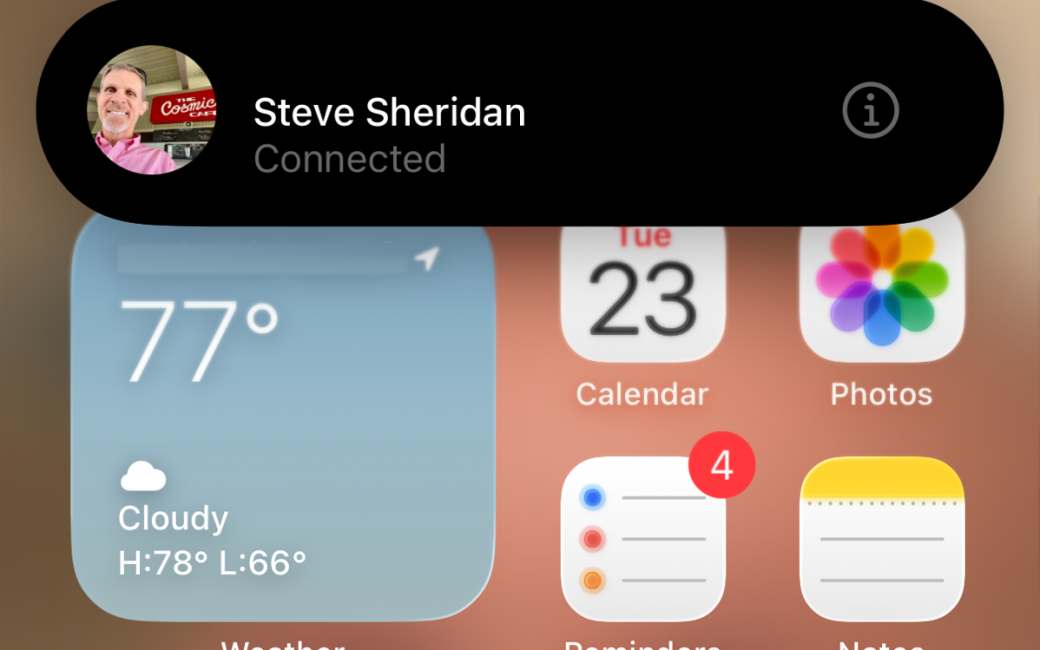
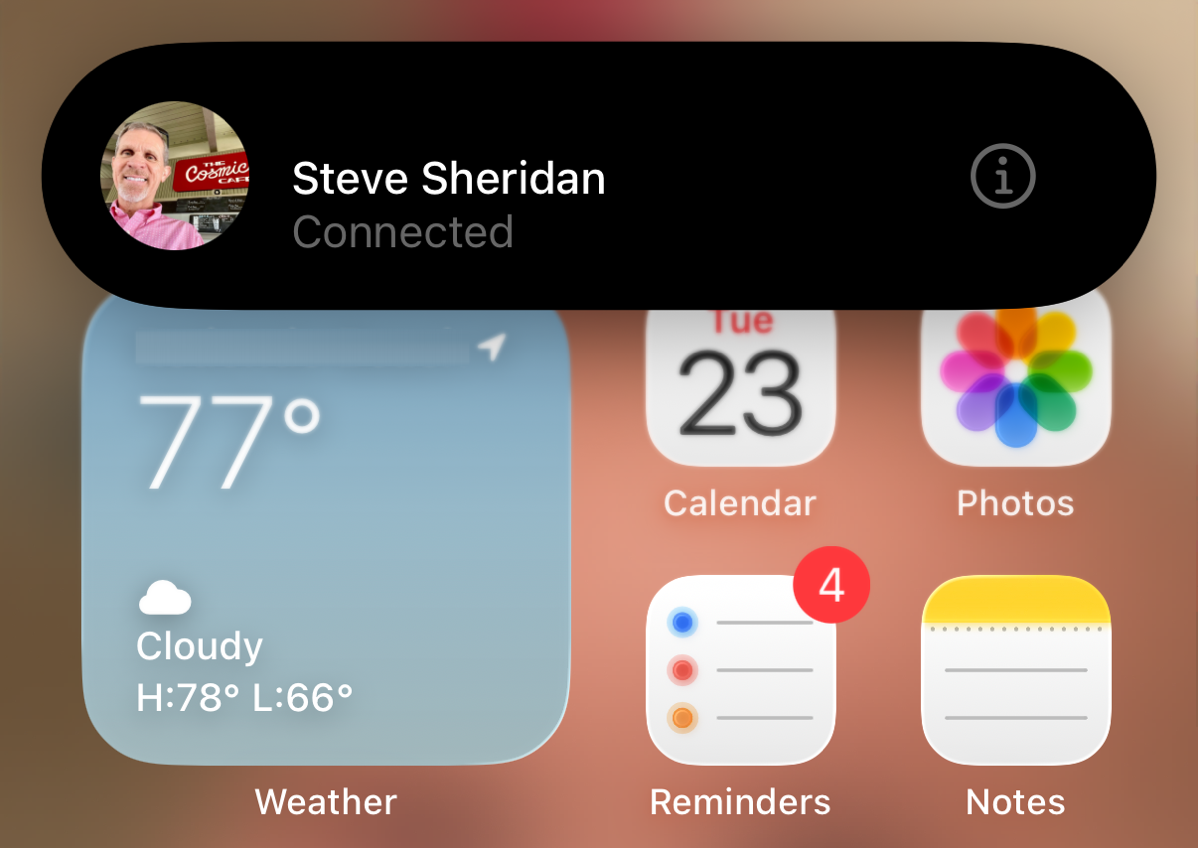
My single favorite bug/feature of iOS 26 is a banner I keep getting at the top of my homescreen that shows Steve’s avatar and says he’s “connected”. Connected to what, I don’t know.
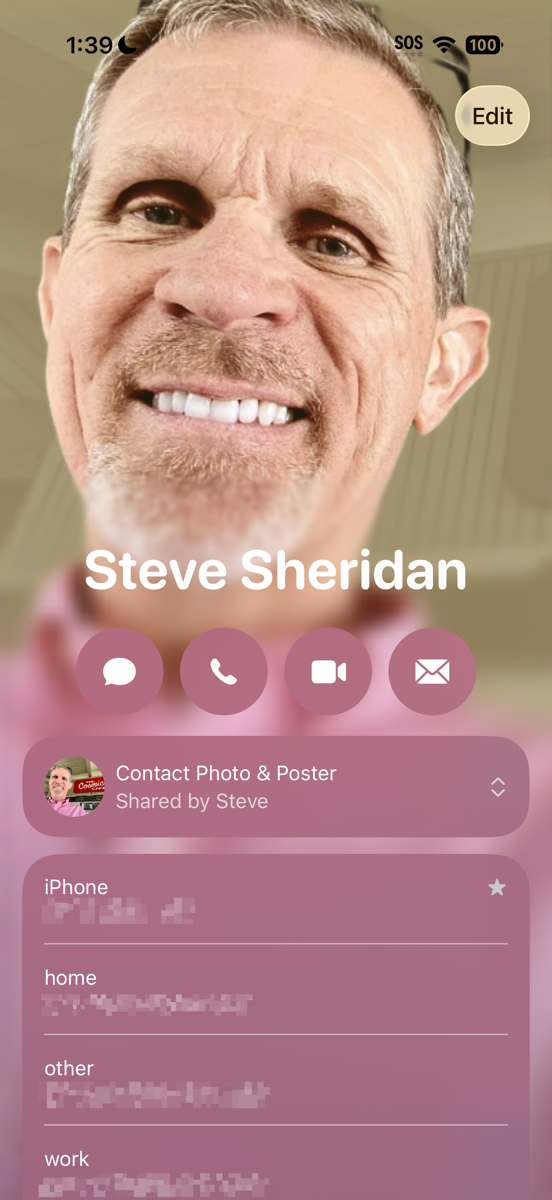
If I tap on the banner, it opens Steve’s contact card with no explanation. The only action I can take at this point is to select the Edit button. I should note that this is Steve’s contact card as seen on his phone, not mine. The font is different, and my version says “Emergency Contact” on it. I’m tempted to edit something on it and see if it changes on his phone.
The biggest problem is that if I do tap on the banner and see his contact card, I can’t get out of it. There’s no back button, no close button, and I can’t swipe down, up, left, or right to get out of this screen. The only way I can make it go away is to hit the power button on the phone. When I wake the phone up, the screen and the pop-up are both gone. Until the next time it happens.
I put the image of the pop-up into ChatGPT to see what it might be. It guessed that it was a proximity or sharing banner for AirDrop, NameDrop, or Shareplay. It’s not a bad guess, but all of those require you to have close proximity, and this is happening when Steve’s on the other side of the house, downstairs, and not touching his phone or computer. The other problem is that I’ve seen AirDrop, NameDrop, and Shareplay banners before, and they don’t look like this banner.
Richard Piazza responded on Mastodon to my request for ideas of what this might be. He asked if it might be his phone connecting to my phone’s hotspot. I used his phone to try that manually, and it created a pop-up on my phone showing his request, not the banner I’m seeing that shows he’s already connected.
It remains a mystery, and I wish it would stop.
Bottom Line
The bottom line is that when I’m asked if it’s ok to install iOS 26, I suggest waiting a smidge till the weirdness slows down. It’s not terrible, and so far I haven’t had any permanent showstoppers, but to pretend it’s a bug-free experience would be disingenuous.
You don’t like that we have a strong connection? 😉
I’ve been hesitant to install this in my girlfriend’s phone.
I’ve hit so many snags, we need some devices that haven’t changed.
I’ve changed all my devices over and they all have different issues.
My main annoyance is with my printers.
I had to reinstall all their drivers and they are still a bit hit or miss.
Not what you need when you are heading out for an audition and the printer won’t print out the sheet music.
I’m sure it will sort itself out soon, but until then, at least I know my girlfriends Mac and iPhone are still working properly.
Well, Steve, ZombieWarrior on Mastodon wrote:
And with our identical birthday and all, they make a good point.
Was the printer problem on Tahoe or iOS 26, Shai?