
I’m a pretty avid reader. I don’t read quickly, but there’s never a gap between one book and the next. I’ve been a fan of reading on Kindle since 2010.
While I do absolutely miss going to bookstores and literally judging a book by its cover, I still prefer Kindle. I also miss trading books with friends. I had a particular friend at my gym who would simply say, “Read this,” and hand me a book. I don’t know how she found them, but they were all winners. They were consistently books that weren’t like any I’d ever read before. After we both switched to Kindle, she never seemed to have a recommendation for me again.
With Kindle, I have an infinite supply of books with me in a device that weighs just a few ounces. To steal a quote from NosillaCastaway David Price, no matter how many books I put on it, my Kindle weighs the same. I can be in Zimbabwe and finish a book, download a new one, and keep on reading. I always think of a vacation we were on in Mexico, where Lindsay finished a book in the Twilight series and desperately needed to read the next book. We spent hours driving around a resort town trying to find her that next book, all without success. That never happens with an e-reader.
I have a pretty big vocabulary (a byproduct of being an avid reader), but I still find myself curious about new words. I love how I can press and hold on a word, and Kindle will give me the definition. Phrases and historical terms can also trigger a Wikipedia explanation, which is great too.
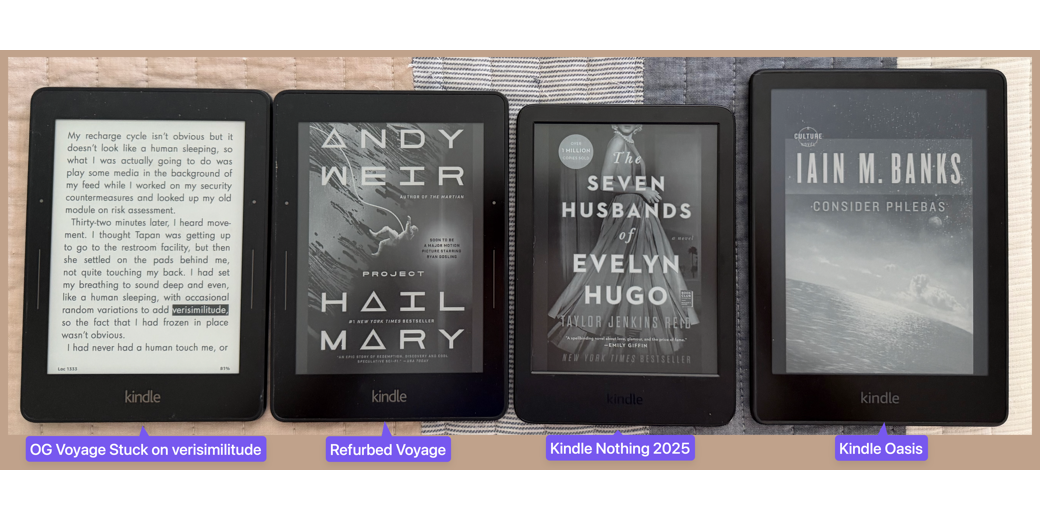
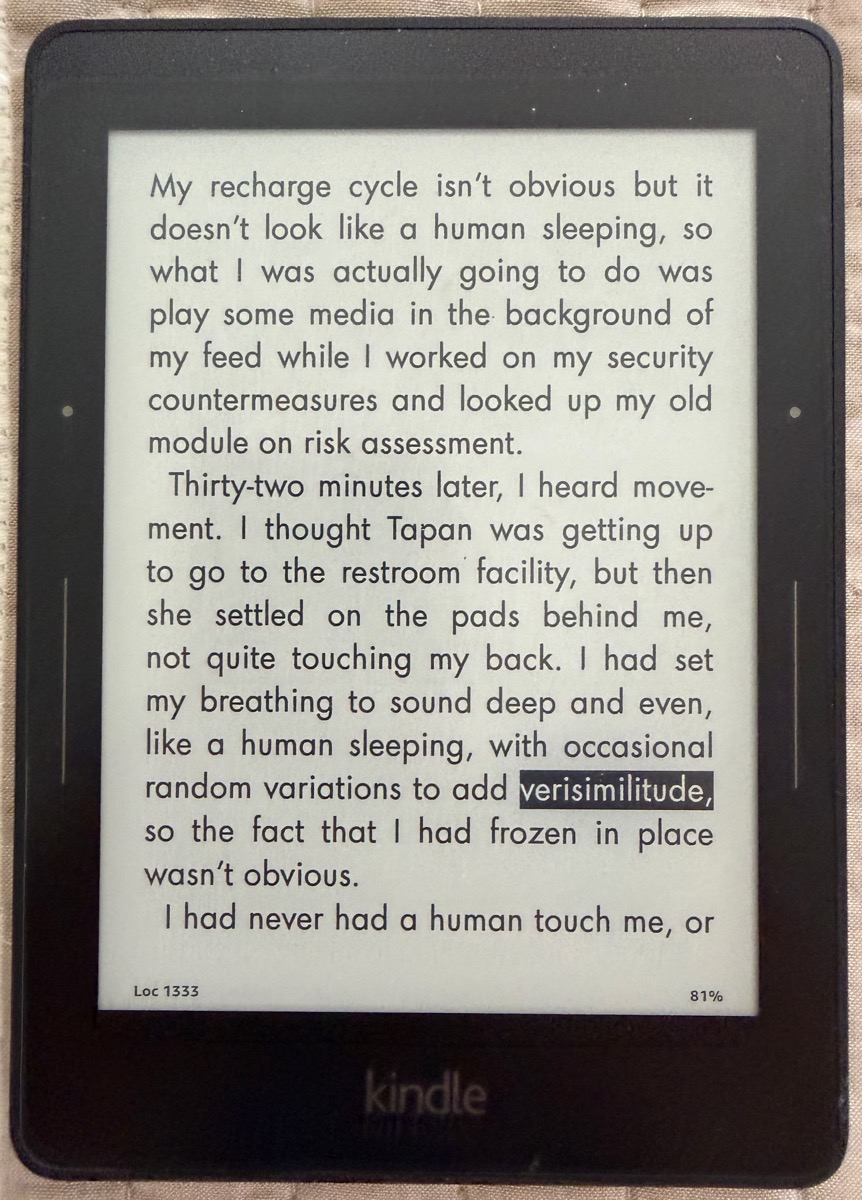
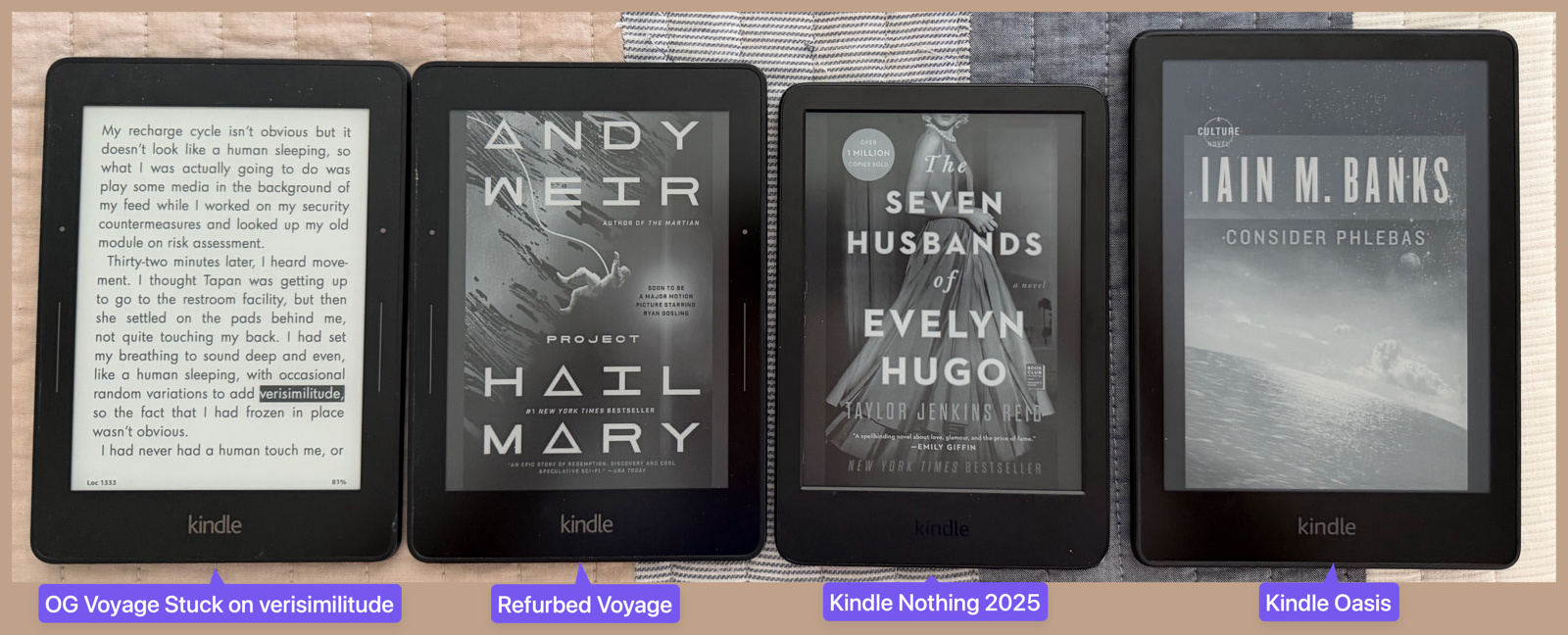
For many years, my Kindle of choice was the Paperwhite. When they came out with the fancy new Kindle Voyage in 2014, I jumped on it. It had a 6-inch, 300 ppi screen, and I loved it. I read off the Voyage until 2017. I was happily reading book 2 of the Murderbot series when I came across the word “verisimilitude”. Not knowing the definition, I pressed on the word to highlight it, but nothing popped up. That was the last thing that poor little Voyage ever did. Since the display is e-ink, the page I was reading is still open with verisimilitude highlighted for the past 8 years. I keep thinking it will someday fully die, and then I can recharge it and have it come back to life.
I tried reading on my iPhone with the Kindle app, but it was too much page turning. I tried to buy a new Voyage, but Amazon had discontinued the model. I tried reading on an iPad mini, but it was too heavy and too distracting to ever get into the book I was reading. I finally figured out that Amazon was selling refurbished Voyages, so I bought another one and happily started reading again.
But like many of you, I love to have the new hotness. Whenever Amazon comes out with a new Kindle, I read all of the specs to see if I need to upgrade. The Kindle Oasis with its 7″ screen sounded cool when it came out. Luckily for me, Amazon briefly had a pop-up store in our local mall, so I got to hold it in my hand. I say luckily, because I absolutely hated the form factor. It was almost square with the giant bezel on the right-hand side, and it was much thicker on that bezel side. It would have been very uncomfortable to hold with one hand, and essentially impossible to hold in my left hand. Back to the Voyage I went.
Finally, Amazon came out with a new Paperwhite with USB-C charging, and I thought that alone would be a good upgrade from the incredibly annoying micro-USB connector on the Voyage. Charging the Voyage was literally an all-day event, and they promised faster charging over USB-C.
The Papwerwhite is a great device with a lot of advantages over the Voyage, including a 7″ screen, but it has one disadvantage. It’s too wide for me to hold with one hand. I lie in bed, usually on my right side, and hold the Kindle with my right hand. I am so used to reading like this that I actually chose the focal length of my human-made lenses from my cataract surgery to make sure I could read without glasses.
The good news was that Steve, with slightly larger hands, was happy to take the new Paperwhite off my hands. He did admit to me recently that his hand aches a bit after reading for a long time on that wider Paperwhite, though.
A few months ago, Pat Dengler and I were goofing around at Best Buy, and we went to look at the new Kindle Scribe. This is a competitor to the Remarkable 2, which lets you read books and annotate them with a stylus, or write standalone notes. I played with the stylus out of curiosity and found it seriously lacking in responsiveness. I wasn’t in the market for the device anyway, but it’s fun to explore options.
I also looked at the Colorsoft Kindles to see if they looked like fun. I hadn’t heard great things about them, and when I saw they were essentially the same form factor as the Kindle Oasis, that was the deal killer. Next to the Oasis on the display was a wee tiny little baby-sized Kindle, and I remember turning to Pat and saying, “That’s cute, but it’s way too small for me!”
When I got home, I started poking around on the Amazon website, looking at the various Kindle options, and I found the plain Kindle Nothing. It’s got the same 6″ screen as my beloved Voyage, a slightly smaller form factor, and you can’t squeeze the sides to change pages (which I always found difficult to do anyway). Amazon said it’s 25% brighter, but didn’t say brighter than what. It’s not a long shot that it’s brighter than my geriatric Voyage. But guess what? This Kindle Nothing is the very Kindle I told Pat was way too small when I saw it in the store!
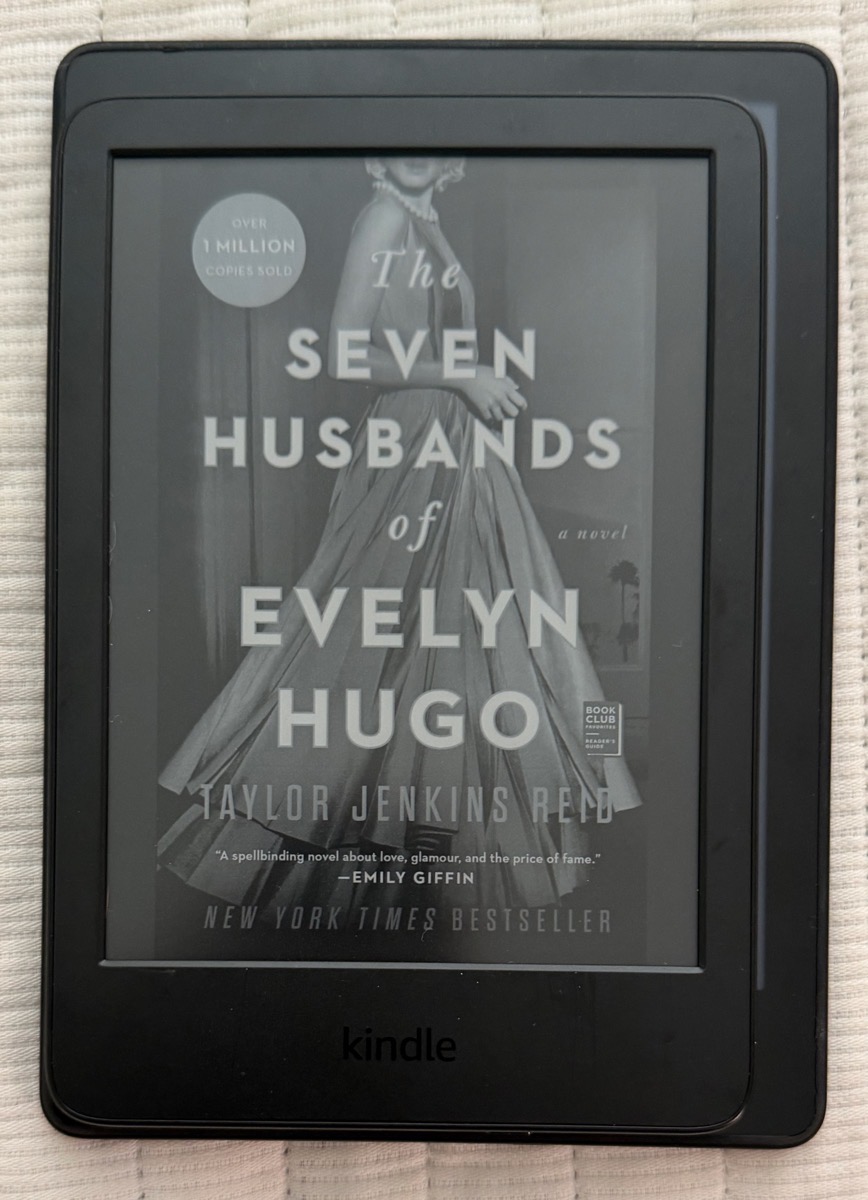
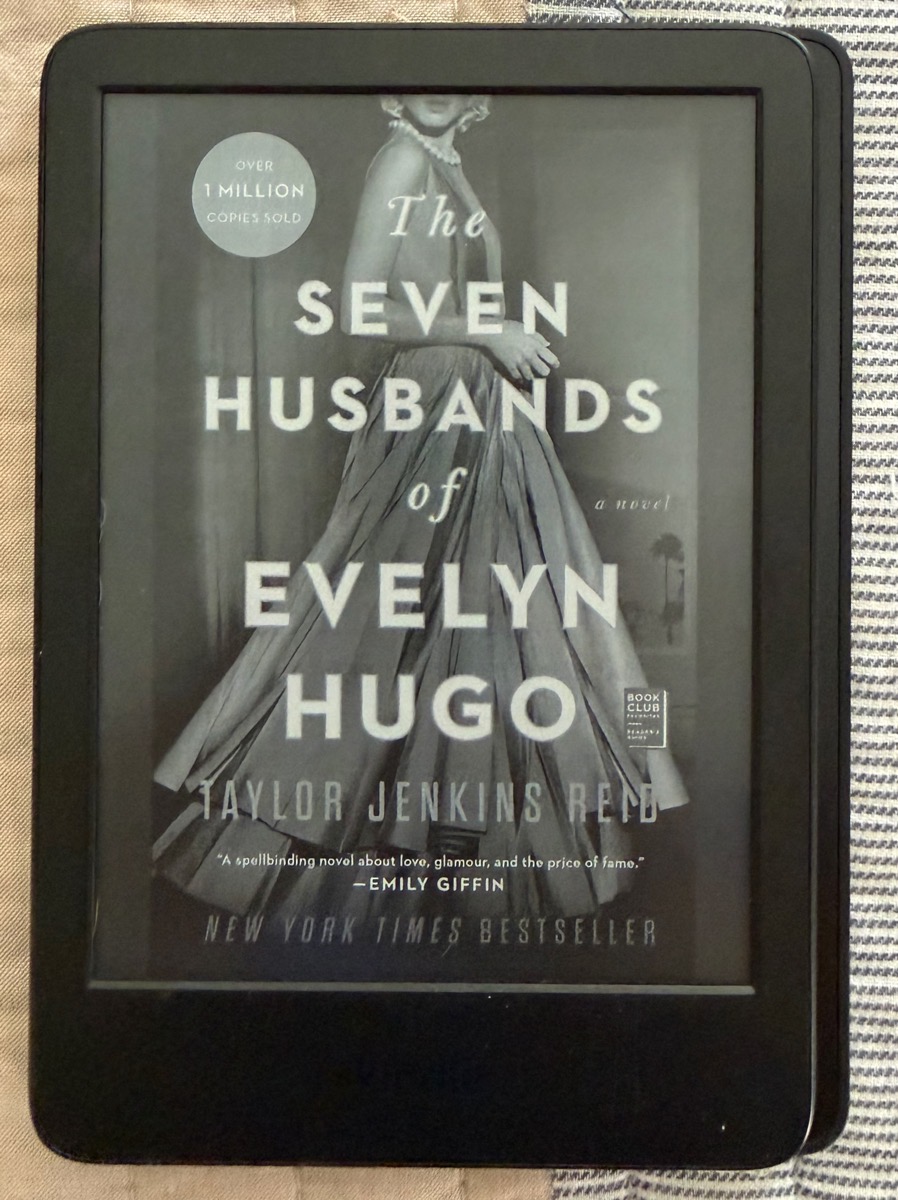
The Kindle Nothing with 16GB and ad-supported comes in black or matcha (which is an olive-green color) and is only $110. I don’t care about getting ads, but I prefer to see the book cover to give myself a 28% higher probability of remembering the name of my book. I splurged and dropped an extra $20 to remove ads. At $130, it’s a darn site cheaper than the too-big, poorly reviewed Colorsoft at $250!
I’m pretty darn happy with the Kindle Nothing. USB-C makes me unreasonably happy. I know there’s a 50/50 chance of getting the connector in the wrong way with MicroUSB, but you’ll all back me up that it’s really closer to 90/10 getting it wrong. Charging is dramatically faster on the Kindle Nothing over USB-C so that’s lovely as well.
Power on the Voyage was on the back right towards the top as a recessed button, which took two presses 100% of the time. The Oasis and Kindle Nothing have a tiny, but easy-to-press button on the bottom. This is a good thing when you’re sleepy and want to quickly turn it off, but if you ever want to stand the Kindle up to read, say on an airplane, it will often shut itself off. I know, we could add cases that would fix this problem, but then the Kindles would be bigger and heavier, reducing the joy that is reading on Kindle.
Another reason I wanted to update my Kindle was because the operating system was slightly updated on Steve’s Oasis. With the new Kindle Nothing, I can access font changes and light vs. dark mode with fewer taps. The interface is curious though. If you tap at the top of the screen, you can see buttons for font, jump to pages or chapters, view your annotations, bookmarks, search, and a 3-dot menu at the top as you’d expect, but it also shows where the page you’re reading is in the book by showing half of the page before and after, along with a slider, and more options to view and change your location. It’s not a bad thing, but I’m not used to seeing that much information at once.
Here’s a funny story. I complained to Steve that my Kindle wasn’t charging and that it was stuck at 38%. I changed chargers, I changed cables, and I even changed where I was plugging it in. I was off to write to Amazon to ask them for a replacement device, when Steve noticed I was looking at the percentage I was through the book, not the battery charge percentage. The funny thing is that this is just pure silliness on my part; the two numbers are in the same spot on the Voyage and the Kindle Nothing!
Bottom Line
The bottom line is that the Kindle Nothing is slightly brighter than my aging Voyage, slightly smaller, so it’s easier to hold, charges with modern speeds and connection, turns pages more quickly, is easier to turn those pages, and has an easier-to-press power button, and wasn’t very expensive.
I was telling Steve this whole story, and he had one question. He asked me what verisimilitude means, and I told him I’m still waiting for my original Kindle Voyage to wake up and tell me.
“I know there’s a 50/50 chance of getting the connector in the wrong way with MicroUSB, but you’ll all back me up that it’s really closer to 90/10 getting it wrong.”
So true!