
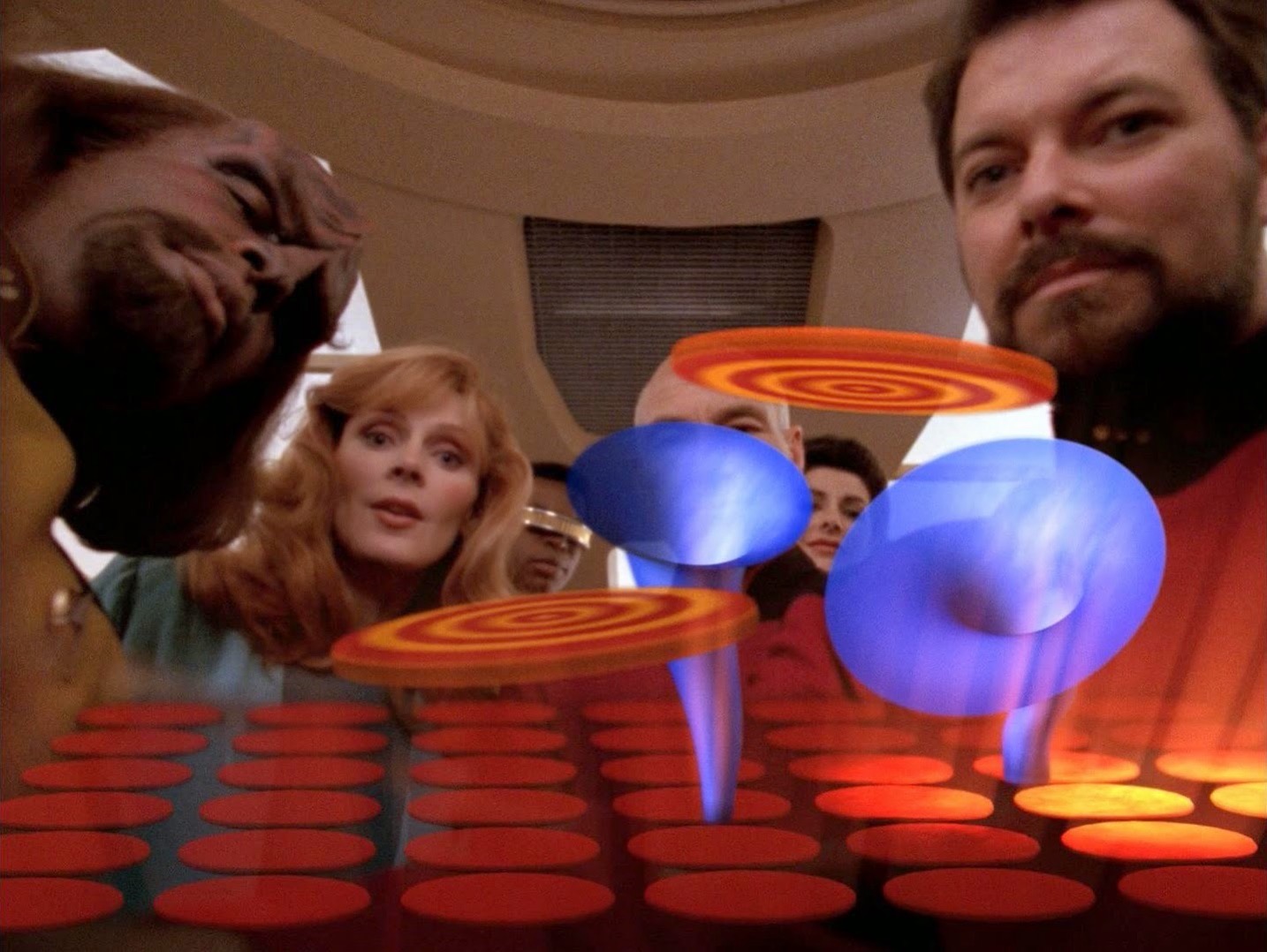
If you’re a Star Trek fan, you might remember an episode of Next Generation where Commander Riker goes on vacation to the planet Risa, and he comes back with a really cool game that he said was all the rage down on the planet. The game was a headpiece that displayed these little virtual disks floating around, and the player would mentally get them to go down into a virtual funnel. The game hit the pleasure center of the brain, which made it highly addictive. Pretty soon, every person on the ship, except Wesley Crusher and his friend, are addicted and doing nothing but playing the game. The young pair wind up being the heroes to get everyone free of the game. At one point, there’s a hilarious scene where Wesley’s mom, Dr. Beverly Crusher, chases him down the hallway, trying to get him to put it on.
I tell this story because I feel a little bit like we’re in The Game right now when it comes to vibe coding. If you aren’t familiar with that term, it means that instead of writing code by hand, you describe the functionality you want to a Large Language Model (LLM), and it writes most, if not all, of the code for you. As people started to use LLMs to do their coding, the AI vendors started to break their tools out into separate modes, with one tailored to programming.
For example, as Bruce from Tennessee explained to us, Claude now has three modes: Claude Chat, Claude Cowork, and Claude Code. Both Cowork and Code are agentic AI, meaning they actually mess around in your files and change things. Cowork has a wider blast radius, though, where Code is narrowed to the development environment you specify.
But back to my analogy to The Game in Star Trek. Everywhere I turn, one of my friends is doing vibecoding, and they’re addicted to it. And, I’m one of them. While we’re addicted in the same way, the problems we’re solving are completely different. We’re all scratching our own itch.
My Vibe Coding Addicted Friends
Jill from the Northwoods created a bird-watching database. She populated a Notion database with information from 815 birding trips she’s been on. She used Claude to help her build it. She can ask this database, “When was the first time I saw a robin?” or “How many bluebirds did I see in 20 years?” or “Hey, give me the first time I saw a Wilson’s Warbler every year.” She’s having an absolute ball with it.
Bodie Grimm of the Kilowatt Podcast used an online service called Lovable.dev to vibe code a tool that finds news stories about EVs, self-driving cars, and renewable energy. Using a fair number of prompts, he was able to tailor it to go mostly to his known valuable sources, but also to surface new news sources that meet his criteria. His Loverly tool summarizes the stories too so he can quickly curate the stories to build the lineup for his shows. If you want to know more about that, he demonstrated it for Tom Merritt on a special for the Daily Tech News Show on YouTube.
My old boss, Don McAllister (former owner of ScreenCastsONLINE and not that old), had a daughter getting married, and he was in charge of the music for all of the wedding events. He decided to vibe code an iOS app that lets him select songs from Apple Music and have them play sequentially during different events. He asked me to beta test for him, and I was shocked at how quickly he kept turning around fixes to the bugs and improvements to the UI. That’s when I realized he was vibe coding. After getting the working prototype up and running, he moved on to a more traditional approach, doing the heavy lifting himself but with an AI Assistant by his side.
When I started recording with Adam Engst this week for Chit Chat Across the Pond, he told me he was vibe coding an app that would take snapshots of System Settings so he could compare changes he’d made manually in Settings with changes Apple made during a software update. For someone who messes around so much in System Settings, it will be invaluable in helping him get his settings back the way he had them.
Remember late last year when he taught us how to change settings in iOS and macOS to improve how Liquid Glass looked for each of our needs? He must have toggled 300 settings just to take the screenshots in his article titled How to Turn Liquid Glass into a Solid Interface.
And then there’s Steven Scott, co-host of the Double Tap podcast with Shaun Price, where two blind blokes talk tech. I find the show informative and hysterical at the same time. Anyway, Steven has been seduced into the vibe coding game too, and boy, does he have it bad. He worries that it’s been dominating the show, but he can’t stop because he’s so happy about it.
On the show, he was telling a great story about a project working to program a physical device, and his coding agent told him that he needed to plug the device into the mains. I almost fell over laughing on my walk when he said, “What’re you talking about? I’m downstairs in my electric recliner eating a KitKat! I can’t be bothered to go upstairs and plug it in!”
The other day we had a virtual coffee, and he showed me what he was coding. He held up a wooden box that looked kind of like an old-time radio. He explained that it has a Raspberry Pi inside as the processor, and it’s up to you to create the interface. Steven has exactly zero experience writing code, and yet he was able to vibe code an accessible interface to this radio. The way he described it, he gave his coding agent some instructions, went off to do other things, and when he came back, the radio was talking to him. Amazing stuff.
All of these ideas are super-specific to the needs of the people developing them, and each person is equally passionate about how they describe what they’ve created. We all feel a sense of accomplishment; we feel empowered, and we’re having a great time. The unfortunate side effect is that for at least some of us, personal hygiene, sleep, and interacting with other humans seem to be diminished priorities because it’s so much fun to do vibe coding.
It sounds like a lazy process when described, but in reality, the human developer is very much involved in decision-making and guidance, so it really does feel like your project.
Elapsed Time Adder
The one downside of all of my friends being rabid vibe coders is that I hardly get to tell them about what I’m doing because they’re so excited about their own projects. So let’s talk about me now!
My project is a port of my Elapsed Time Adder web app to iOS and Mac native apps. I wrote my web app using most of the tools I learned from Bart in our Programming By Stealth podcast. The layout is in HTML using CSS and Bootstrap to style the elements of the page. The code that allows the user to enter hours, minutes, and seconds and add (or subtract) the elapsed time of each row was all written in JavaScript. I even bundled my little math engine using Webpack.
I had a blast creating it, but it took me over a year to do it. I’m very proud of what I created, but it was quite a slog for me to write this code. A more experienced programmer could probably have polished it off in a weekend, but that wasn’t the point of doing this. It was the fun of creation and the empowerment I felt when I built this handy little tool.
I had a dream that some day I would get around to learning Swift with Xcode to build proper apps for iOS and macOS, but the time to learn those tools never seemed to magically appear.
I started to think maybe I could do something with Claude Code, but all I did was yap about it and never got started. And then one day, Mike Price, aka @Grumpy in our Slack and the live chatroom, sent me a screenshot of a simplified version of Elapsed Time Adder running on an iPhone! The code for my project is right there on GitHub, so nothing was stopping him from going for it and not waiting for me.
He meant to do this as a present for me, but after some discussion, he agreed to stand down so I could try to do it myself. I’m so glad he did because now I’m addicted to vibe coding too.
Vibe Coding Elapsed Time Adder
I’m not sure I did it the right way, but I simply started paying $20/month for Claude Code and pointed it at the GitHub repository for the web app. I told it I wanted macOS and iOS apps built and asked it what I needed to do to get started.
Claude Code, or as I like to call her, Claudette, told me to install Xcode, told me how to start a new project, and then she went to town building the app. In an hour and a half, Claudette had ported my code to Swift, and I had a fully functioning prototype of my app. Seriously, isn’t that insane?
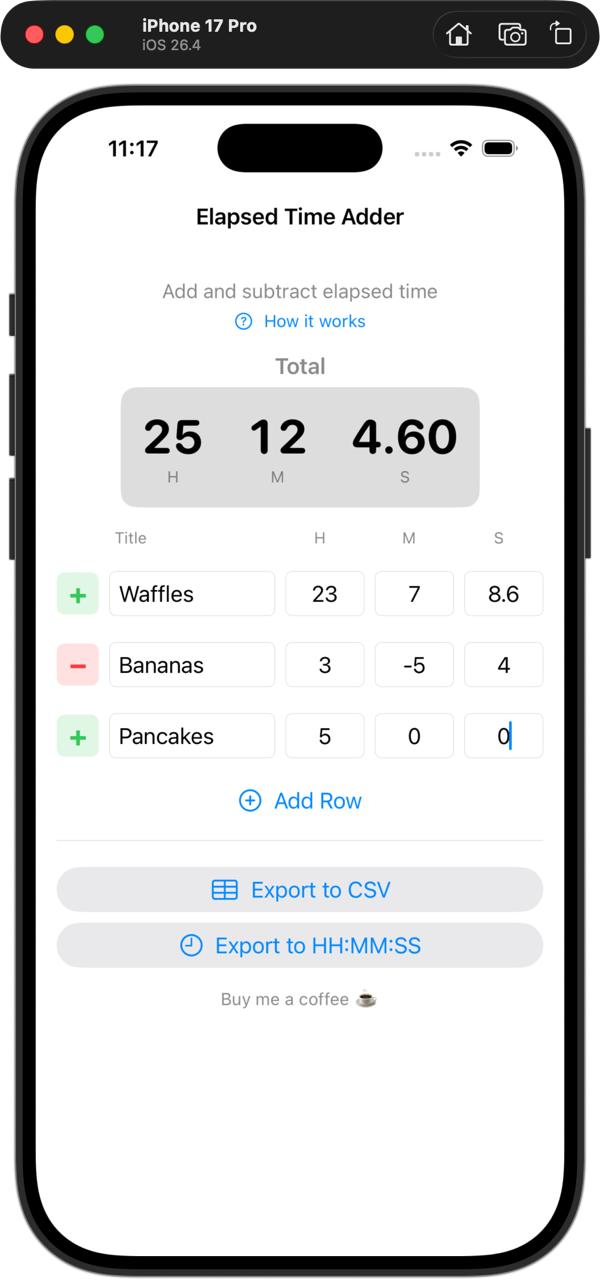
Now here’s the problem: vibe coding is so fast that you immediately find yourself thinking about ways to enhance your app. I wonder if it would look better if that button was higher. Those numbers aren’t aligned properly. Maybe it needs a splash of color. Claudette is right there, ready to change anything you like. That’s the addictive part. She never complains, she never says it’s too hard, she never gets bored when you go to sleep, she’s always there ready to get back to work.
I’d like to go through a couple of fun examples.
Icon for Elapsed Time Adder
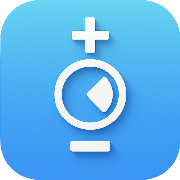
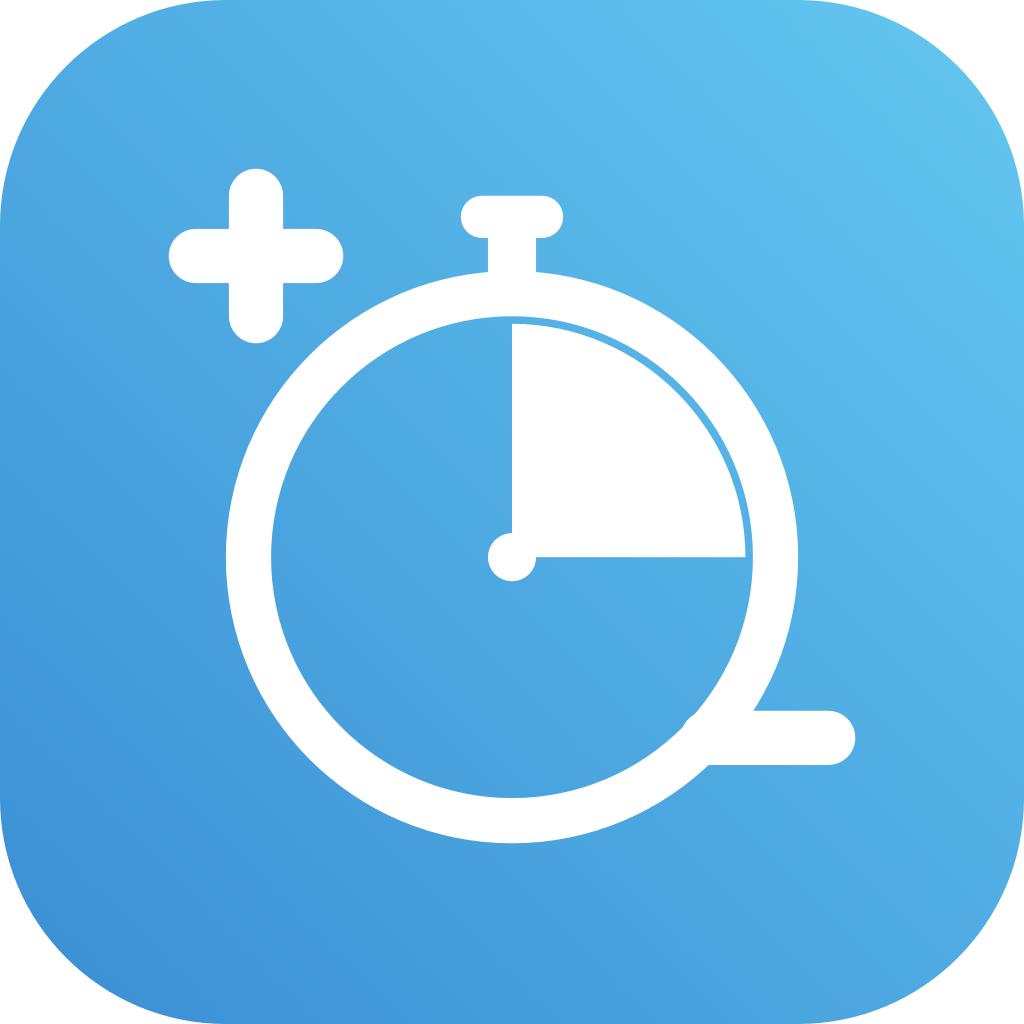
Ages ago, I asked ChatGPT to help me make a logo for my web app. We came up with a blue background with a white circle with a plus above it and a minus below it. The circle was supposed to be like a clock and had a white wedge to signify elapsed time.
It was fine, but not great. I asked Claudette Chat (not Code) to take a look at it and give me some suggestions for improvement. She came up with a cool idea. Instead of a plain circle, she drew a simple stopwatch with the wedge showing elapsed time. A stopwatch is a much better way to represent the concept of elapsed time than a clock.
There were two problems with Claudette’s design, though. The wedge signifying the elapsed time was from what would be 12 to 3 on a clock, which implied it meant clock time. I liked it much better rotated down 45° the way I had it in my original logo.
The other good part of her design was that she moved the plus to the upper left and the minus to the bottom right, which better balanced the logo than on the top and bottom. Oddly, though, the minus symbol was kind of under the circle of the stopwatch. I tried about 8 times to get Claudette to move that minus symbol so I could see it, and she just couldn’t pull it off. I know Claudette doesn’t specialize in image generation, but this seemed like such a simple ask compared to what she had been doing before.
Then I had a brilliant idea. I asked her if she could give me a scalable vector graphics (SVG) version of the logo so I could fix it myself, and she said, ” Sure, knock yourself out. ” Well, that’s not exactly how she said it, but you get the point.
I opened the SVG in the free Affinity app from affinity.studio/… and, to my delight, in the right layers panel, I could see every element of the graphic as separate layers, logically grouped, and they were all named. I’m serious, the elapsed time wedge was on its own layer called “sweep”, the circle was called “watch-ring”, and the button on the top of the stopwatch was two layers called “crown-button” and “crown stem”.
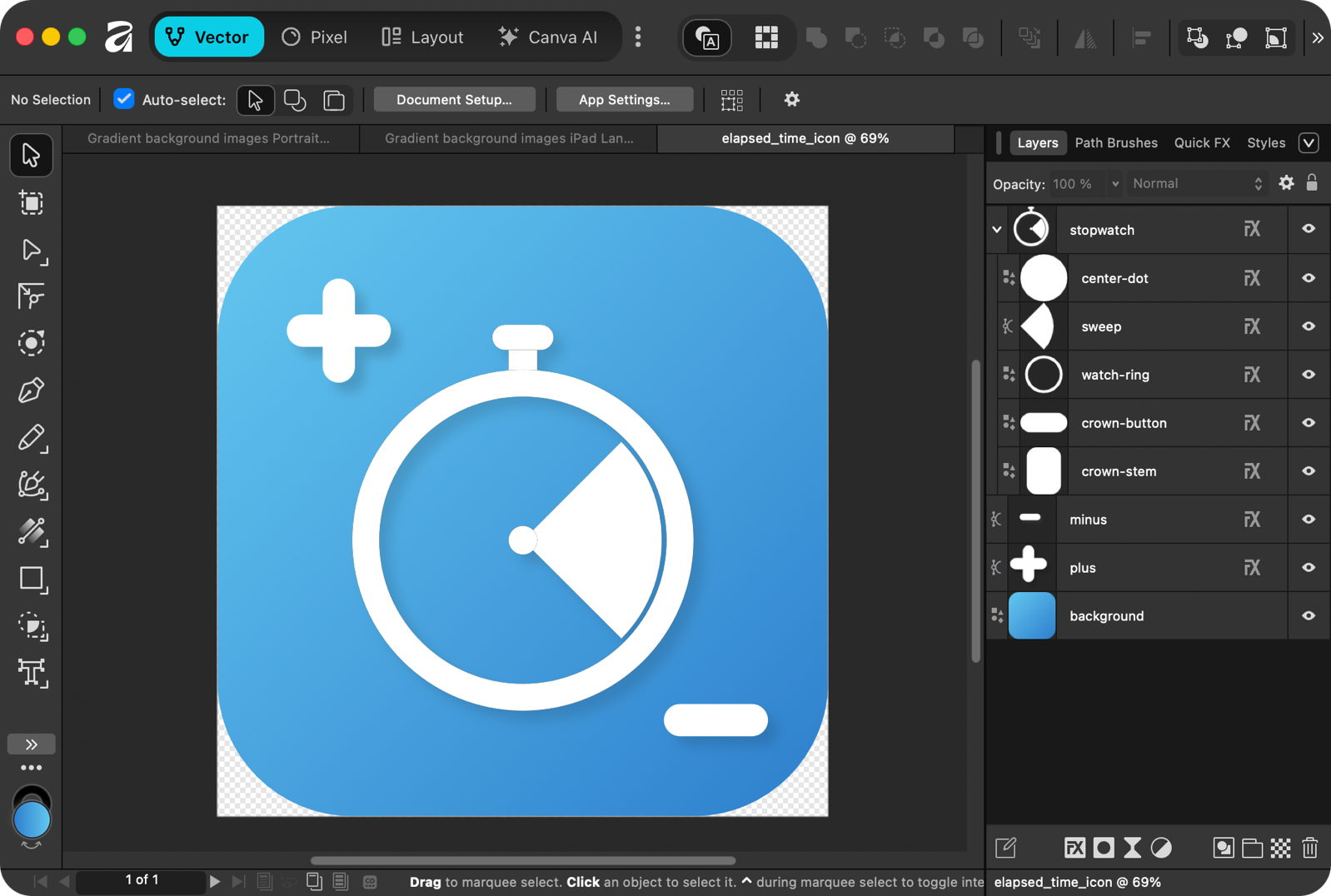
Having the elements in groups on separate layers meant I could easily move each piece around until the logo looked exactly like I wanted. I don’t have the talent to design a good-looking logo from scratch, but I can move things around and make them look balanced. I got a little crazy and added a nice gradient to the blue and a little bit of a drop shadow to make the element stand out. I am really happy with the logo, and I enjoyed truly collaborating on this part of the process.
Tests
One of the tedious parts of coding for me is writing tests, but if you don’t write them, your users will be bound to try things you never thought of that will break the logic of your app. You have to think of things like people will try to type letters or special characters in number fields; things like that. Rather than try to do it myself, I had Claudette write my tests for me. I can’t promise she thought of every silly thing a user would ever try, but we have squashed a few new bugs because of the tests.
I’ve been trying to push folks to use their coding agents to test their apps for accessibility too, because it’s super easy. Just tell them to do it, and they do! Claudette didn’t do a perfect job, so after testing my own app for accessibility, I made some improvement suggestions.
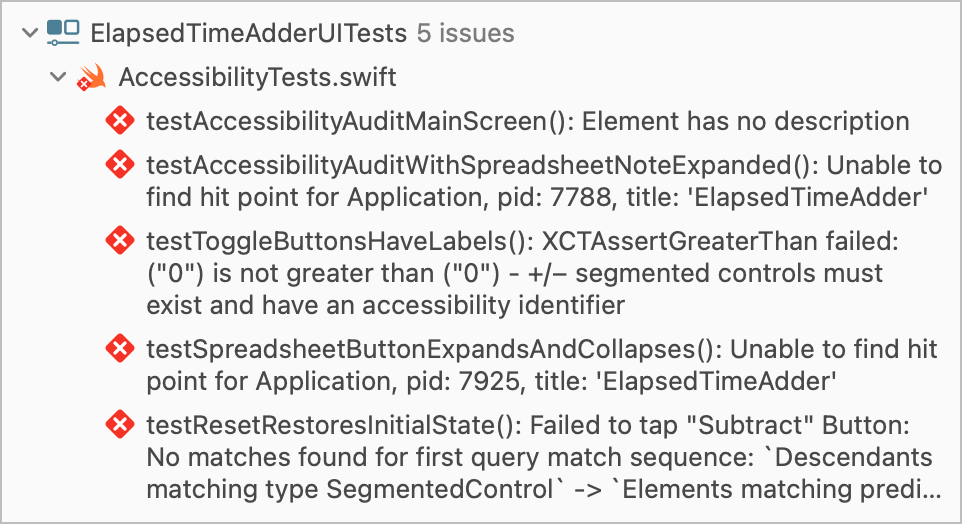
The only hard part is that it takes a very long time for the tests to run, and this is especially because of the accessibility tests. You have to choose a physical device to run the tests against, and while it’s running, that device is unusable. For the accessibility tests, it pops open the app, does some tests, closes it, opens it again, tests some more — rinse and repeat for ages. I’m talking maybe 15-20 minutes for it to do all of its shenanigans. I don’t run the tests as often as I probably should, but definitely before publishing a new build.
That is, until Claudette told me that when only some of the tests fail, you can run just those tests instead of the whole suite every time. The tests in Xcode show red for failure and green for success, and if you hover over them, the icon changes to a play button to run them again. Who knew? Claudette knew.
The App Store
One of the hurdles to get over has been figuring out how to get it into the App Store, which you do through App Store Connect. There’s a lot to do, and while Claudette was there to answer all of my questions, I didn’t go the Cowork route and let her do any of it for me.
It hadn’t occurred to me that I would need a marketing page for the app, and again Bart’s fabulous teachings came in handy there. I created a web page using HTML, CSS, and Bootstrap and published it to GitHub using Jekyll. I even created my very first subdomain for podfeet: timeadder.podfeet.com.
I also needed a privacy policy, and I did let Claudette write that for me. She knew that my app doesn’t store any data, so the policy is pretty simple.
With Claudette’s help, I learned how to create an Archive of my project in Xcode, which is what you push up to the App Store Connect. Once I had a build in App Store Connect, it was time to start adding users to a test group. I’m not going to lie, this was the single hardest part for me to figure out. There are internal testers and external testers, and I’m pretty sure you can’t create an external test group till you create an internal one, but I don’t have an internal organization. Then you have to figure out how to connect the latest build to the test group. This whole test group thing probably took me two days to figure out!
People who install TestFlight from the App Store for their Mac or iOS devices can be invited to beta test apps for developers through this test group interface. It was only fitting to let Mike Price in as my first tester, and he enthusiastically jumped right in. Boy, did he give me a lot of feedback! And I mean that as a good thing.
Now here’s an oddity. Through the TestFlight App, you’re encouraged to provide feedback to the developer by taking a screenshot and then writing some text to go along with what you found. That’s great and does capture it, but TestFlight doesn’t give the developer any way to reply to the person who submitted the feedback or track which items have been triaged.
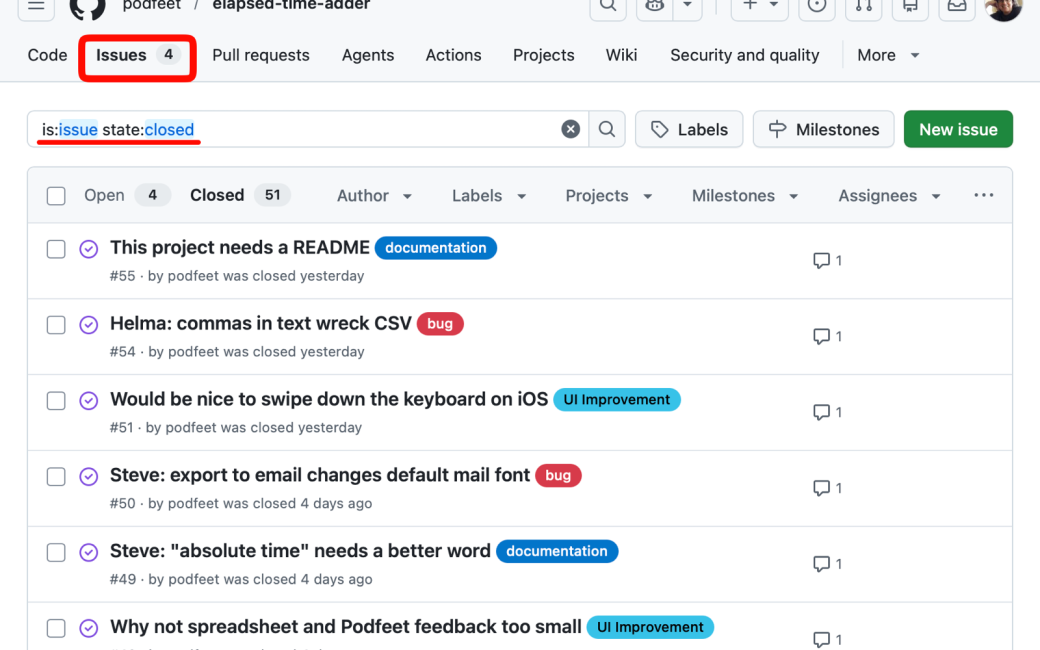
I learned that as a developer, I get to write a little note when I push a new build, and in that I tell them what I want them to test, but you can also sneak in there how you’d like to get feedback. Since my app is in a nice GitHub project, anybody of the nerd persuasion (or anyone who is willing to create a free login to GitHub) can open an issue. GitHub issues are awesome because I can respond with ideas of how to implement the idea or fix, and ask further questions about problems found. I can categorize them as UI enhancements or bugs, etc. Then I can close the issue when it’s been implemented (or if I decide not to do something), and the user who opens the issue gets an email with my responses.
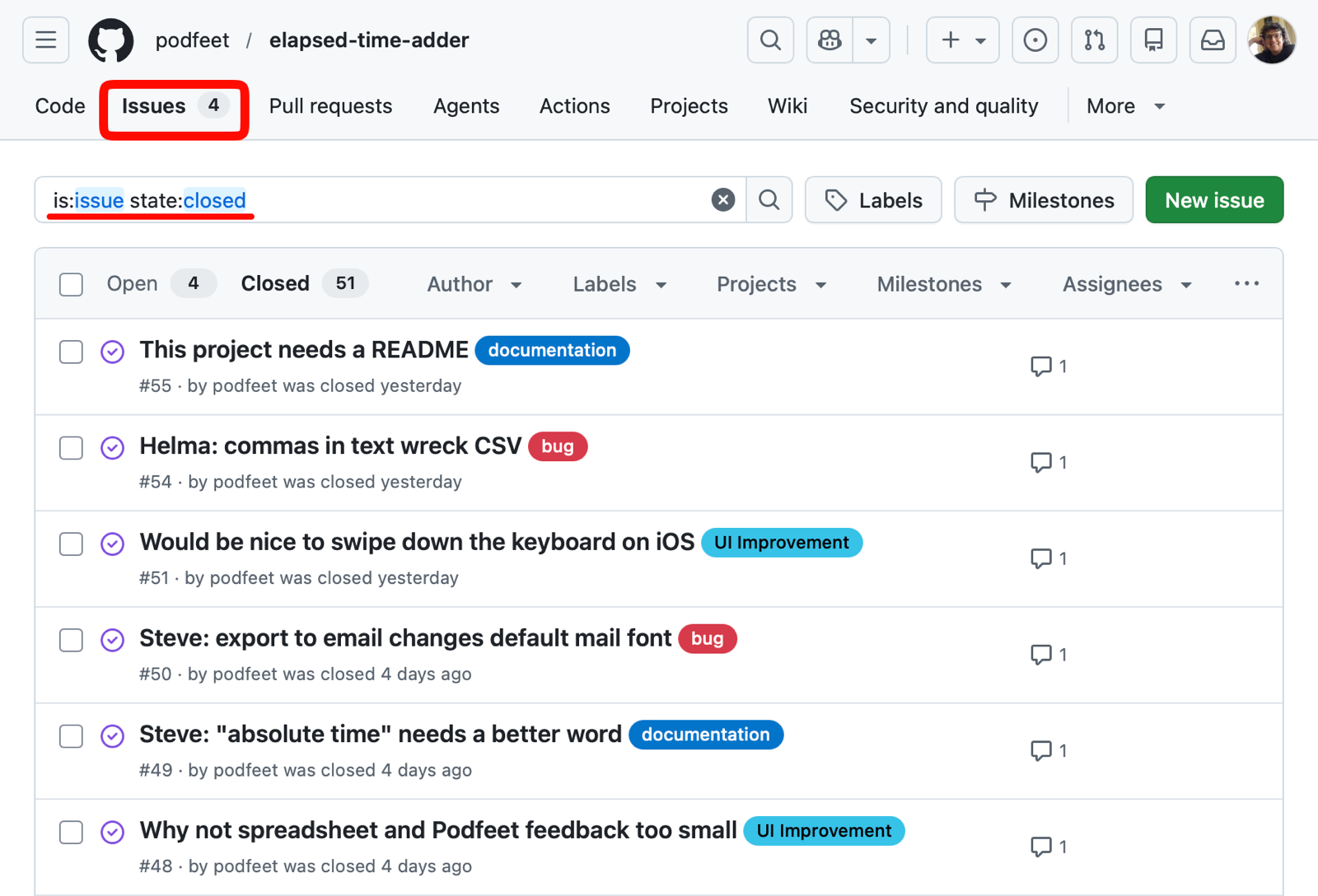
The next best way to get feedback is a simple email, so I encourage that too. Helma sent me an email with a bug she found, which was great. I copied what she wrote into an issue in GitHub so I could remember to address it. It’s also fun to get to check issues off a list! Same thing with my buddy Niraj — he had lots of ideas he sent me in an email, and I copied them all to GitHub.
I have just a few more things left to tidy up on my latest build, and then I’ll be ready for more people to test my app to see what they can break.
If you would like to help feed my obsession with vibe coding, send me an email at [email protected], and I’ll add you to my test group. The more the merrier!
Semi-final Thoughts
I don’t have a bottom line, and I don’t have final thoughts, so I’m calling this semi-final thoughts.
Vibe coding is fun. I feel a little guilty that I’m not learning Swift. But it’s so fun. Just like with real coding, it makes you feel very powerful.
My understanding is that LLMs don’t write really good code. Since LLMs are aggregating all human knowledge, that means, by definition, my code is average, and I’m ok with that for an app that doesn’t have massive consequences if something goes wrong. It doesn’t store anyone’s data, so data leaks can’t happen. It doesn’t have anything to do with anyone’s financial information or personally identifiable information either. It’s not managing the power grid or a healthcare system either.
What vibe coding is doing for me and my friends is allowing us to scratch a niche itch for each of us, and it makes us very happy. It’s fun. Join us … now.