

Our grandson Forbes is a delightful child, but he’s been doing this annoying thing called “growing up”. He just had a birthday, and his parents agreed that we could buy him his first Apple Watch. They felt that he was mature enough to handle the responsibility, and they liked the idea of being able to contact him, and vice versa. The story I’m about to tell is how much harder it was to execute this maneuver than I ever dreamed. To tell the story, I need to give some background.
Background on Apple One and Family Sharing
We have an Apple One Family Sharing plan for me and Steve, Lindsay and her husband Nolan, along with our son Kyle and his wife Nikki. We use a lot of data, and by “we”, I mean Lindsay and I. We’ve had to bump up from 2TB to the next step, which is an additional 6TB for a total of 8TB. That took the Apple One account up from $38/month to $68/month! I know that’s crazy high, but it’s all of our photos, our documents and desktop, and Apple TV+ (where we watch a lot of content), Fitness+, which Lindsay and I use to exercise, Apple Music (which everyone but me uses). Nobody uses Arcade very much, and we could probably do without Apple News. But overall, we get a lot of value out of the service.
Now let’s talk complications. Young Master Forbes has an iPhone of his own, which functions basically as an iPod Touch since it has no cell plan. His iPhone has been logged into Lindsay’s iCloud account ever since he got it. A year or so ago, Lindsay asked if maybe she should get him his own Apple account instead of being logged into hers. Unfortunately, the rules of Family Sharing state that you get the organizer plus 5 additional members, and we already had a total of 6 people on our plan. There was no room for Forbes to get access to any services, so we abandoned that whole path.
Then we started working on whether it would be practical to get an Apple Watch for Forbes, and how all the pieces would fit together. We assumed that since it would be under a parent/guardian as far as Apple was concerned, it wouldn’t count as an additional human. We were wrong. We were right back to where we started.
It looked like it was time to kick Lindsay and Nolan out of the nest to start their own Family Sharing Plan with Apple. But here’s the rub — just Lindsay and Nolan combined would use a smidge more than the 2TB of a Family Plan, which means they would have to go up to $68/month, since Apple only lets you go from 2 to 8TB. That didn’t sound like a great solution to anyone.
We noodled this for quite a while, until Nolan came up with a solution. His mom has an Apple One plan that he could join, and not go over the 2TB limit, so he could leave our family and make room for Forbes. This also meant that Lindsay would be the parent/guardian managing Forbes and his Apple Watch shenanigans. There would be a fair bit of communication between me and the person managing Forbes, so it made more sense that it would be Lindsay.
Cost to Buy with AppleCare
With this first hurdle out of the way, it was time to price out the Apple Watch, including a cellular plan, to see if it was reasonable. I originally planned on handing down an older Apple Watch of mine, but then realized that wouldn’t work because none of my hand-me-downs were cellular-capable. We would have to buy him a brand new Watch, because I wasn’t giving up my Series 10 for a little kid, no matter how responsible he is.
I priced the Apple Watch SE second generation, which is smaller than the regular models so perfect for Forbes. It was $250 directly from Apple, but the night we decided to buy, it was only $170 from Best Buy (it’s $210 at the time of this writing). The other advantage for us to buy through Best Buy is that we pay for their Total Tech package. Total Tech is an extended warranty plan, and among other benefits, it gives you free Apple Care on any Apple products you buy from them. We buy a lot from Best Buy, and it has paid off on a few of the products we’ve bought there, including a very expensive ice maker that failed, and they replaced for free.
Since the $170 deal was expiring in a few hours, I purchased the Watch, figuring I could return it shortly after it got there if the rest of the pieces didn’t fall into place.
Cellular Plan for Apple Watch – Why is This So Hard?
With the purchase plan taken care of, I needed to figure out how much the monthly service was going to cost us through AT&T, which is our carrier. You would think the cost of a cellular plan for an Apple Watch would be printed somewhere on the AT&T website, wouldn’t you? Oh no, it simply is not. I even tried adding an imaginary watch to my plan, but without the IMEI number, you can’t even pretend to buy a plan to see the price. I ended up having to make a phone call. Can you imagine? It really proves how much I love Forbes.
When Argon from AT&T answered my call, we had a quick chat, and he proudly told me the cost would be $11/month. While that sounded pretty reasonable, I didn’t just fall off the turnip truck. I asked how much would be added in tax. After a bit of searching, Argon said, “Around $5 or 6 per month”. Excuse me? I pointed out that would be a 50% tax rate. He didn’t think it was 50%, and I had to explain that halfway between 5 and 6 is 5.5 and that’s exactly 50% of $11/month. He tried to excuse it by saying, “Well, that’s what you’re paying on your cell phone plans!” Sweetie, that $6 is on a $60/month cell phone plan, so it’s 10%! He says, “Ok, then probably 10%.” Let’s go with that.
Moving on, I asked him what other additional fees we’d have to pay. Sweet and innocent Argon said, “There won’t be any fees.” Uh, right… I reworded the question and this time said, “How about Regulatory fees?” And he said, “No regulatory fees.” I still wasn’t buying it.
I respectfully said that I would love to see something in writing showing me that my total cost would be $11/mo plus 10% tax. It took him quite some time, but he managed to get a document printed to PDF that had all of the pricing. And guess what it said? No, really, guess. You’re right! An additional $4 in REGULATORY FEES was applied! Along with the 10% tax rate, that brings the plan to $16/month. I was annoyed it was so hard to figure this out, but Argon and I parted as friends.
Setting Up the Watch (and Phone)
Luckily, Forbes’s birthday coincided with our family trip to Michigan, which gave Lindsay and me ample time to actually execute the plan of setting up his Apple Watch with cellular and getting it managed by her in our Apple One Family Plan.
Forbes already had an email address, so Lindsay created an Apple Account using that address. We spent some time experimenting with https://www.XKPASSWD.net to pick a password he could remember, and type easily on an iPhone or Apple Watch. Lindsay recorded it in 1Password, as one does.
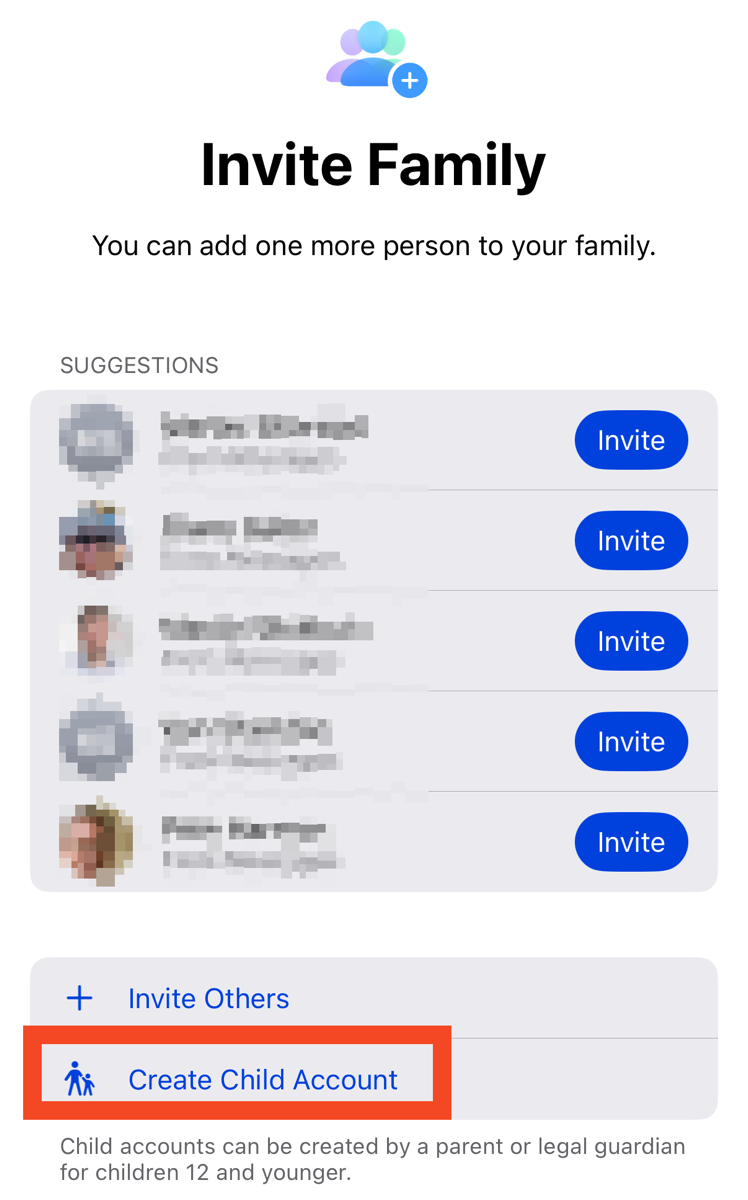
From Family Sharing in iCloud, we were able to add one more person to our family (since we’d kicked poor Nolan out), and one of the options was to create a Child Account.
Lindsay logged out of iCloud on his phone, logged into his shiny new Apple Account, and then paired the watch to his phone. We hadn’t gotten cellular working yet, but we figured it would be fun to give it to him right away and get that working the next day.
He was delighted (showing as much emotion as a 9-year-old boy is capable of) and started setting up things on his watch. His brain is a sponge, so he learned quickly, and he has tiny fingers, so selecting items on the small screen and even typing on it was no problem at all.
But we had two problems to solve. One problem was that Forbes’s phone was all mixed up. Remember, Lindsay logged out of her account and logged into Forbes’s. That left all of the games he’d bought under her account, which was good, but all of her photos were still there, contacts, and even her image was on his identity. That’s when we realized we needed to erase all contents and settings on the phone, not just log out of her account.
Then we had to figure out how to enable cellular. The main point of this part of the story is that, to my knowledge, Apple has not published an end-to-end support article on how to set up a cellular Apple Watch as a standalone device for a child. Over the course of hours, we were able to piece together how it works, but it’s definitely not all in one place. At one point, I had to “phone a friend”, using that lifeline to contact Melissa Davis, AKA The Mac Mommy. She has lots of experience in this area.
Before I figured out the right way to do it, I followed online instructions (I think from AT&T) that said that we could enable cellular from the watch. We found the option on the watch to activate cellular, but it simply wouldn’t “go”. We erased the watch, thinking something we’d done earlier had messed it up, but we got an error saying “your AT&T account is not eligible to enable cellular on your Apple Watch”. Cool cool.
A whole lot of the Googles later, we learned that a child’s Apple Watch has to be paired to the parent’s iPhone, not their own. Even though Lindsay already had an Apple Watch paired to her phone, she was able to add a second one that was connected to Forbes. You know how when you add a watch, it asks you, “Is this for you or for someone else?” Well, that’s where you add a child’s device. This process of Lindsay adding the paired Apple Watch did make him an official member of our Apple One account with all the glories to be found there.
From Lindsay’s iPhone, it asked to set up cellular on Forbes’s watch. Now we’re onto something. Surprisingly, it showed my AT&T account, but I guess that makes sense since I’m the primary member of our shared group of iPhones on AT&T for the family. Somewhere in here, I remember authorizing the costs for cellular, but to be honest, when that step happened is now a mystery to me.
It was very late at night, I was exhausted from fighting this, and because the support on this process was garbage, I hit the wall when trying to set up cellular when it said, “Number sync softsim flow completed” followed by absolute gibberish.
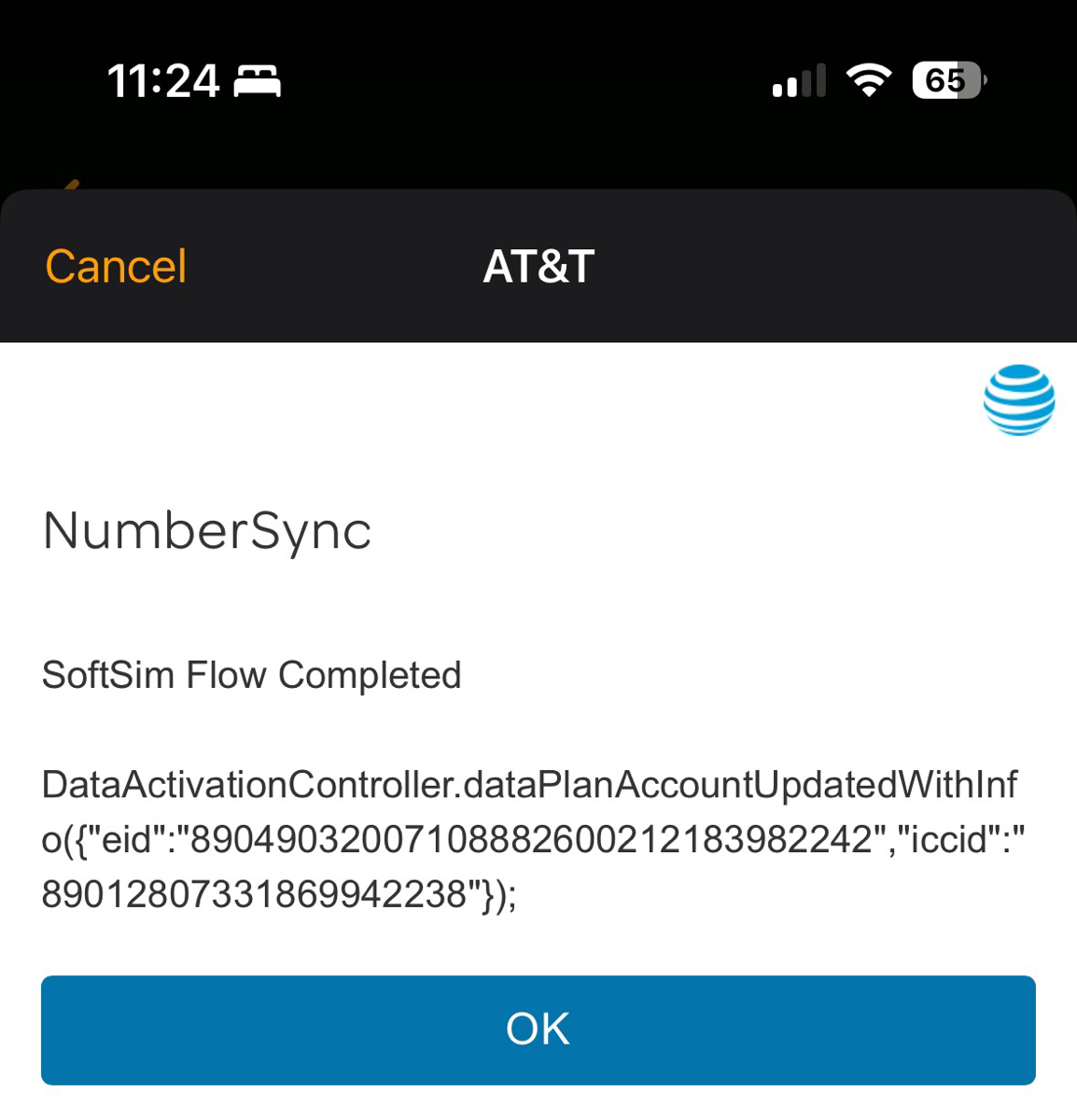
Lindsay suggested I have a nice little time out and go to bed, but we were soooo close, I refused. Plus, we had erased Forbes’s Watch, and I wanted him to be able to play with it again the next day. We hit the gibberish notification about number sync softsim flow a second time, but no joy. On the third try, I can’t remember which buttons we pushed, it finally allowed us to enable cellular on his watch.
We were curious what would happen to his phone now that his watch is paired to Lindsay’s phone. It turns out that since his watch and phone are both logged into the same Apple account now, the data all syncs between the two, so it seems like that works ok. No steps in this process revealed his phone number, but we eventually found it on Lindsay’s phone in the Watch app.
I decided to log into my AT&T account to verify that the cellular plan had been enabled properly, and sure enough, there was a new device called Apple Watch SE Series 2. That was great, but it said my name instead of Forbes’s. No problem, I’ll just use the edit button to change the name. Oh, no, you can’t do that unless you verify you’re you. (I was logged in.) It said it was going to send a 6-digit code to my email address. No problem at all – got the code, copied and pasted it in … and … it failed. I tried again, and it failed again. Finally, I had to use chat (thank goodness it wasn’t a phone call!) to get an AT&T rep to change the name on the device for me. What an expensive thing to pay someone to do for me!
iCloud Storage
Remember how I said Lindsay pairing the child’s Apple Watch added Forbes to our glorious Apple One account? You know it wasn’t that easy. On Forbes’s iPhone, I opened iCloud and looked at his available storage, and it said 5GB. Well, that’s annoying, yet ANOTHER thing I had to figure out.
I was shocked to find an actual Apple Support article that explained what was going on. Imagine you’re joining an Apple One Family Sharing plan, and you’re already paying for 2GB of storage, and the family plan doesn’t have that much storage. Turns out you can keep your own storage plan but still be part of the Family. That might be important information to stick in the back of my pea brain (as Dorothy would say). When Lindsay and Forbes eventually get kicked out of the nest, maybe she could buy a 2TB plan, and joining with Nolan would NOT require an extra 6TB. We’ll have to noodle that math when the time comes.
The support article went on to explain how Forbes could abandon his massive 5GB plan and join our 8TB plan. I made the change, and just that easy, Forbes was finally a full-fledged member of our Family Sharing plan.
Voicemail on Apple Watch Phone Number
The next day, we still had a few loose ends to clean up. How do you set up voicemail on an Apple Watch child plan? According to AT&T, “You can only set up your voicemail password from your paired device. Once AT&T NumberSync is enabled, unanswered calls will route to the paired device’s voicemail. You will not be able to set up voicemail when using Wi-Fi calling.”
Well, that’s not going to work, because the paired device is Lindsay’s iPhone, and there won’t be NumberSync between her phone and Forbes’s Watch. I did some more of the Googles and found the path.
On the Apple Watch, you open the Phone app and tap on voicemail. Now we’re cookin’ with gas! We selected that option, and it had a button that said “Set up now”. It says to create a voicemail passcode of 4-15 digits. Cool cool. I typed in 4 digits I knew he would know … but the “Next” button was greyed out. I tried a six-digit code I thought he’d remember. Nope. Next was still greyed out. Finally, I experimented by typing one digit (and counting) until the Next button was available … and it was 7 digits. Why is everything about this so hard???
We started this process on Wednesday of our trip, and by Saturday, on our way to the airport, where we tried to set up his voicemail, we hadn’t yet succeeded. We decided to leave setting it up as an exercise for Lindsay and Nolan.
Bottom Line
The bottom line is that it’s been great fun having Forbes call us at random times of the day, walkie-talkie us giggling like the silly guy he is, and send us text messages that simply say, “hi”. But I had no idea that Apple and AT&T would make this process so difficult. I don’t know how normal people navigate this convoluted set of rules and methods to make it “go”.
I setup a stand alone apple watch for my daughter, and use US Mobile as our carrier. Here is my referral link: https://www.usmobile.com/referrals?referrer=656965EF&name=Joe&utm_campaign=monster_referral It is prepaid and cost us $78 for the year! Credit goes to pilot pete, who told me about this plan last February.