
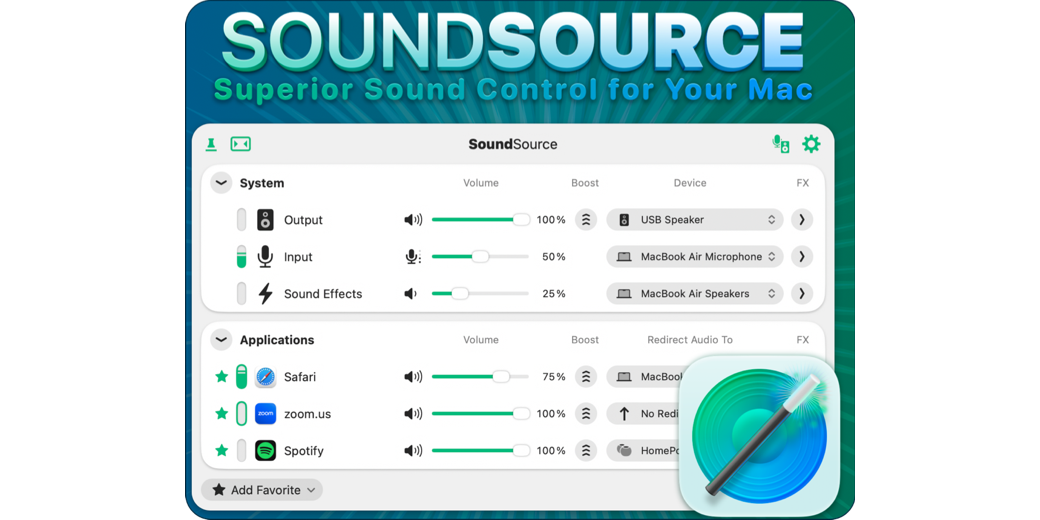
SoundSource from Rogue Amoeba is a powerful menu bar app that gives you full control over your Mac’s audio outputs, inputs, sound effects, and more — without ever opening System Settings.
I use it every day, so when it came time to create a ScreenCastsONLINE tutorial on SoundSource, I figured it would be a quick job. I was wrong. Digging deep into an app you think you know is the best way to really learn its full capability. SoundSource does so much more than System Settings.
Beyond the basics, you can adjust the volume of individual apps relative to each other, route specific apps to different audio outputs, and apply audio effects — from simple built-in tweaks to full Audio Units — on a per-app basis. It’s a lot more capable than it looks sitting quietly in your menu bar.
You can get a free 7-day trial to ScreenCastsONLINE to watch this tutorial and other recent videos, but I guarantee you’ll want to become a ScreenCastsONLINE member when you do.