
Right before Christmas last year, we had a leak inside the wall of our kitchen that caused us a pretty big repair bill. Luckily, we were home when the leak occurred, but we still had to have half a wall torn out, giant fans put in to dry it out, a plumber to repair the pipe, drywall folks to put the wall back, along with painters to make it look good as new. We were delighted to spontaneously drop all of that money on something so fun, but the household disruption was even more delightful. The fear of black mold was just chef’s kiss to the whole adventure.
The plumber told us that the root cause of the leak was our incredibly hard water. We’ve known we have hard water ever since we moved here. There are spots on our glasses. Our shower doors have to be constantly squeegeed, or else they just turn pure white. Drying a car in the sun is a non-starter if you want it to look good because the water dries with those spots so quickly.
What we didn’t know was that it was also corroding our pipes. The plumber said we really should have the entire house replumbed, but we shied away from that idea for now. Instead, we have taken a three-pronged approach to deal with the problem.
Overall Leak Detection
The first thing we did was install the Flume Water Monitoring & Leak Detection system Bodie told us about back in 2022. I’ve put a link to his article in the shownotes, but I’ll steal two quick paragraphs to read to you from Bodie’s explanation:
Flume not only monitors your water usage but will also notify you if there’s a leak. The Flume system comes in 2 pieces. The first piece is a sensor that is placed next to your water meter. The sensor comes with a rubber strap, and you simply place the rubber strap around the meter. Think of it as the sensor giving the meter a hug. The second piece of equipment is the Flume Bridge. The bridge does two things. First, it receives the signal from the Flume sensor, and second, it connects to the internet via Wifi.
According to the Flume website, the typical water meter has a magnetic disc inside that spins when water is flowing through it. This is how the flow rate is calculated. The Flume measures the magnetic field and then sends that information to the Flume Bridge, and the Flume Bridge sends that data to the Flume gods to be parsed. Once the Flume gods are satisfied, you can now ~view your data on your iOS~ or Android devices. There’s also a web interface.
Setup was incredibly simple, and for a little while at least, we enjoyed looking at the graphs right after someone took a shower so we could mock each other for wasting water. We know it’s doing its job because it gives us an alert every Monday and Friday that the sprinklers are running. In theory, we’re supposed to be able to teach it specific events and not get the alerts, but so far, we both get notifications on our phones and alerts in the app every time we water the lawn. Steve continues to pursue a way to manage this, but at least I can confirm that the Flume system is functioning well.
The $269 Flume isn’t quite as capable as the Moen Flo Smart Water Monitor Bruce from Tennessee told us about in January. His system not only detects leaks, it will also shut off the water if something goes wrong. At $550 plus the cost of a plumber to do the installation, it’s more expensive but does a lot more.
Water Softener to Fix Root Cause
With detection in place, phase two was to get a water softener put in place to fix the root cause. We’d talked on and off over the years about getting one, but only for the water spot problem. We weren’t terribly fond of soft water when we experienced it at other people’s houses because it felt like you could never quite rinse all the soap off your skin. Had we known that the hard water was a silent killer of pipes, we would have done it sooner.
I definitely won’t go through all of the different options for types of water softeners. Steve did all of the work, talking to different vendors and analyzing the pros and cons of the different systems, and there were a lot of options.
The total cost of the water softener (plus an option we added, I’ll tell you about in a bit) was $6700. That’s a lot of money, but so was a water leak. Including the plumber and all of the restoration and black mold detection work, that one itty bitty pinhole break in a pipe cost us nearly $4000. If we can prevent 1.7 leaks, we break even. We may have closed the barn door after the horses were gone (as my daddy used to say), but it does give us some hope we’ve done at least one preventative measure.
Hard water tastes absolutely terrible (or at least ours did), so we’ve always had a Sparkletts-like water tank in our kitchen. We splurged on one extra luxury — we had a reverse-osmosis system installed under our sink. Again, I’m not going to go through all of the details, but the result is that we have nice, cold, delicious drinking water from a new spigot right at our sink.
Not only is it quite the luxury, but it meant we were able to get rid of our $35/month delivered water and the hassle of hauling those giant bottles in and out of the house. In only 12 years, the water softener would be paid off from that fee alone! That’s if I don’t take into account the salt and such, we have to refill to make the whole system work.
The water softener installation was completed the day before I took a dive onto the concrete, thanks to my little friend Guts, the Boston Terrier. It’s a good thing I never had a chance to take a shower with the new water softener, because it wouldn’t have taken Guts to knock me down. It turns out soft water is very slippery, and the soap and hair conditioner that you rinse off yourself do not get quickly rinsed off the floor. Steve discovered this while I was in the hospital and immediately put non-slip mats in both showers, so it was safe by the time I got home. We have evidence that I don’t need any help falling!
Yolink Water Leak Sensors from Yosmart
Ok, so we’ve got the Flume to tell us if there’s a major leak, and the water softener to stop future corrosion in the pipes. But not all leaks happen hidden inside the wall. I wanted one more thing. I wanted to have super early detection if a leak developed from any of our sinks and toilets.
I first heard about Yolink sensors from the guys on the Accidental Tech Podcast. They swear by them for reliability, ease of installation, and cost.
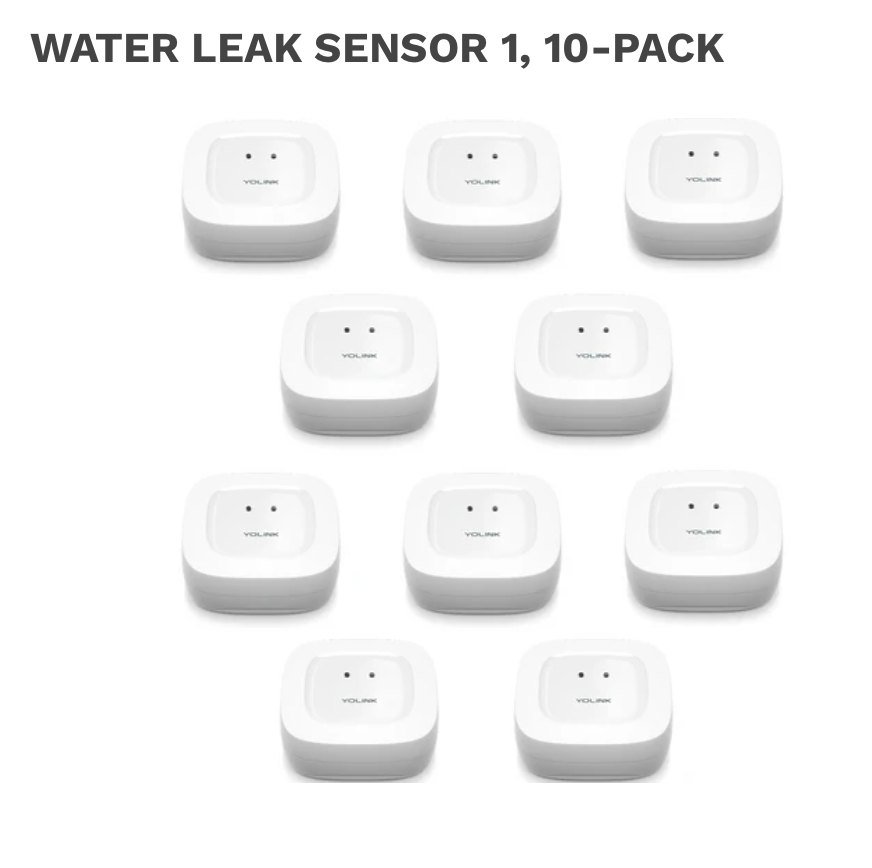
Steve and I counted up all of the sinks and toilets and a few other devices that could potentially leak and came up with a list of 11 required sensors. I bought a 10-pack of Water Leak Sensor 1s for $150 (so only $15 each) and a starter kit with 2 Water Leak Sensor 1s with the Yolink speaker hub for another $60.
I know people get weary of systems that require hubs, but I’m actually a huge fan. Having a hub means I only need to connect one device to my network. When I look at my network, I also don’t see a dozen little tiny leak sensors. The network’s getting pretty cluttered as it is, so the hub is a great thing for me. I chose the speaker hub because I was hoping to be able to hear an alarm from the hub in the case of a leak.
Installation of Yolink Water Leak Sensors
I have to say that the installation and setup of the Yolink Water Leak sensors was a dream. The speaker hub only has WiFi (the non-speaker version has Ethernet too). Using the Yolink app, it took just a few seconds to join the hub to our network.
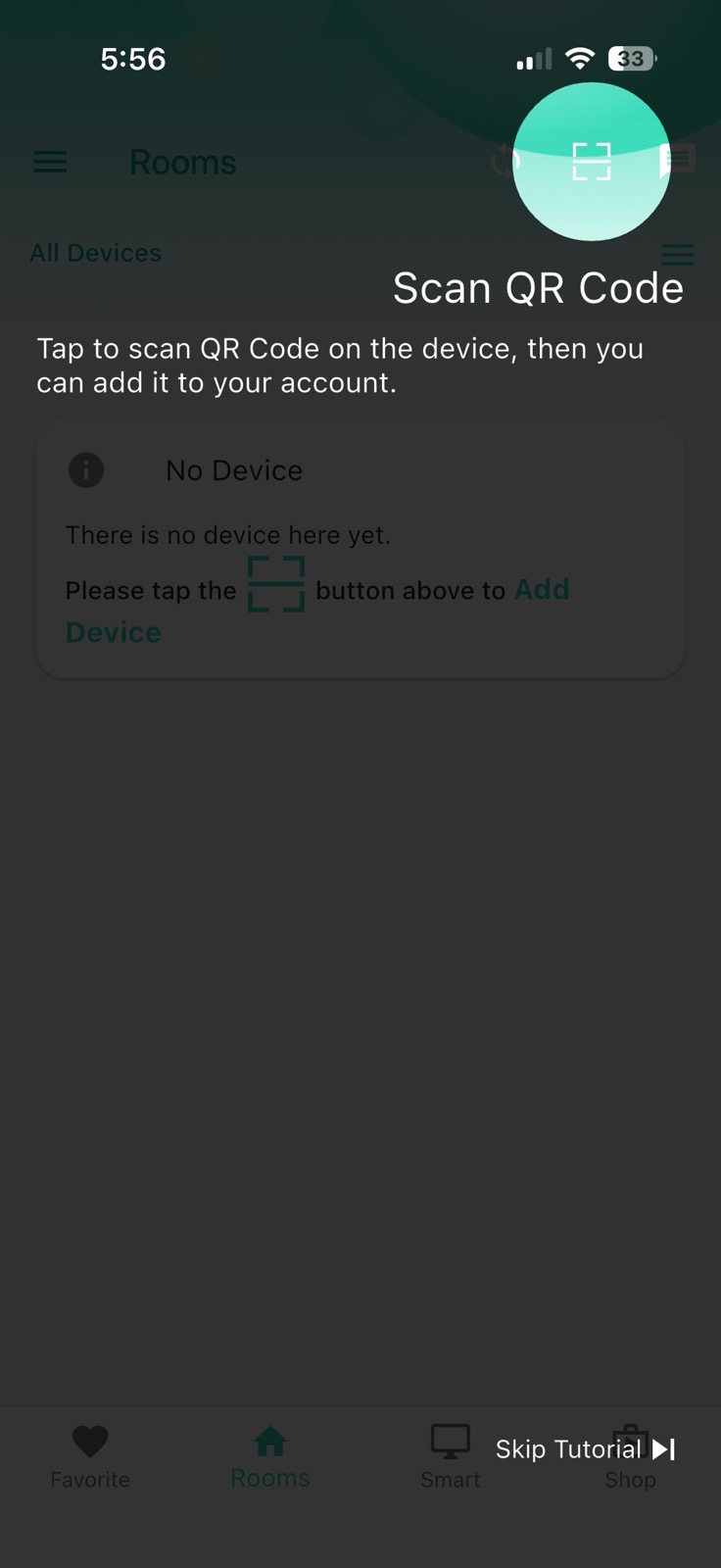
Adding sensors to the hub is insanely easy. When you launch the app, after granting permission to it to be allowed to send you critical alerts, you get a Quick Start Tutorial that provides a very good overview of how to navigate the app. For example, it highlights the button in the upper right corner where you’ll see a little scanner icon. You point the scanner at the bottom of the Yolink so it can pick up the QR code. I did this a dozen times, and every single one was recognized instantly.
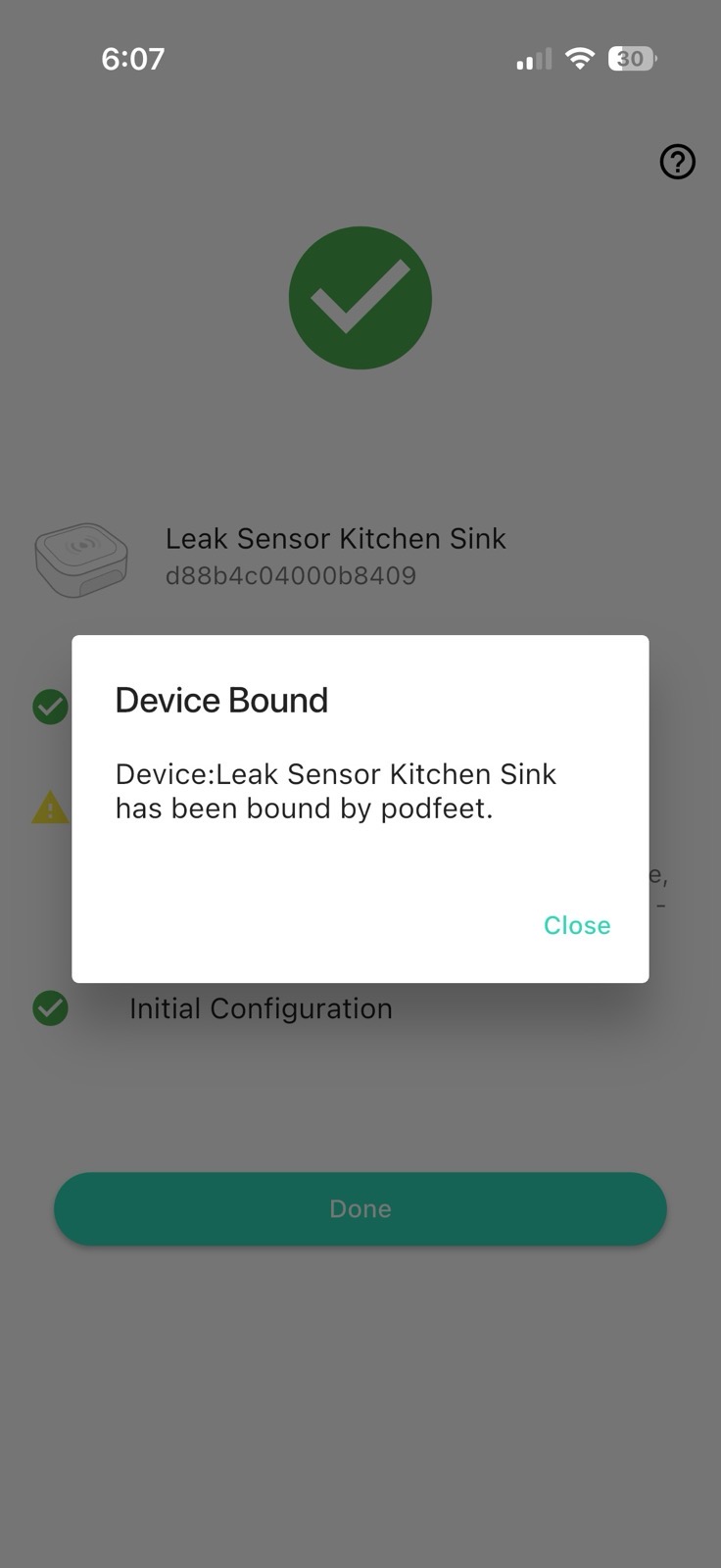
Next, you press a button on the bottom of the device, and the app tells you that the device has now been bound to the hub. In a very easy-to-understand screen, you can rename the device and then create rooms to put each one of them in to keep them organized and tidy in the app.
Yolink’s devices register a leak by using two tiny electrical leads that stick out on the bottom. If there is liquid, a circuit is completed between the two leads, and a notification goes from the leak sensor to the hub and then over WiFi to your phone. There are also two leads on the top, so if you happen to put the sensor right below the leak, you’d be notified even sooner before water had pooled on the floor.
Steve and I had some fun running a test with one of the sensors by putting it in a bowl with a very shallow amount of water. In just a second or two, both of our phones displayed notifications and told us which sensor had detected the leak.
Speaker Hub — Not Speaking
What we haven’t yet figured out is how to get the speaker hub to actually holler at us if there’s a leak detected by one of the sensors. We did a bunch of experiments, and while I can manually make it make a sound (or even read a sentence you can type in), putting a sensor in water didn’t make a noise from the hub.
The app includes sections for Scenes, which appear to control the alarm under conditions like whether you’re home, asleep, or away. They have options such as disabling the alarm if you’re asleep or away. Well, heck, the whole reason we installed all of these leak detectors is that we want to know sooner if there’s a leak! Why would we disable it?
There are also Automations with an if/then setup process. I can set up an Automation for when a specific sensor detects water and then set a behavior, such as sending an alarm strategy to send a notification with text of your choice. I created an automation where the “when” condition was that any of the leak sensors detected water. You’d think that would have been easy but I had to add every single leak sensor one by one to the “when” condition.
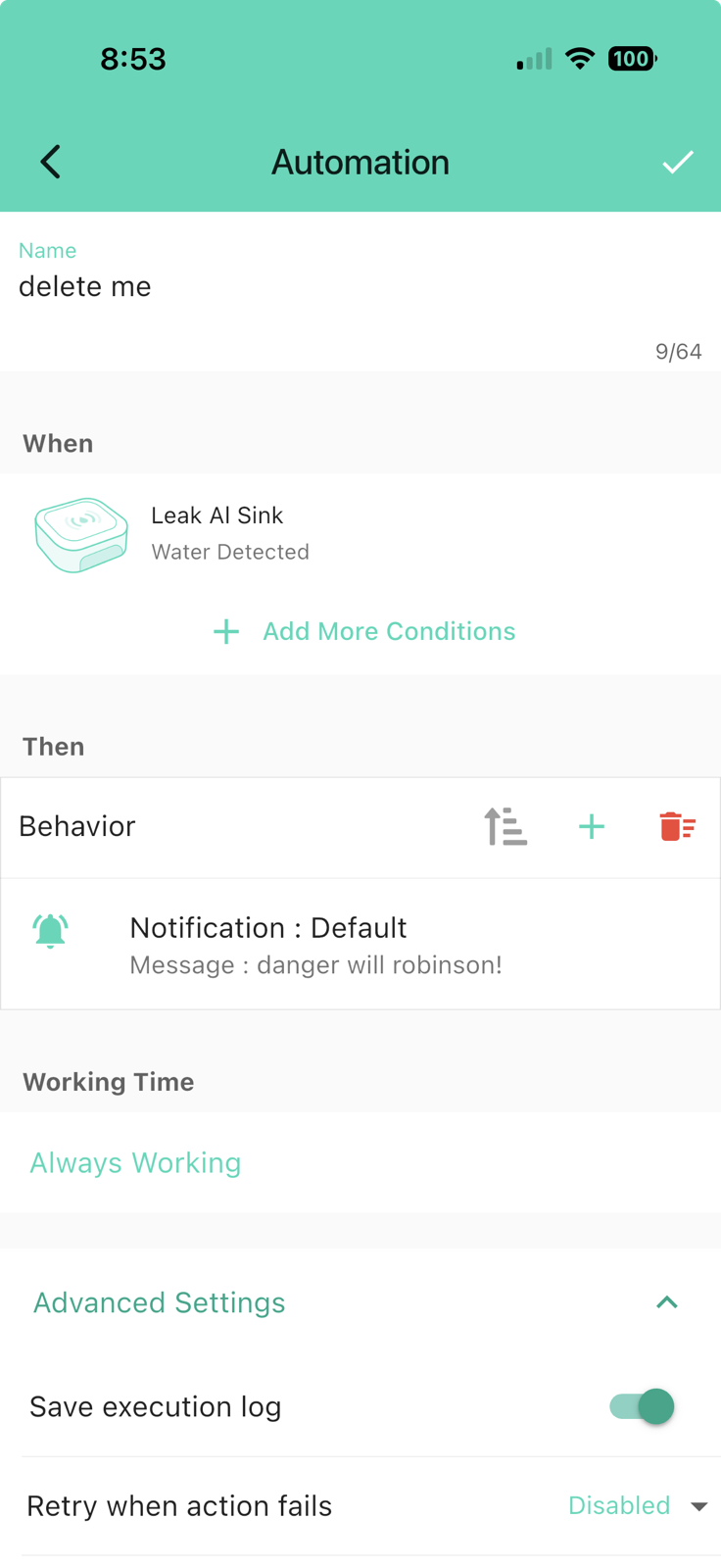
After the “when” condition has been specified, you create one or more “behaviors”. I chose the default behavior and entered in “notification content” the words “water leak detected.
This entire attempt was a waste of time because all this accomplished was to send me a duplicate on-screen notification and a duplicate email notification of what the sensor did by itself. The speaker hub never made a peep.
For those of you who think I should read the manual, I did read the manual and could find no explanation of how to make the speaker hub talk or alarm. However, after some quality time with Perplexity, I cracked the code. You don’t need to know how to do this, but one of the valuable services my blog and podcast provide is reference material for me to go search when I can’t remember how to do something that I figured out before, so bear with me.
- Under the hamburger menu in the upper left, select Settings, and then Alarm Strategies
- Edit (or create a new) strategy. I named mine “Audible alert for any water detected” and then I checked the boxes for notifications to email, SMS, and “action”, whatever that is.
- The next screen has all kinds of complicated stuff that I don’t understand, but I made sure to check send email and send SMS to admin. I also toggled on “Enabled device alarm”.
- At the bottom of the alarm strategy page is “Trigger action”. The only thing I needed to check here was “Speaker hub” and confirm.
- At the top of the alarm strategy screen is a button for related devices, and this is where you simply check boxes next to each of the sensors. None of that adding sensors one by one.
I put one of the water leak sensors in some water, and nearly instantly, a siren sound came out of the speaker hub. It told me audibly which of the leak sensors had detected water. Huzzah! I finally cracked the code, thanks to my little friend Perplexity.
Batteries
You may be wondering by now about the batteries in the leak sensors. Each sensor comes with two AAA batteries already installed. One of the big benefits of having a hub is that these devices don’t use Wi-Fi to talk to the internet. Instead, they use a proprietary low-power protocol that allows for long-range yet low-power notifications. Yolink promises 5+ years of battery life. Replacing the two AAA batteries after 5 years isn’t hard at all. I presume that some sort of notification would be sent that the sensor had gone offline when the batteries die, but I haven’t actually looked for that in the documentation.
Water Heater Needs a Different Sensor
The single worst thing to leak in your house is probably your water heater. Tens of gallons of water flowing out of it when you’re away from home would be catastrophic. The sooner you can find out about that, the better.
Our water heater sits in a circular pan that is not very much bigger than the water heater itself. It’s so narrow that the Yolink Water Leak Sensor 1 does not fit in the pan. Yolink has the Water Leak Sensor 2 on their website, which sports 4-foot metal rope coming out of it. This is designed specifically for tight spaces like ours. you lay the rope down in the tight area and leave the sensor outside. The Leak Sensor 2 also has its own built-in sensor. Bought in single packs, they’re listed at $30, but you can’t actually buy them because their website says they’re sold out.
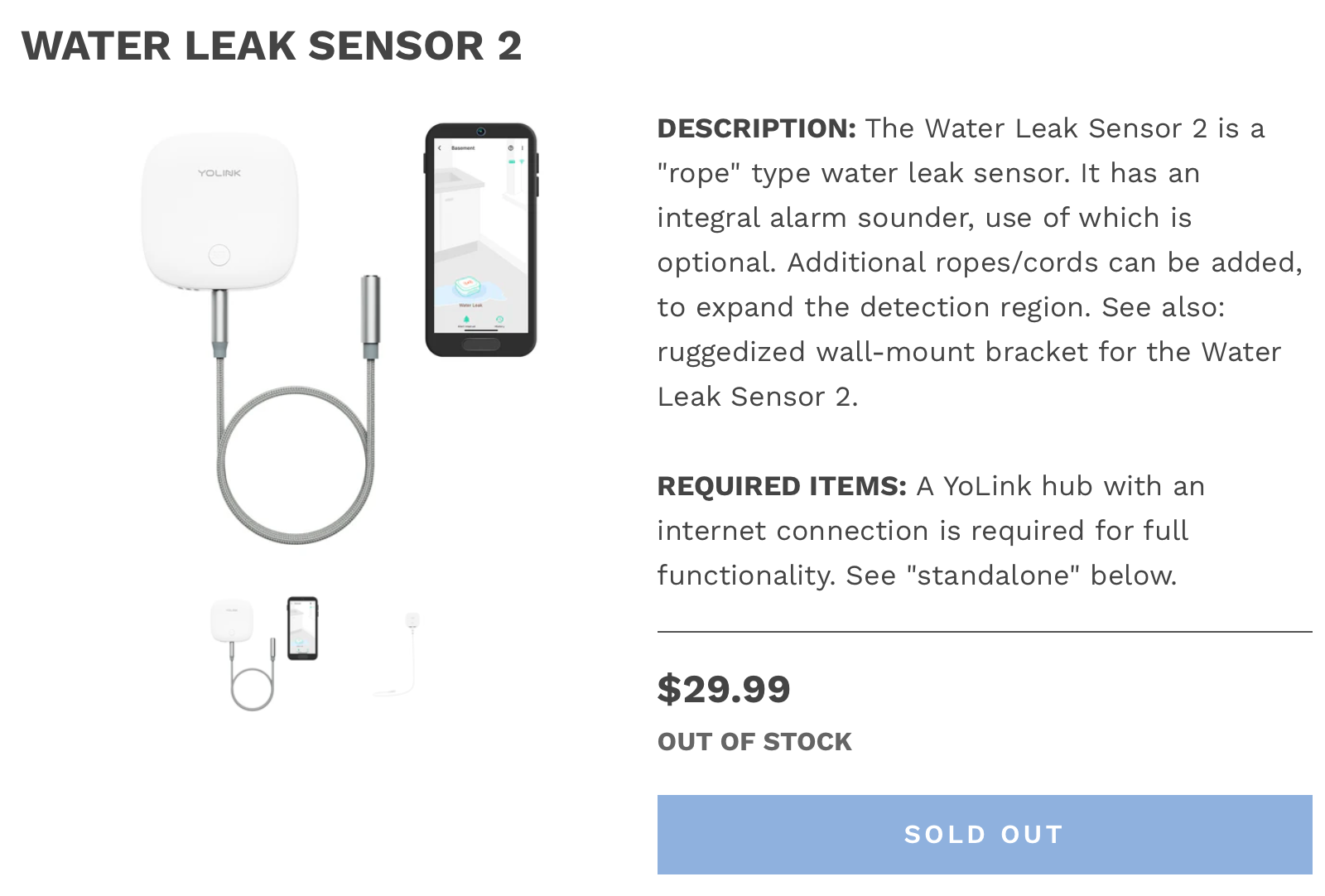
I had a suspicion that they’re not really out of stock, but rather they’ve been replaced by the new Water Leak Sensor 3. This is a similar device with a rope, but at the end of the rope is a probe. I was curious whether only the probe detects water, or if the probe and the rope detect water. They have conflicting communications on this.
On the product page for the Water Leak Sensor 3 it says:
Smart water detector with a built-in siren, detects water via its probe cable and reports the status on the YoLink app
That implies that the cable is doing the sensing. I wasn’t happy with making assumptions, so I dug around for the user manual. Normally, I dislike it when different products are bundled together in a single user manual, but this time it was helpful that both the Water Leak Sensors 1 and 2 were included so I could compare and contrast. I found my answer:
The Water Leak Sensor 3 is a variant of the Water Leak Sensor 2. The Water Leak Sensor 2
uses a water-sensing cable or “rope” to detect water, while the Water Leak Sensor 3 detects the presence or absence of water by sensing, or not sensing, water on both electrodes of the probe cable.
So I can’t buy the Water Leak Sensor 2 with the rope I want, and the Water Leak Sensor 3 only has the probe doing detection. The probe might work, but now that I’ve seen the rope, I like the idea even better.
I found a potential solution. Turns out the rope on both devices is connected via a standard audio jack, and Yolink sells the rope cable standalone. So I could buy a Yolink Water Leak Sensor 3 and a rope and swap it out. The Sensor 3 is $25, and it’s an extra $9.50 for the rope cable. In the big picture, $35 to know my water heater is leaking is well worth the money.
I sent an email to Yolink support to ask whether “out of stock” for the Sensor 2 means “never again”. Meisha replied quite quickly that while they don’t currently have a due date for availability, they have not discontinued the product. Until they’re shipping again, she said my strategy to buy a Sensor 2 cable and a Sensor 3 was a sound solution. I’ve ordered them, and they’ll be arriving soon, so my water heater will be monitored too.
Bottom Line
The bottom line is that Yolink sensors are pretty inexpensive, especially compared to the cost of water damage. With inexpensive devices, I expected less-than-optimal software to go along with them, but overall, the Yolink app is great. It’s super easy and quick to add the sensors. While figuring out how to get the hub to talk was a bit tricky, I conquered it.
Yolink sells more than just leak sensors. They sell temperature and humidity sensors that will even work inside a freezer. They sell security systems with door sensors. They sell smart plugs and wall switches. They even have smart garage door devices.
You can find all of their devices at shop.yosmart.com/…