I dislike having to call AppleCare as much as the next nerd, but sometimes you just have to. I have three stories to tell about recent AppleCare cases, all of which have happy endings. The first one starts out rough, but it gets there in the end.
1. Peacock Bundle
On October 16, 2025, Apple announced its first-ever TV channel bundle, where subscribers could get Apple TV and Peacock combined for a 30% discount. If you were an Apple One subscriber, you could tack on Peacock Premium Plus for a 35% discount. That sounded swell to me, because I was paying for Peacock Premium Plus already, as well as an Apple One subscription.
On October 20th, the first day it was available, I went hunting for how to get the bundle with Apple One, but I couldn’t find it. All I could find was the Apple TV plus Peacock bundle options. Since I already pay for Apple TV through my Apple One subscription, that bundle would actually cost me more money.
I decided that since this looked tricky to maneuver, I’d ask Apple for help. The AppleCare specialist I talked to seemed to think this would be quite easy, but as we hunted around together from within the TV app on my Mac, iPhone, iPad, and Apple TV, neither of us could find the Apple One bundle. He advised me to click the buttons to get the Apple TV / Peacock Premium Plus bundle, and hopefully, the system would sort itself out. Sadly, that did not work. I ended up paying for Apple One, and Peacock Premium Plus standalone, and the Apple TV / Peacock Premium Plus bundle, for an increase in cost of $20/month.
We ended the call with the advisor requesting a refund for me for the Apple TV / Peacock Premium Plus bundle, which came through within a few days. But through this effort, my Peacock Premium Plus was also cancelled. That wasn’t good, but for some reason, the bundle continued to work, so I didn’t lose access to Peacock.
I wondered what would happen when I got to November 20th, when the cancelled bundle would also run out.
Much to my surprise, on November 14th, six days before that canceled bundle was to run out, I got a new subscription bundle for $20 for Apple TV / Peacock Premium Plus. I also had an email saying the first one was running out on November 20th. I was frustrated because this meant yet another call to AppleCare.
The first advisor I spoke to was definitely not up to the challenge of working this problem. She kept making mistakes in her speech that you would let go if talking to an acquaintance, but these mistakes could cause big problems later. I asked her to share my Mac screen because I had all of my receipts up in order to tell the story. Instead of connecting to my Mac, she sent the request to my phone. When I corrected her, she said she’d connect to my iMac. Since I have a lot of Macs, I corrected her. Then she mixed up Peacock with Paramount (an important distinction).
After these three mistakes, I asked for second-tier support. The second person seemed to be more on the ball, but he couldn’t figure it out. After reviewing all of my receipts and looking at my Account through the Mac App Store, he asked to see if he could glean more info via the iPhone. Fine, let’s do a screenshare on iPhone.
As he looked through my account there, he declared that I wasn’t really being charged a whole new $20/month for services I didn’t want or need. I was willing to give him the benefit of the doubt, but suggested I look at my AppleCard statement via Wallet to confirm I had no new $20 charge. I asked him to stop screensharing on my phone so I could open Wallet … and he disconnected the call.
I was exhausted. At this point I didn’t care about the 35% savings (around $5/month), I just wanted Peacock Premium Plus back the way it was.
Now I promised you this story had a happy ending. The next day, when I had higher energy levels, I climbed this hill to talk to my fourth advisor from Apple. RJ answered my call, and when I suggested I would need to be escalated immediately to a higher tier of support, he explained that he is a senior advisor. He listened to my explanation of the tortured path I was on and then began to read and study and mutter and ask me to hold and mutter some more. The wheels were audibly turning in RJ’s skilled brain.
At two separate points in his muttering, I heard him say we’d probably have to send this to engineering. Those are the worst words to hear, because sending a case to engineering often means you’ll never get an answer.
I’m not sure what he did other than cancel this new and unrequested bundle for Apple TV and Peacock Premium Plus, but after he did that, he told me to wait a full 48 hours and then try to subscribe to Peacock Premium Plus standalone. It was Wednesday, the 19th we were talking, so it would be 2 PM on Friday the 21st that I would go back in and try to get back to where I was.
At 7 PM on Thursday night, we sat down to dinner and tried to play the series Suits from Peacock … and were told we had no subscription to Peacock. Greaaaaat….
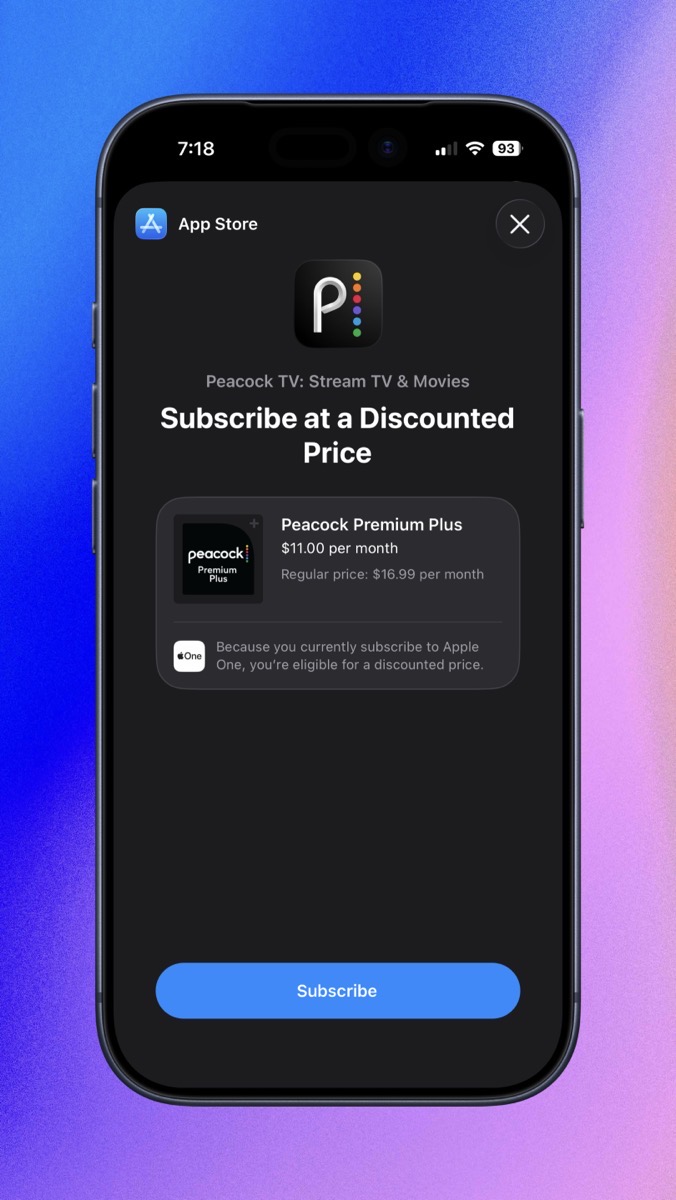
Obviously, things had proceeded faster than expected on the cancellation, but would I be able to order Peacock now? I opened my iPhone to the App Store, tapped on Peacock, and to my absolute delight saw the most beautiful words: “Subscribe at a Discounted Price” for $11/month, which is $5/month less than it was before all these shenanigans began.
App Store FINALLY Offering Me the Bundle
If we subtract out the cost of my time for over 3 hours worth of AppleCare calls, I’m not sure it was worth $5/month, but it’s better than going through all of that and not getting the $5, right?
My lesson learned here is that I should have maybe let this deal go by for a month or so until the AppleCare folks knew how to trigger it properly. I’m guessing they would have told me to cancel my Peacock subscription first, wait for it to expire, and then see if the discount bundle was available.
I’m choosing to declare this a success story, but all credit goes to RJ.
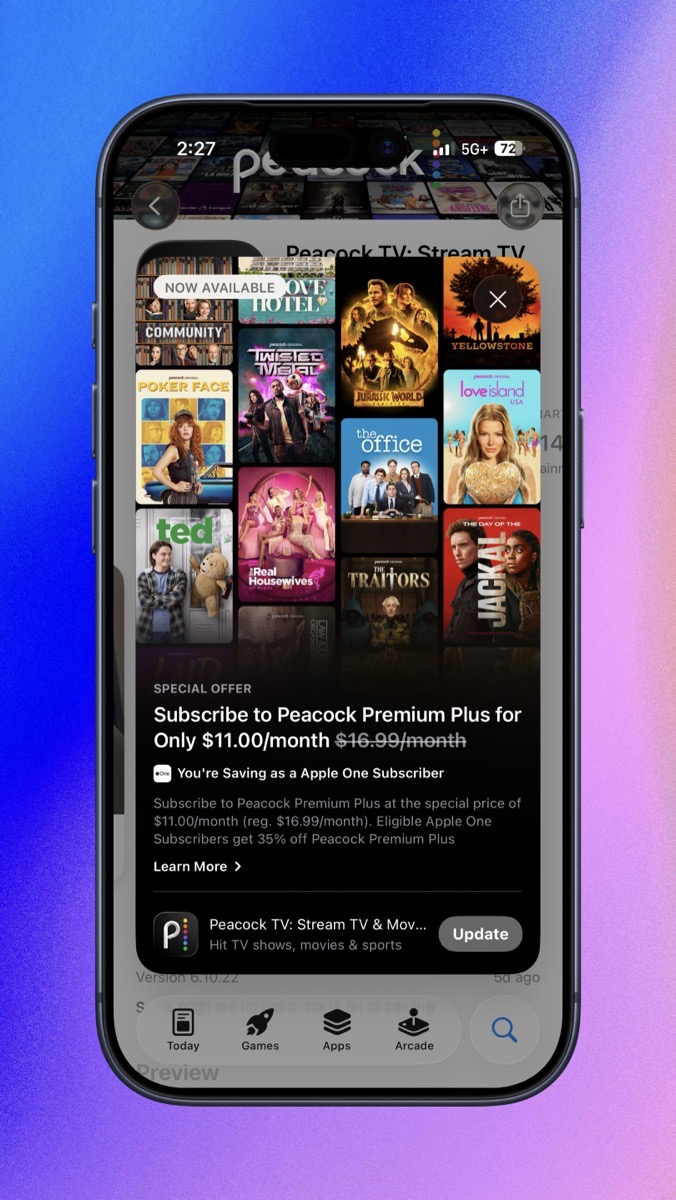
And then a few weeks later … I got a subscription renewal notice! I couldn’t believe it. I said some non-Girlscout-safe words and hit cancel. A few days later, the image that was presented to me resurfaced in my mind, and I realized it had shown me a price of $11/month, which is the discounted price. I couldn’t believe it, I’d cancelled the good one!
And Then I Accidentally Cancelled It
I buried my head in the sand for a few weeks, and to my delight, Apple sent me an email telling me that my bundled pricing was going to expire, and would I like to renew it again? I jumped on that immediately, so I should be whole again. I think I’m not allowed to push any buttons that have anything to do with Peacock for at least a year.
2. Broken Touch ID
I am blessed with relatively dry fingers, which means that my phones and tablets don’t get fingerprints on them like most people’s do. The downside is that sometimes Touch ID takes a few tries to function properly on my Macs. If it’s particularly dry out, the problem is exacerbated, and I might even need to lick my finger to get Touch ID to work.
When we were in Houston last week, Touch ID was only working intermittently on my MacBook Air. I eventually erased my fingerprint and set it up again, and then it worked properly. Till the next day, when it didn’t work again. I erased and set it up a second time, and the same thing happened. After the third time, I asked Steve to test his fingerprint we had already set up on my MacBook Air.
When I asked him to test, I rotated the MacBook Air so it was aligned for his angle on my desk, and when he applied his fingerprint, the MacBook Air unlocked. I reached over and tried mine again, and it didn’t work. Because of the angle, Steve essentially said, “You’re holding it wrong!”
I knew that wasn’t the problem, but I rotated it back towards me, and dang it if my fingerprint didn’t work to unlock the Mac. Don’t you hate it when that happens?
But the next day, I was vindicated. But not in the way I wanted to be vindicated. I was working away on the MacBook Air when I got a pop-up menu that said:
Touch ID Issue Detected
There’s an issue with your Mac’s ability to use Touch ID. Go to Settings for more information.
Proof Touch ID Was Failing
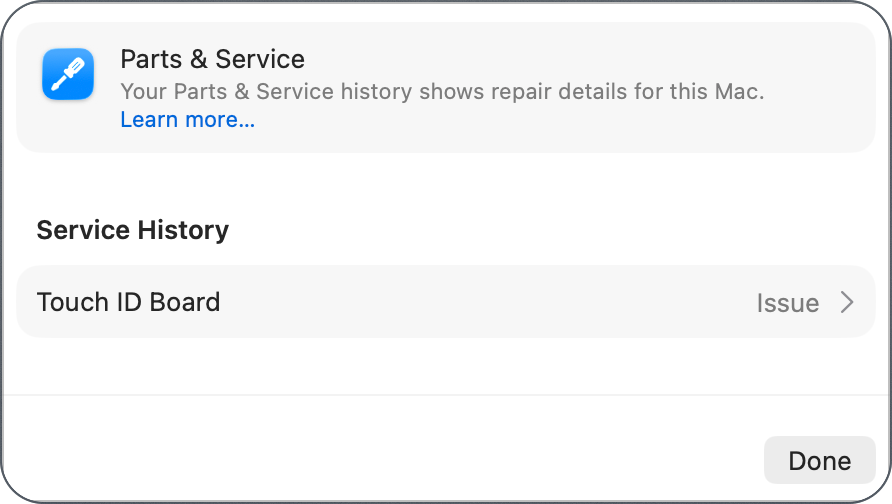
In my 41 years of using a Mac, this is the first time I’ve seen a hardware issue announced like this. I opened Settings, and there was a new section highlighted called Parts & Service. I’ve only seen this once before, and it was when I was mind mapping System Settings for macOS Tahoe. It’s normally under System Settings / General / About.
This section said “Service History” and under that “Touch ID Board” and to the right it said “Issue” with a chevron.
Even Parts and Services Thinks Touch ID is Broken
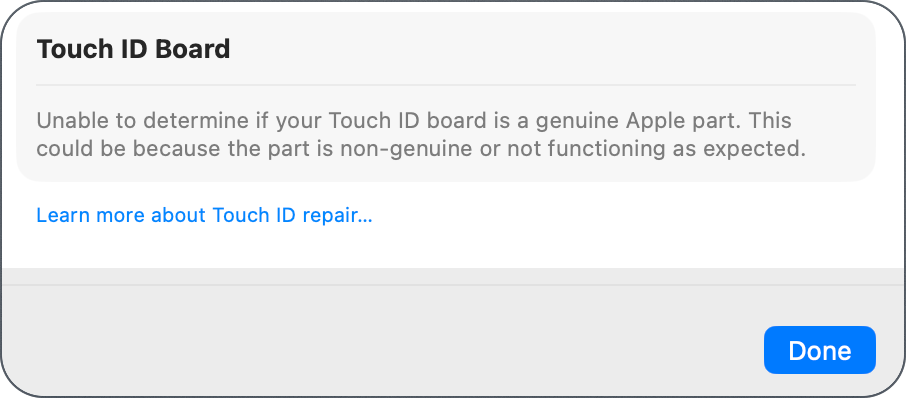
When I selected that, I got another delightful section entitled Touch ID Board and under that it said,
Unable to determine if your Touch ID board is a genuine Apple part. This could be because the part is non-genuine or not functioning as expected.
How Did I Get a Non-Genuine Apple Touch ID Button?
So … like I said, vindicated that Touch ID wasn’t working properly and I wasn’t just holding wrong, but not exactly the way I’d hoped!
Now here’s where AppleCare comes into play. I called them to try to figure out my options. In my experience, shipping my device to Apple and having them mail it back to my house is the fastest turnaround method. My other option is to take it to an Apple Store, but then I have to go to the same store to pick it up.
My new friend Luther and I discussed the issue (after reminiscing about how we both learned to type on old-fashioned Underwood typewriters). He suggested bringing it to the Apple Store because a Touch ID replacement can be done in-house, and while you wait. He said it would be only a couple of hours. He said they’d have to replace the entire motherboard because it’s far too difficult to remove Touch ID and not worth the trouble. I didn’t doubt him, but I did find it hard to believe that my Apple Store would fix anything while I waited. I was even surprised when he was able to get me an appointment within a day or so.
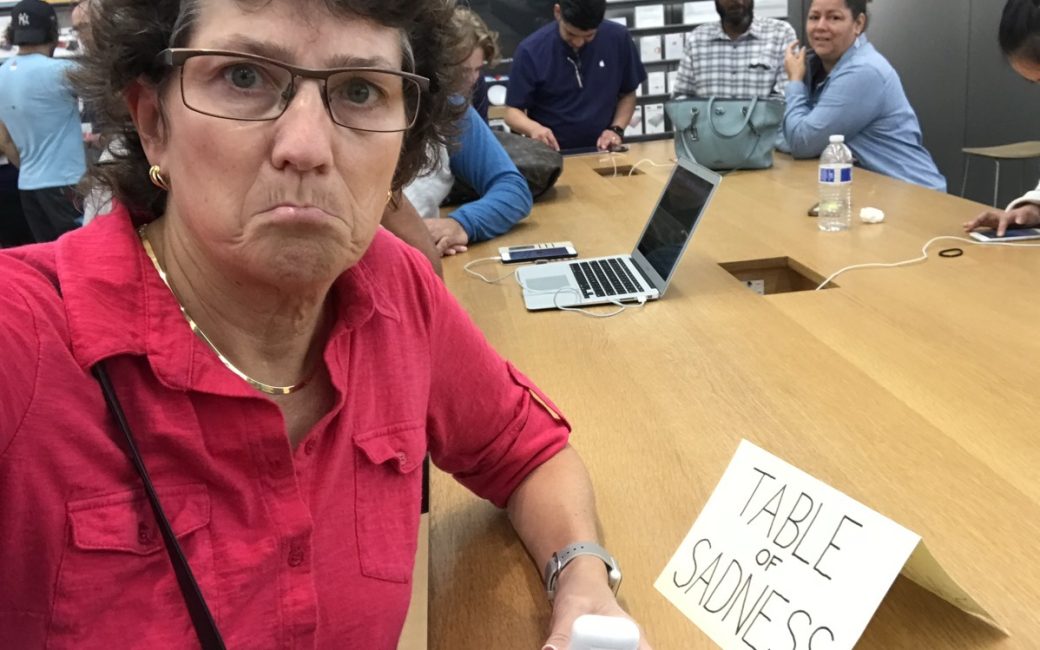
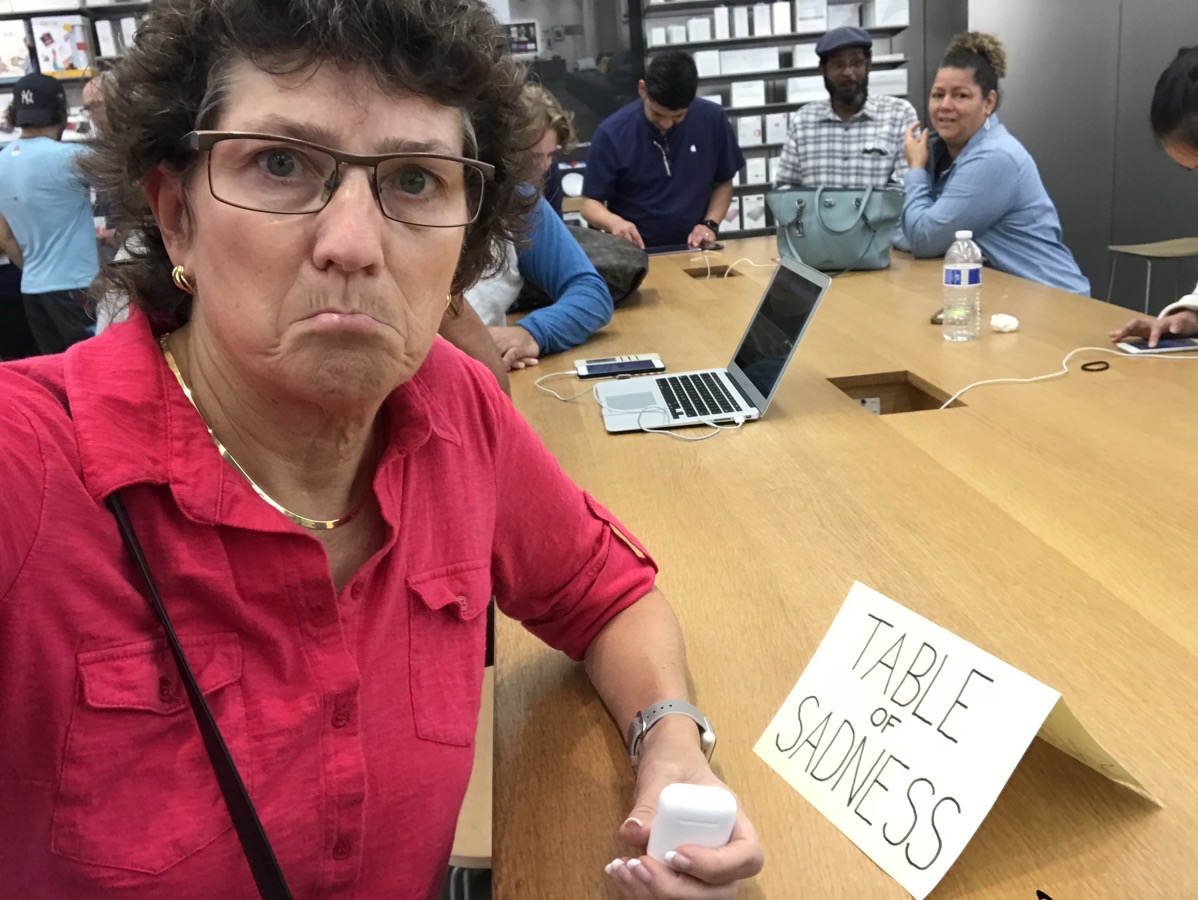
Nobody Likes the Table of Sadness
The first person who helped me at the Table of Sadness ran some diagnostics, and you know what happened there, right? Yep, Touch ID passed the tests with flying colors. He wasn’t the tech who was supposed to be helping me, but he said that the real tech would certainly have his hands tied in being able to help me because it passed the test.
Senior tech Brian took over, and he was great. He immediately said that just because it passed the test, it doesn’t mean it’s dandy. He said the screenshot I provided proved that Touch ID was fail-ING. As we discussed, this isn’t something that heals itself magically.
I told him that Luther said I could get this fixed in a couple of hours, and he giggled a bit. He said Luther wasn’t wrong; that the repair really only takes a couple of hours, but their backlog is 10 days! I am ever thankful that I have the luxury of owning two laptops, but if I didn’t have that luxury, I would have contacted AppleCare again and sent the machine in from home. It’s way faster, that’s for sure.
He also told me that Luther was incorrect on another point. This replacement would not require replacing the motherboard or even the keyboard. For some reason, the heat sink would have to be replaced along with the Touch ID, but that was it.
When I got the MacBook Air back, Touch ID worked again. I was patting myself on the back for playing for AppleCare, but this repair surprisingly only cost $177. When I put my receipt into Under My Roof, though, I discovered that I’ve had the glass trackpad replaced by Apple too (totally forgot that), so maybe I am ahead on the cost of AppleCare. Plus, how often I torture the agents…
I have noticed something odd, though, and it’s odd on both the MacBook Air and my MacBook Pro. I can’t simply rest my finger on Touch ID to have it recognized. I have to click the button. Not click it so hard that it brings up the login screen, sort of a half click like on a big-girl camera, where you slightly hold down the shutter button to set focus.
But at least it works now!
3. Deregistered from Apple Store
The third anomaly I’ve been battling is that my MacBook Pro hasn’t been getting updates from the Mac App Store. On my MacBook Air, whenever I check it, there seem to be at least a dozen apps asking to update. I don’t check on a regular schedule, but Telegram has an update feature that reminds me. Inside the app, it will tell me there’s an update, and if I tap on it, it launches the Mac App Store to the update page for Telegram. Once I’m in there, I look for the rest of the updates and get them done.
Around the middle of November, I got the update notification from Telegram, tapped it, and tried to download the update from the Mac App Store. The little circle went around 75%, but then got stuck, and eventually told me that it couldn’t download the app. I’ve been seeing that from time to time lately on different apps. While it’s annoying, it seems to heal itself eventually.
But the curious thing was that the update tab in the bottom left didn’t have a number on it indicating the number of updates waiting.
I figured I was on a roll with all of these successes, so I called AppleCare. Senior Advisor Cliff was quite helpful as we walked through some steps, such as logging out of the App Store (not my Apple ID), but nothing worked. He then discovered that the App Store was “deregistered” on my MacBook Pro. I have no clue what that meant, but RJ said he could reregister it, and afterwards the updates would become visible, and more importantly, I could actually download them.
I wish that was the end of the story. At the end of November, it happened again. When I talked to Nancy at AppleCare, she had me remove all of my login items, reboot, and then see if the App Store worked. That would disconnect our session, so went off to do that on my own. My plan was that if it worked, I’d add back half of the login items, reboot, until I could figure out which app was somehow interacting with the Mac App Store.
Before executing this maneuver, I documented all of my login items so I could easily put them back. But sadly, after removing them all and rebooting, the problem persisted.
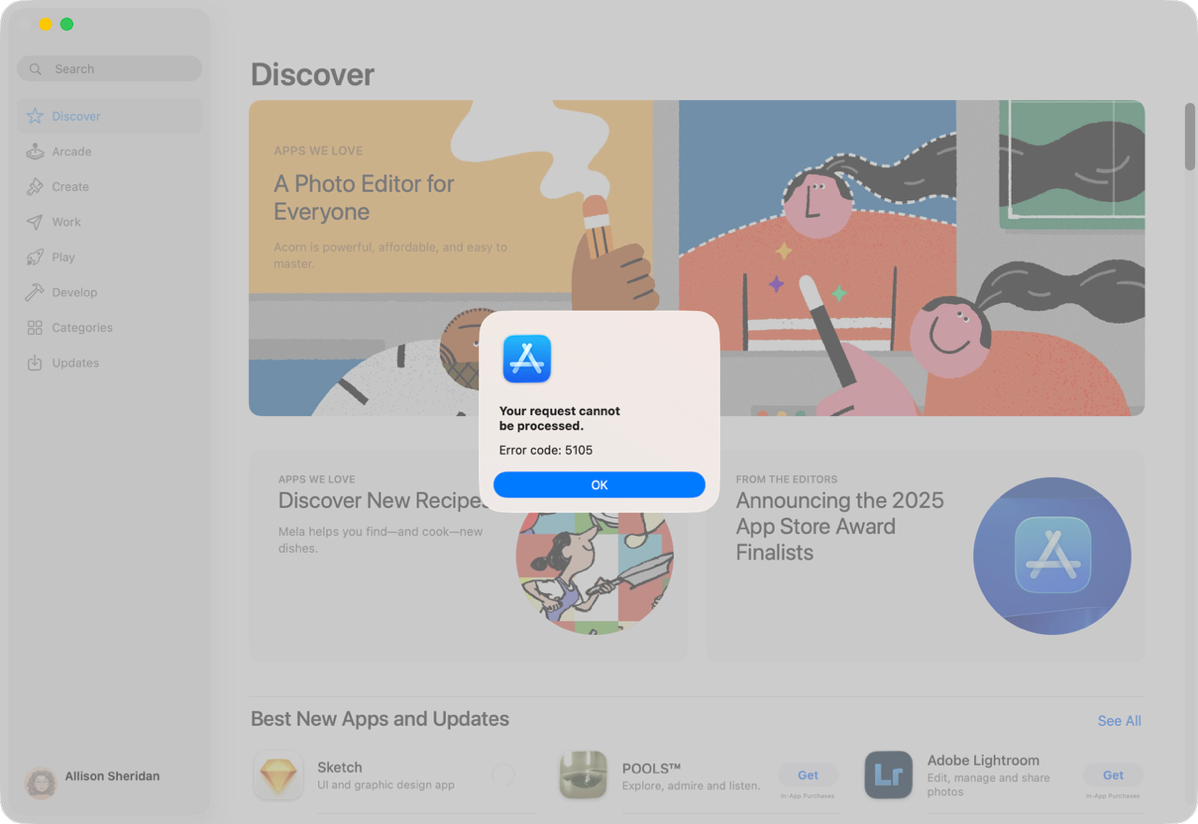
And it got even worse. Just clicking on the Updates button in the Mac App Store returned a pop-up that said, “Your request cannot be processed. Error code: 5105”
DENIED!
Next up on the hit parade was Alexis, who was possibly in the category of negative help. Even though I expressly told her this was a problem on my Mac, when she sent the request to screenshare, she sent it to my phone. I told her to try again, and she did.
One of the first things they say at Apple when they screenshare with you is that they’ll pause the screen if any sensitive information is about to come up on screen, like a password. But Alexis wasn’t quick on the draw, and as we went through the App Store account login information, she ended up seeing my AppleCard balance. I was annoyed, and she acted like it was no big deal. I remained cross with her and insisted on a Senior Advisor.
Priscilla was delightful and had some other ideas. She thought maybe a VPN was causing it and had me delete both PIA and Tailscale. Still no joy. She also poked around in Certificates in Keychain Access, looking for anything with a blue dot on it. I never found out what the significance of a blue dot would have been but we didn’t find any.
We signed off without resolution, but Priscilla hadn’t given up on me. She suggested disabling Touch ID (which didn’t help), then she suggested that I delete two folders from ~/Library/Caches/:
com.apple.appstore
com.apple.appstoreagent
And that fixed it!!! I signed off my response to her by saying, “ It was a delight working with you. You were straightforward, to the point, no faffing about, and yet still polite and kind. Hope you have a nice Thanksgiving.”
And …. a day later, it happened again. I had the deadly, “Your request cannot
be processed. Error code: 5105” again. I tried deleting the two cache files but one was never recreated and killing of the other one didn’t fix it.
I wrote back to Prescilla to tell her the bad news, and she said the words you never want to hear from an Apple Support agent. “I’m reaching out to engineering.” This is the equivalent of saying, “I’ve sent your issue to a black hole from which nothing can ever escape.”
For two weeks, I begged the Mac App Store to let me have updates, but I was denied.
And then, on December 12th, macOS 26.2 was released … and after the reboot, I checked the Mac App Store, and it worked! It’s not entirely bug-free in that it doesn’t show me the number of updates, but if I click on the update button, it takes me to the screen full of updates, and then the counter does show me the number of updates. More importantly, I can actually click to download each successfully.
You may wonder why I included this issue in my Happy Applecare Stories, even though the (hopefully) final solution was a macOS update. Even though that’s true, RJ did solve it temporarily by reregistering my Mac, and Prescilla also temporarily solved it by showing me the caches I could delete. They were both professional, intelligent, and resourceful, and that made me happy.
Bottom Line
The bottom line is that while calling AppleCare is often a futile exercise, whether the call is successful or not, it takes a lot of time. But I pay for AppleCare not just for hardware repair, but for the ability to get help when I can’t figure something out. I do get my money’s worth out of them in the long run.