
I have to say, I am really digging Siri AI. And I don’t mean Siri “sucks less”, as others are saying. I mean it’s good. It’s really good. It is not perfect, of course; no large language model is. It’s also better at some things than others. I’ll get into what I think Siri AI does well and where it’s not great, but first, a little background.
What AIs I’ve Been Using
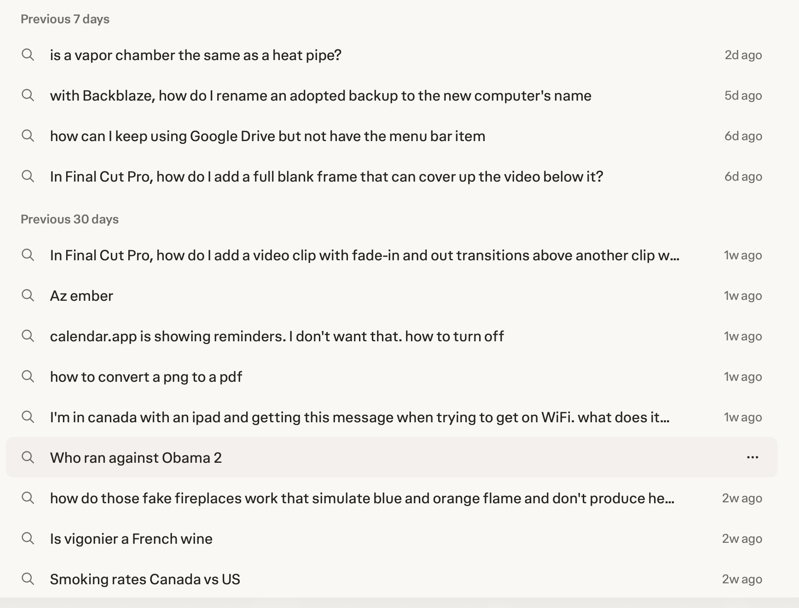
For about six months now, I’ve been using Perplexity in place of Google to search for answers to my many questions. I scanned back past the last couple of weeks of queries, and it was everything from “is a vapor chamber the same as a heat pipe?” to “Is vigonier a French wine?” Steve and I share a login, and there are often tech questions like, “| | calendar.app is showing reminders. I don’t want that. how to turn off”
” and “In Final Cut Pro, how do I add a full blank frame that can cover up the video below it?”
I pay $20/month for Perplexity, but I also pay $20/month for Claude. I tend to steer my harder tech questions to Claude, and I use Claude Code for actual coding problems.
I installed iOS 27 beta on my iPhone, and immediately switched to the public release the day it came out. I realized quite quickly that Siri AI was becoming a very useful part of using my phone. I installed macOS 27 on my MacBook Air right away too. I hadn’t really noticed how much I was using it until I’d sit down at my MacBook Pro, where I produce the podcasts, and realize I didn’t have access to Siri AI. I really missed it!
I normally wait at least a month, maybe two, before installing a major new release on my production Mac, but I couldn’t stand it. I upgraded just a week after the new OS came out.
What I’ve Replaced
Now that I have Siri AI everywhere, I have completely replaced Perplexity as my everyday question-asking tool. It’s not a one-to-one replacement at all. I don’t think Siri AI is as good at answering the kinds of technical questions I mentioned, but Claude is as good as Perplexity for those questions.
On the other hand, Siri AI can answer questions about my own data because it’s the only one I’ve trusted with full access. Additionally, I’ve found it to be really good, and surprisingly fast at answering non-technical world-knowledge questions.
In only a week of usage across my devices, I’ve cancelled my Perplexity account, but I’m keeping my Claude account, at least for now.
What’s so cool about it?
Now let’s get into what I think is so cool about it. I already mentioned how fast it is. Not always fast but often surprizes me on world knowledge. But the coolest part is when it digs into your stuff to give you the answer.
My very first experience was when I was still on the beta on a spare iPhone. I brought that phone with me on our Spain/Portugal/Ireland trip just in case I got pickpocketed. While we were in Portugal, Steve’s mom wrote and said that she’d lost her address book in her recent move, and she’d lost all of the grandkids’ birthdays. She asked us to send them to her. A good grandmother would be able to rattle them off the top of her head, but not this grandma. I knew I had the bits and pieces buried in Calendar and Contacts, but it definitely wasn’t all in one place.
We were about to run out the door on a tour of Lisbon, and I thought, “I wonder if Siri AI could do this for me?” My prompt was simply:
I want a list of the birthdays for my five grandchildren including the year of their birth
I did not tell it their names or where to find the information. It returned a bulleted list with each child’s name in bold, followed by their birthday (including year), and even put them in date order. It was flawless. It took about 15 seconds to get my mother-in-law the answer she needed and to not be late for my tour. I was flabbergasted.
The other interesting bit about that story is that Siri AI isn’t available in the EU yet because of the Competition and Markets Act. I assumed I’d be blocked in Portugal, but since I had Tailscale on my iPhone and the Exit Node enabled on my Mac mini, all of my traffic looked like it was coming from the US.
Here’s another one — not as amazing, but it delighted me too. I was writing my script for a ScreenCastsONLINE tutorial, and I needed to refer to the globe key. This script would never be seen by anyone but me, but I like to show modifier keys in their native form, so I told Siri AI that I wanted to type the globe key. While I would have preferred it to teach me to fish, instead it just inserted the globe icon right into my text where my cursor was waiting!
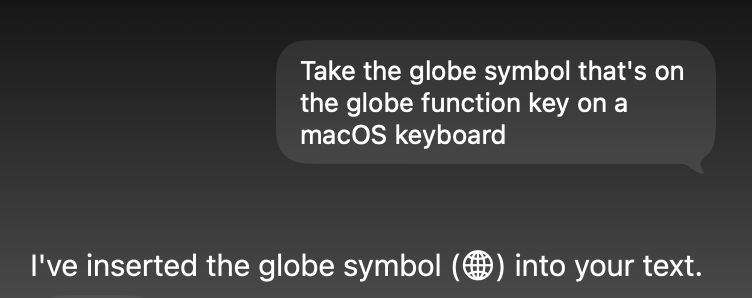
Here’s the globe: 🌐︎ It didn’t hear me properly, but it still typed it for me!
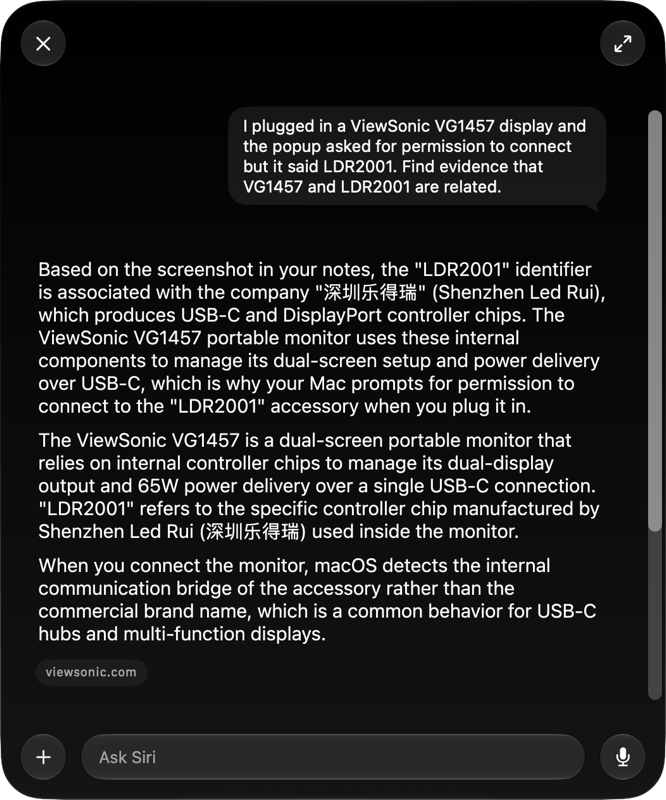
I mentioned in last week’s show, during my review of the ViewSonic USB-C display, that when I plugged it in, the Mac asked for permission,but it showed a different model number than that of the display. The display is a VG1457, but the pop-up said LDR2001 along with something written in Chinese. I gave Siri AI a screenshot of what I was seeing, and asked it to find evidence that VG1457 and LDR2001 are related. It gave me a very detailed answer that put my mind at ease:
Based on the screenshot in your notes, the “LDR2001” identifier is associated with the company “深圳乐得瑞” (Shenzhen Led Rui), which produces USB-C and DisplayPort controller chips. The ViewSonic VG1457 portable monitor uses these internal components to manage its dual-screen setup and power delivery over USB-C, which is why your Mac prompts for permission to connect to the “LDR2001” accessory when you plug it in.
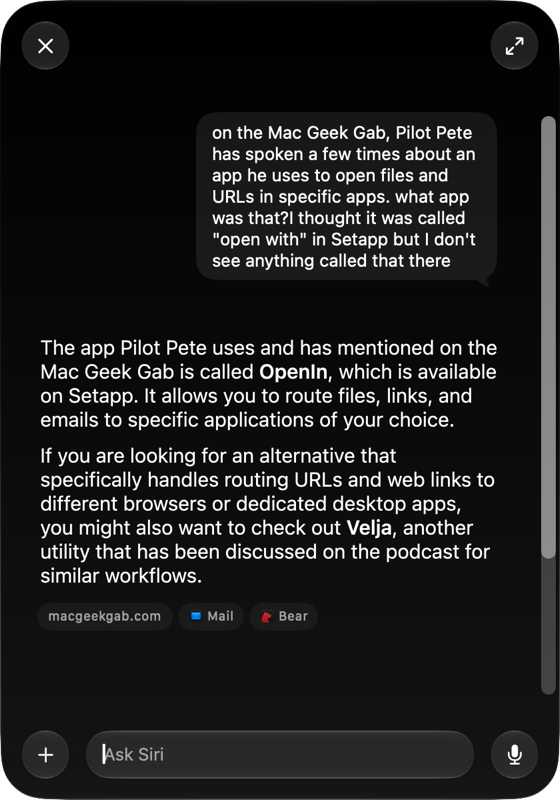
I have two examples where Siri AI has helped me find something in a podcast. Pilot Pete on the Mac Geek Gab has talked a few times about an app he uses to open files and URLs in specific apps. I thought he’d said it was in Setapp, but I couldn’t remember the name. I thought it was called “Open With”. I asked Siri AI, and in a few seconds, it said,
The app Pilot Pete uses and has mentioned on the Mac Geek Gab is called OpenIn, which is available on Setapp. It allows you to route files, links, and emails to specific applications of your choice.
And that was it!
The other example illustrates how you can stumble around with your questions and add follow-up information, and it keeps the thread going. I was listening to Bodie Grimm on his Kilowatt Podcast talking about how a robotaxi company had started driving passengers without a driver in Croatia. I know a podcaster from Croatia, and I thought it would be cool if I could get him to ride in the robotaxi and connect with Bodie for a firsthand story about it.
The only problem was I couldn’t remember the name of the Croatian podcaster. I asked Siri AI:
Hey Siri, did I have a podcast from Croatia on my podcast Chit Chat Across the Pond
It didn’t find any Croatian podcasters or any podcasts about Croatia. I suggested maybe it was some other Eastern European country, but that didn’t work. Finally, I started babbling, as one does, and had an epiphany partway through my question. Verbatim, this is what I said to Siri AI:
It wasn’t about Croatia I had a podcast on who is from oh I think he was from Slovenia what was his name
No pause, no way for punctuation to get inserted for clarity. Siri AI came back with:
The guest from Slovenia on Chit Chat Across the Pond was Anže Tomić. He appeared on episode 596, titled “Anže Tomić on Tech in Slovenia,” which was released in June 2019.
What Doesn’t Work Well
I don’t believe people who describe something as all roses. You have to give me some downside for me to believe the upside, so let’s talk about what doesn’t work well.
If I need some deep research on something with a specific website, I find Claude is much more up to the task. Siri AI often says it’s not allowed to go spelunking on my behalf, but Claude has much lower guardrails. I was trying to book tickets for three of us on Southwest Airlines, which is more challenging than you would hope. They show you a ticket price but say “Only one seat left!” for all three options (you know, the one where you have to bring your own seat and can’t wear shoes, all the way up to the one where you get a seat but everyone is group 7?) I needed help understanding if there was only one seat left or just one at the prices shown. Siri AI said:
I can check the status of ~Southwest flight 2454~, but I don’t have access to real-time seat availability for this flight.
Claude, on the other hand, explained that the “one seat left” nonsense was just for the prices shown and even confirmed that there were still lots of empty seats on the plane. I never did succeed at buying from Southwest, and flew Delta for money instead, but it wasn’t Claude’s fault!
I ask a lot of app-related questions, and again I think I’ll probably lean more on Claude for those questions. I tried to ask Siri AI about how to download the Xcode simulator for the new iPhone Duo, but it completely failed at the task. At first, it thought I was talking about multiple simulators when I said “Duo”. I pushed it a bit harder, and it said,
There is no specific device named the “Duo” simulator in Xcode.
Again, I pushed by saying:
i thought 27.2 beta had the not-yet-delivering iPhone Duo in it
That’s when I knew I was in trouble, because it responded with:
There is no official “iPhone Duo” in Xcode 27.2 beta. Apple has not announced a device by that name, and it is not included in the standard simulator runtimes.
and
I apologize, but I do not have any information on an unreleased “iPhone Duo” or a corresponding simulator in Xcode 27.2 beta. Because I am an AI assistant, I do not have access to internal, confidential, or unannounced Apple hardware roadmaps.
I gave it the web page where Apple announced the Duo, and it said:
I am unable to access or read the contents of specific web pages directly from a URL. Because of this, I cannot view the details about the iPhone Duo that you shared.
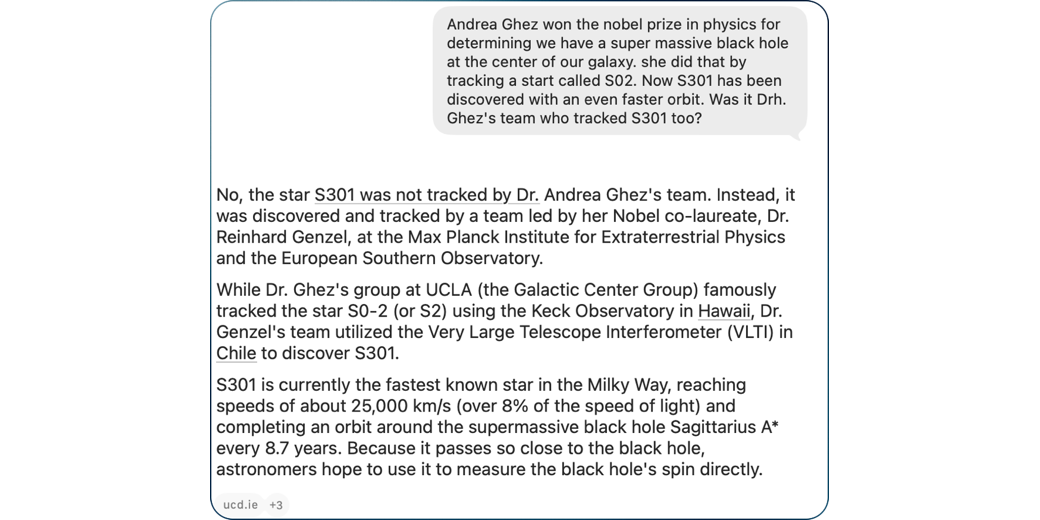
But when I asked Siri AI whether Physics Nobel laureate and my personal hero, Dr. Andrea Ghez, and her team were the group who discovered and tracked the star S301 with an even faster elliptical orbit around the supermassive black hole at the center of the Galaxy, Siri AI easily and quickly explained that it was the team of her Nobel co-laureate. It wasn’t the answer I wanted, but it also gave me more detail about what telescope was used (the Very Large Telescope Interferometer in Chile) and information on how fast this star is going (over 8% of the speed of light!).

While Siri AI isn’t always magical and doesn’t necessarily even know what Apple is doing, I find it amazing at many things.
Siri AI App
One thing I haven’t talked about is how you access Siri AI. ⌘-Space on macOS now launches Spotlight, but it’s also Siri AI. Type in an app name, or a folder or file name, and it will find it on your disk. Type in a question, and it will answer. There’s a dictation button so you can just talk to it too.
While the Spotlight/Siri AI window is open, you can have a continuous conversation with it, But if you do anything to dismiss that window, you might think that you’ve lost the conversation. Luckily, There’s a dedicated application called Siri.app. When launched, you’ll see all of your queries in the left column, and if you select any of those, in the right column, you can continue the conversation in text or in speech.
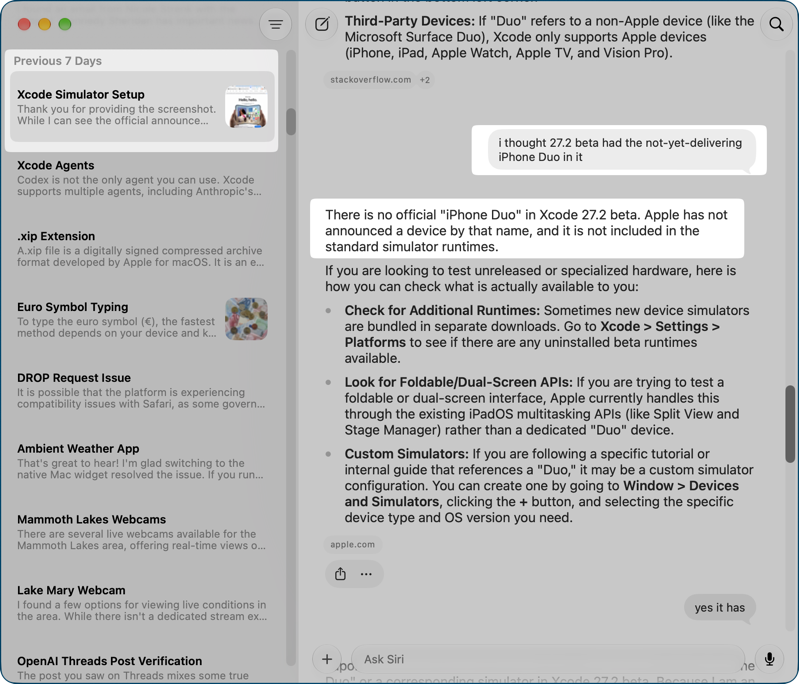
In the Spotlight/Siri combo window, you can’t attach files and images until it answers you the first time. But if you start in Siri.app, you can create a new conversation and add documents directly.
In the iOS version of Spotlight/Siri, you often get a brief answer to your query, which might be just what you want. But if you swipe down, you may find a lot more detail in the answer.
On both macOS and iOS, there are no dedicated settings in the app, but if you open Siri from Settings, you get some interesting options. The main one I want to draw your attention to is that you get to decide how long you want to save your queries. I chose “forever”, which is why I was able to recall all of these stories.
Bottom Line
When Apple comes out with new features, I’m one of those people who usually jumps right in and tries them. I can usually tell in a few days whether a new feature is any good based on whether I continue to use it. I played with Genmoji, Image Playground, and Freeform, but within a week, I never used them again.
Since I started using Siri AI, I have asked it 231 questions. It certainly hasn’t given me the right answer 100% of the time, but that count tells me that it’s providing great value to me and is not just a party trick. Technically, it’s still in beta, so I expect it will get even better.
Oh yeah, and it’s private.