
Do you ever work really hard on something, and no matter how much time you spend, it just doesn’t work? I’ve had that kind of week.
The Problem to be Solved
In December of 2022, I told you about how we cut the cord and replaced cable TV and our aging TiVos with YouTube TV and an app called Channels. Channels is this delightful software that can run on a Mac, a PC, or network attached storage like a Synology. Channels server provides a beautiful UI to clients that mimics all of the functionality we knew and loved with TiVo, but with a smart, modern look. The Channels client runs on Mac, Windows, and most importantly, Apple TV.
The tricky bit is that Channels has to get the channel guide from a third-party service. The one that was in vogue almost 4 years ago is called TV Everywhere. It wasn’t simple to connect all of these pieces together, but once I conquered it, we were able to watch and record shows with ease.
But then NBC decided it didn’t want its content available on TV Everywhere. This was a big deal in the Sheridan household, accounting for about half of the content we record.
The alert amongst you will be asking, “Can’t you record using YouTube TV?” You would be correct, but the interface is very clumsy. If you’re not going into it and making new recordings regularly, every time you go in, it’s a matter of spelunking to find the right buttons to push. We miss a lot of recordings as a result.
This has been the state of affairs for the last couple of years.
Chrome Streaming is the Solution
Way back when, I learned about channels through the Accidental Tech Podcast and the MacGeekGab. A year ago or so, I heard on the MacGeekGab that there was a way around this problem using something called Chrome Streaming.
The loophole is that Google Chrome can stream TV shows, and channels can somehow extract that stream and present it to you in the channel’s interface. I spent a lot of time poking around trying to figure out how to do this and even enlisted the help of our friend Ed Tobias, also known as @MrEd, in the live chat room. Between the two of us, we were not able to figure it out.
PrismCast for Chrome Streaming
Very recently, I heard Dave Hamilton explaining that he’s now using an open source project called PrismCast to provide this Chrome streaming service to get Channels to work with protected content.
Before we go much further, I want to make it perfectly clear that I am paying for NBC through my YouTube TV account. It’s just that they don’t want me to watch it the way I want to watch it. It’s just like when DVRs were first invented, and the networks tried to make it illegal to time shift our watching.
Where to Run PrismCast (and Channels)
I found the PrismCast open source project on GitHub where the developer explained that you can install it using either NPM or Homebrew. It was at this point that I realized I had my first stumbling block. Since PrismCast needs to spin up an instance of Google Chrome, and I need to use Homebrew to do the installation, that means I can’t run this on my Synology, which is where my Channels server lives.
I also discovered at this point that I was running two instances of Channels, one on the Synology, where all of our recordings are, and a second one on our Mac mini. If successful in getting PrismCast to work, I would need to do it on the Mac Mini and change Steve over to that Channels server. The upside was that I could do a lot of experiments on the Mac mini without fear of disrupting Steve’s TV watching.
How Does PrismCast Work?
Here is a basic outline of the installation process.
* Install PrismCast from the command line
* Run the PrismCast service
* In the web UI for PrismCast, authenticate to your TV provider (YouTube TV in my case)
* In Channels, set a special source as the PrismCast server playlist
* Magically play live TV and/or record TV from your TV provider
Now let’s get into the details a little deeper. Installing and starting the PrismCast service via Homebrew is two simple commands. You would expect brew install prismcast, but the GitHub page for PrismCast suggests a more specific target that includes their GitHub account name.
brew install hjdhjd/prismcast/prismcast
prismcast service start
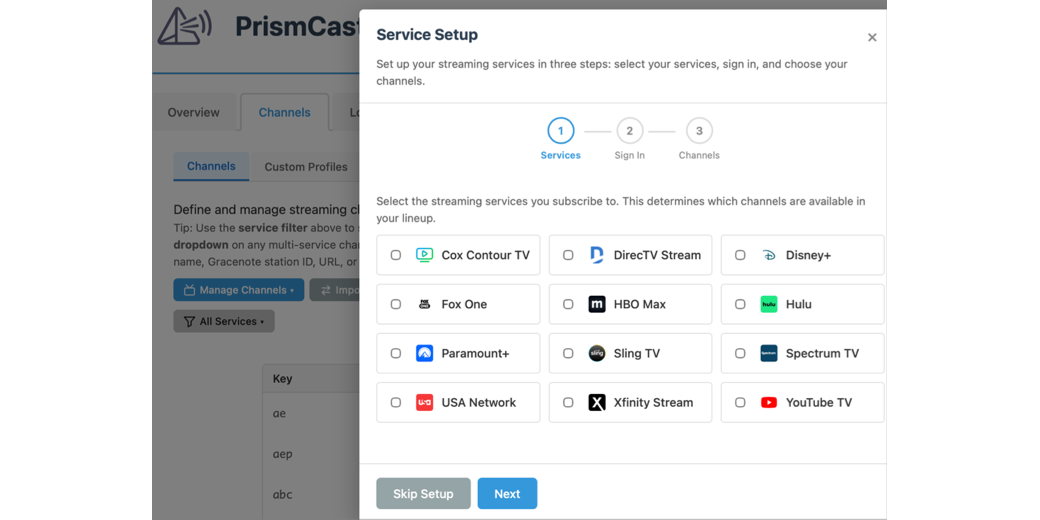
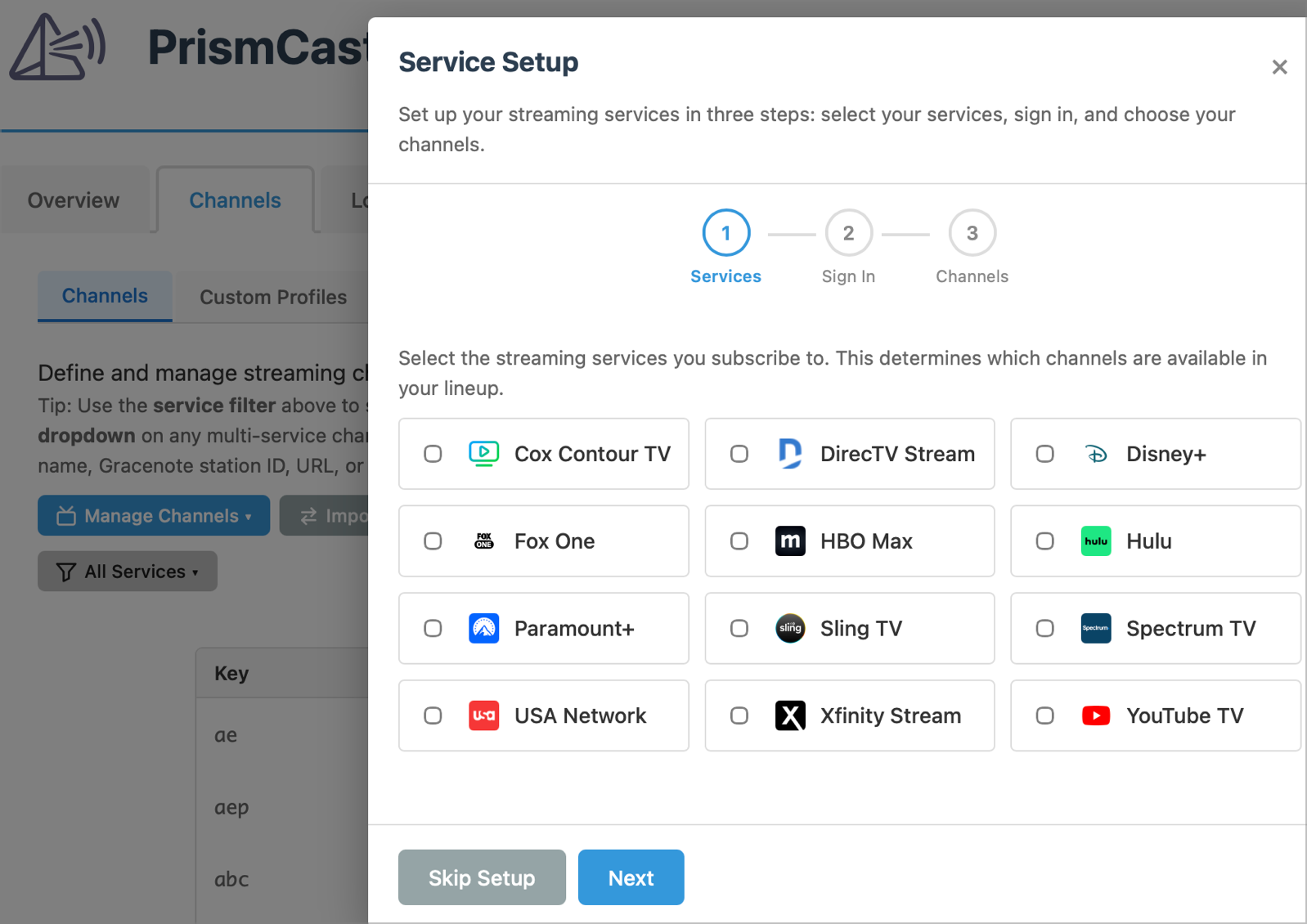
Once installed and started, you access a lovely user interface via the browser at `http://localhost:5589` which means on this machine, at port 5589. When you select the Channels tab, you’ll be prompted to set up your TV service and authenticate. In my case, I selected YouTube TV, and authenticated through the classic (and yet annoying) Google interface.
Nearly immediately, you’ll see all of the channels you now have access to in the PrismCast interface through your TV provider.
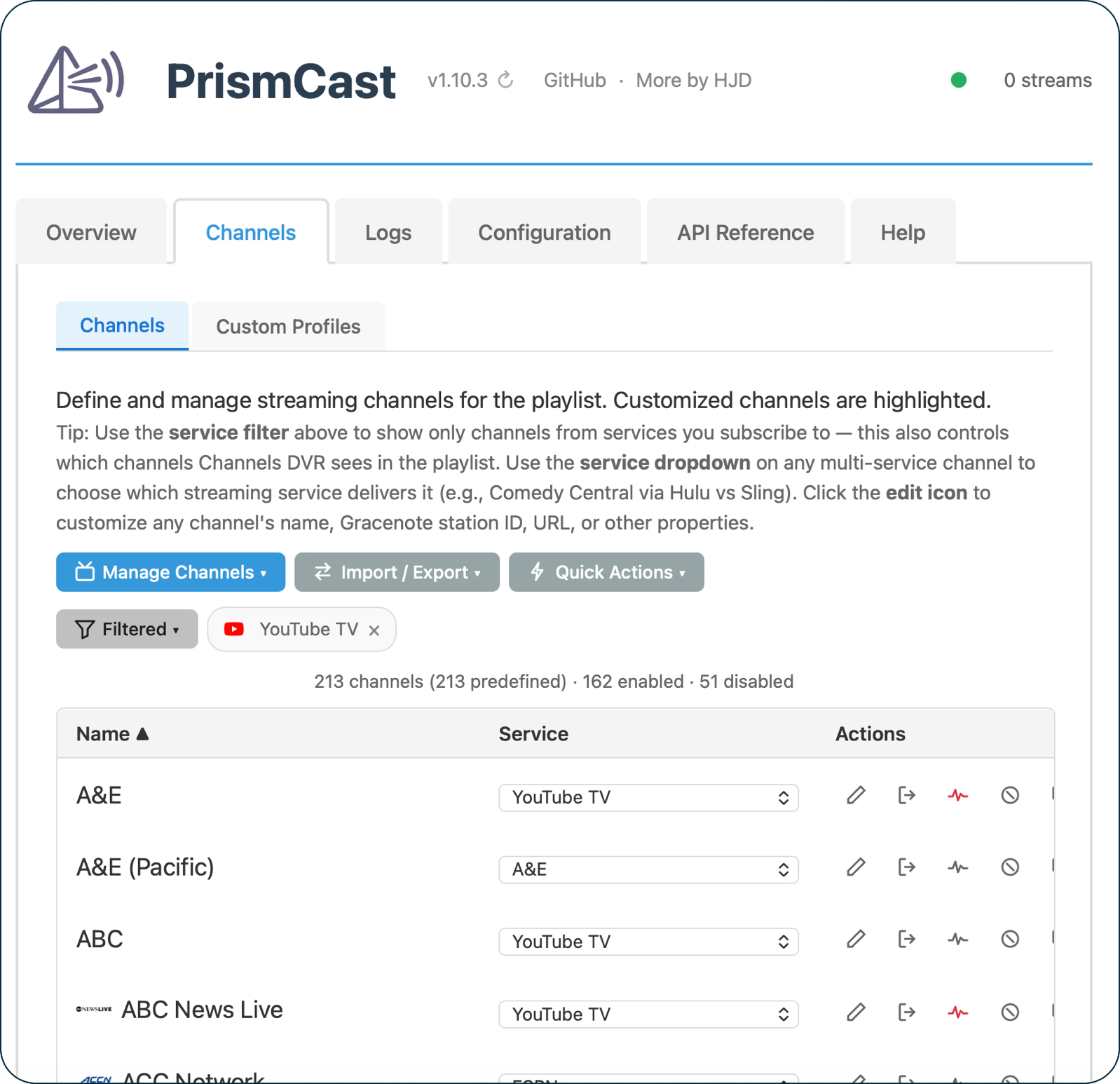
Back in the Channels server interface, now you can add custom channels by adding a new source, which PrismCast tells you is `http://localhost:5589/playlist`. As soon as I did this, it showed the same 162 channels I saw in PrismCast, and more importantly, it included the suite of NBC channels we wanted!
I could taste victory at this point… but you already know that was false hope.
In the Channels server web interface, I opened the Channels live TV listing, selected a currently running show, and hit the play button. This tells PrismCast to spin up an instance of Google Chrome (not your “normal” Google Chrome) where it starts to stream the show, and then it starts to play in Channels.
Everything worked exactly as expected, except the show wouldn’t ever start to play in the Chrome instance; the player icon just spun and spun until PrismCast threw a timeout error after 10 seconds and gave up.
[2026/06/09 05:58:39.265 PM] [ERROR] [msnow-6jjoyp] Stream setup failed for https://tv.youtube.com/live: Operation timed out after 10000ms.
And thus began 3 solid days of me troubleshooting why this doesn’t work.
One test I did was to see if these links to live TV shows would work in a normal instance of Chrome, and surprisingly, they played just fine.
So it’s not the Mac hardware, it’s not the OS, it’s not a firewall problem, it’s not a Chrome extension problem, it’s not a network problem … what the heck is causing it?
Why Nuke and Paves Are a Good Thing
Over the years, I’ve sung the virtues of doing a nuke and pave every year or two just to make sure you don’t carry old cruft around with you from Mac to Mac as you upgrade. The one Mac I don’t do that on is my Mac mini. It’s an M1, so around six years old, and of course I keep it up to date on the OS and any App Store apps I run on it.
But I don’t sit at that Mac day to day and do things to keep the clutter away. When I first started troubleshooting this pesky problem, I rebooted and was quite surprised to see the warning pop up about the Drobo extension being deprecated. Hold on, I sold my last Drobo years ago, what is that still doing on there?
I found Keyboard Maestro telling me it was unlicensed, which was true for that Mac. I couldn’t get Hazel to run and discovered it was two entire versions behind. I found virtual machine software I installed back when the Apple silicon first came out, where I was running Windows on ARM. I found old installations of MAMP, the software that lets you run a local version of WordPress.
There is so much cruft on this machine, I have no idea if any of it might account for the PrismCast software not being able to play video from its instance of Chrome.
Install on MacBook Air
Since the Mac mini is full of cruft and I’d done a lot of messing around with an existing installation of Channels that might be obfuscating the issue, I decided to start 100% from scratch and installed Channels and PrismCast on my MacBook Air.
I followed the exact same process I described, and… it works perfectly to stream TV content either from within PrismCast or from Channels using the PrismCast data as its source. I think I would have been happier if it had failed. I could have given up, but now I know that the software works as designed.
Start from Scratch on the Mac mini
Since the cold start of everything on the MacBook Air worked just dandy, I decided to remove all remnants of Channels and PrismCast from the Mac mini. Again it was a blessing that our TV watching was all on the Synology, instead of the Mac mini.
I uninstalled Chrome (which is how I noticed that Hazel wasn’t running because it didn’t clean up after I deleted Chrome). I had to download the Channels installer to uninstall it (which I always think is an unintuitive step). I used Homebrew to uninstall PrismCast too, and rebooted.
During the reinstallation of Channels, it asked me where I wanted to store the data. The Mac mini doesn’t have nearly enough space to store video files, which is one of the reasons we have the Synology. But Channels wasn’t offering me the Synology for storage; it suggested I use the Drobo! Recall that the last Drobo left our house literally years ago. I guess it was time to get rid of the Drobo software once and for all.
For Channels to see the Synology, it would need to have the Synology always mounted. You may recall from last week’s discussion of setting up a Stream Deck for Steve that the app AutoMounter from Pixeleyes is a great way to keep servers mounted. I logged into the Synology web interface, created a share just for the video files from Channels, mounted it with AutoMounter, and then in the Channels setup I was able to point to the correct share. Whew.
The first time I tried to set up PrismCast on the Mac mini, I didn’t read down far enough in the instructions, and used the Node Package Manager (NPM) to install PrismCast. I read further and realized that Homebrew was a better solution for me. I uninstalled it using NPM and went forward with Homebrew.
When I ran through the installer for Channels on this fresh install, I got a pop-up about Node wanting some permission. I’d seen that earlier and ignored it, but this time, I went to System Settings → Privacy & Security and allowed it. I thought maybe this had been the problem all along, but I think it was a red herring since NPM didn’t do the installation.
I won’t bore you with everything I tried on resinstallation, but in the end the results were the same. PrismCast would time out waiting for the stream to start.
In desperation, I tried one last thing. I wondered if the stream would start on the PrismCast instance of Chrome if I just waited long enough. I pasted one of the streaming URLs into the PrismCast Chrome instance and went about my business doing other things while watching the player indicator spin out of the corner of my eye.
After a good 10 minutes, the streaming window asked me to authenticate again to our YouTube TV account. This was excruciatingly slow. I’m talking minutes for it to do things like finish showing on screen when I typed in the username.
After 2 or 3 more minutes watching the player spin … it started to play … slowly, and very pixelated and jumpy. It was simply awful. Remember that these same streams work just fine in a normal Chrome window on the same machine. And remember that the same streams work just fine in a PrismCast-created Chrome instance on the MacBook Air.
What is causing this?
Everything is Annoying
As I spent the three days troubleshooting, I was amazed at how many things didn’t work properly that had nothing to do with this problem.
Here’s an example. I use my MacBook Air while sitting in bed, watching TV downstairs, and sitting out on the back patio, and when I’m in my studio, I use my MacBook Pro with my big girl monitor. Sitting at the Mac mini is not very ergonomic, so as I was building these apps on the Mac mini, I used screen sharing from my MacBook Air to the Mac mini. The display on that Mac is an ancient 27” Apple Studio Display at 1080P resolution, so even on the MacBook Air, I can pretty much read the screen.
But I decided to do some of the diagnostic work sitting at my MacBook Pro, but I simply could not screen share into the Mac mini. It would try but never start. The Mac mini and the MacBook Pro are on wired Ethernet as well as WiFi. I could see the file system of the Mac mini from the MacBook Pro; I just couldn’t screen share to it.
Oddly, I could successfully screen share to the MacBook Air, which was only on WiFi. I’m not sure this is what fixed it in the end, but after I changed the service order for the network cards on the MacBook Pro to prioritize Ethernet over WiFi, screen sharing started to work to the Mac mini.
Things like that kept cropping up and killing hours of time I could have been working on the problem at hand. Reminds me of how my dad would complain about starting a woodworking project and then realizing that a tool needed to be oiled. When he got the oil can down, he noticed that the cabinet’s shelf was loose. Somehow, in the end, he’d end up rebuilding the cabinet and never get the woodworking project started.
Bottom Line
The bottom line is I can’t get PrismCast working to stream TV from a Chrome instance. Steve was very supportive as I burned up hours and hours on it, and I explained why I kept going. It’s because every step was easy. Just install this. Just authenticate there. Just configure that. Nothing was hard, but nothing solved the problem. My only thought is that there must be something leftover from the original installation that I haven’t cleaned out, but short of doing a nuke and pave of the Mac mini, I can’t think how to find it.
I don’t like to write up stories of failure, but maybe by telling the story, someone out there will help me crack the code on this.
Sorry to hear about the failure. You may have saved me time avoiding that rabbit hole. I too have my Channels server on my Synology.
I was just starting to think about trying it as I’m afraid I will be giving up on Channels and not renewing my subscription. I used to record a lot from Pluto through Channels, but since that doesn’t work anymore either,
I’m afraid Channels doesn’t cut it for me anymore.
Daniel – I’m not sure you should give up on it, since I WAS able to get it working from the MacBook Air. I’m sure I’ve got some old cruft that’s annoying PrismCast, I just don’t know how to figure out what it is. Also I don’t know for certain that you can’t run a chrome instance on the Synology, I just don’t know how to do that. There is a command line version for that chrome instance. Seems it might be doable?
Plus, I’d like someone to play with me in all this madness.