
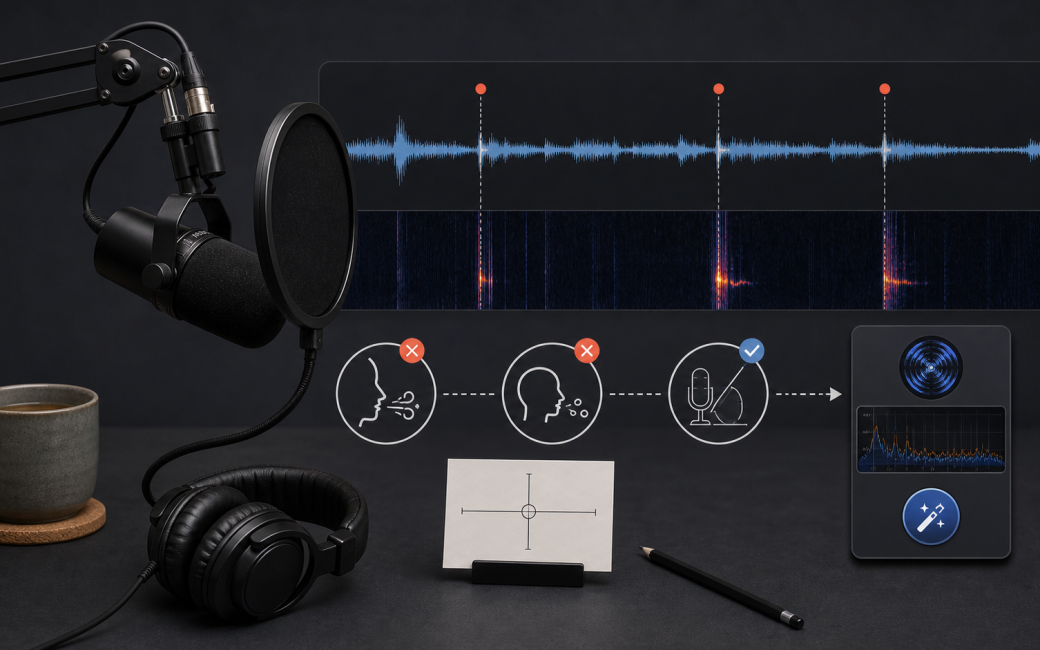
When repair tools start eating speech
This part exists because I did the most tempting thing in the world: I tried to fix mouth noise with a tool. And it did not just smooth things out. It started deleting speech.
Not subtly. Not “maybe it is a touch softer”. I mean full consonants disappearing. Occasionally, if a sentence began with “It”, even the “It” would get clipped or thinned enough that it sounded like the sentence began halfway through itself.
That was the moment I stopped thinking of these as clean-up tools and started thinking of them as what they really are: pattern detectors.
They do not know what a consonant is. They do not know what a word is. They do not know that this particular tiny edge is the difference between clarity and mush. They just see shapes that look like the thing they have been told to remove. And narration, inconveniently, is made of the same kinds of shapes.
This is the key point: tools do not understand speech; they understand shapes
A de-clicker does not hear “that was saliva” and “that was a deliberate T”. It sees transients: tiny fast spikes and edges. It assumes certain shapes are unwanted. The problem is that narration is full of useful transients.
- T and K sounds have click-like onsets.
- The front edge of P is a little transient.
- Even some sibilance has a fast leading edge that helps clarity.
If you push these tools hard enough, they will absolutely remove the thing you asked for, and they will quietly start taking some of the speech with it. They are not malicious. They are just blind to intent.
That is why my hierarchy is simple: prevent first. Repair second. Only go heavy when it is a rescue.
That transient confusion is why clean can become tiring
Speech is made of very fast, information-rich events. The brain uses those edges, especially consonant onsets, to decode words effortlessly. When you over-process transients, two things can happen.
First, onsets get blunted. Words lose definition, particularly in dense passages or at higher playback speed.
Second, you get a low-level smearing. Not always an obvious artefact. Just a slight softening that makes the listener do more work over time. On a single line, that might read as smooth. Over a few hours, it can read as tiring.
Audiobooks are judged on fatigue, so the goal is not “perfectly clean”. The goal is clean enough that nothing leaks attention, while keeping the voice intact.
So I separate the three problem children
Clicks, breaths, and plosives behave differently, so I try not to treat them as one generic dirt category. Mouth clicks are the ones that make you feel personally betrayed by your own face. They are also the ones that tools love to help with, sometimes too enthusiastically.
The prevention side is unglamorous: hydrate before the session, stay physically comfortable, take tiny pauses when needed, and use the tongue-position habits I talked about earlier in the series.
The repair side is where discipline matters. I do not want a tool making big guesses across the whole chapter.
Breaths are different. Breaths are part of narration. A completely breathless track often sounds more edited than clean, like someone has vacuum-packed the human out of it. The problem is usually loudness and consistency:
- a few breaths jump out and steal attention;
- breaths get weirdly loud because the mic angle has drifted;
- or the edit starts to sound panicked because every breath has been attacked.
So I treat breaths like timing and dynamics, not like dirt. Most of the time they do not need removal. They need gentle control.
Plosives are the most solvable category because they are mostly geometry. Mic position, distance, angle, and pop protection solve most plosives before they exist. If I get regular plosives, I do not reach for a plug-in first. I check whether I have drifted on axis, or whether the pop protection and angle are doing their job.
I still get the occasional low boom. That is not a crisis. It is usually one syllable, and it is usually tameable without turning the whole chapter into an audio restoration project.
Here is what I actually do now
The ladder I use keeps me honest. Step one: gentle Mouth De-click while recording. I run RX11 Mouth De-click in Audio Hijack as I record. Very gentle. The intent is not polish. It is just to knock down little saliva ticks that would otherwise pull attention later, or tempt me into heavier processing.
And because I am still slightly suspicious of anything that claims to be clever, I keep the original recording as well. And yes, I keep it gentle enough that it is not touching the edges of words. If it starts to soften consonants, it is too much. That is the line I am protecting.
Step two: human judgement in Logic. Once the recording is in Logic, I do the boring reliable thing:
- volume automation to duck the few breaths that are genuinely too loud;
- automation to tame the occasional pop or boom if one got through.
There usually is not much to do. That is the point. If I am doing loads of this, it is a sign something upstream is drifting.
Step three: surgical repair only when needed. If something survives those two steps – an odd tic, a little click, a tiny mechanical noise – I mark it and open RX11. Then I use Spectral Repair to remove that one event invisibly. That is it. Light by default, surgical when needed.
The notable absence is breath removal. I do not use Breath Removal modules at the moment, even surgically. Not because they are evil, but because I do not want a tool making breath decisions for narration. Breaths are phrasing. They are part of the human timing of the read.
Here is the demo: light versus heavy on the same phrase
This is worth making audible. Pick a short phrase with crisp consonants and at least one mouth click or little tick. Something with T, K, and P sounds works well. For example:
Take the packet. Put it back.
Now make three versions.
Version A: raw. Listen for the click, but also listen for how sharp the word starts feel.
Version B: gentle Mouth De-click. Use the setting you actually trust. The click should be reduced, but the consonant onsets should still feel intact.
Version C: heavy Mouth De-click. Push it too far on purpose until the click is completely obliterated. Then listen to the beginnings of words. Often the T is less crisp, the K has less snap, and the whole thing starts to feel subtly processed.
That is the cost. It is not always dramatic, but it is real. Over hours, those tiny losses accumulate into listener fatigue.
And if you want the nerdy test, listen to what the tool thinks it is removing. If you start hearing speech-like consonant material in the removed signal, you have crossed the line. The tool is no longer just removing clicks; it is making pronunciation decisions, and I do not want it doing that for me.
These are the boundaries that keep this sane
To stop this becoming an endless clean-up loop, I keep three categories.
Global and gentle:
- very gentle Mouth De-click while recording.
That is it. Nothing else gets to run globally just because it might help.
Spot fixes:
- breath ducking with volume automation;
- occasional pop or boom tamed with automation;
- anything else gets marked.
Surgical rescue:
- RX Spectral Repair on the specific marked event.
And above all of that, one rule: if the fix makes the narration smoother but slightly less intelligible, it is not a fix. It is a trade. I only take that trade when the alternative is worse.
So, where does that leave us?
The compact version is:
- prevent with mic technique;
- keep global processing minimal;
- handle breaths like phrasing;
- mark oddities and go surgical;
- avoid tools that guess too much unless it is a genuine rescue.
That is the system I can live with over a whole book. It is boring, repeatable, and it protects the voice from my own impatience.
Next time, we move from cleanliness to craft: cadence editing in Logic, and how to make fast cuts that still feel human.