
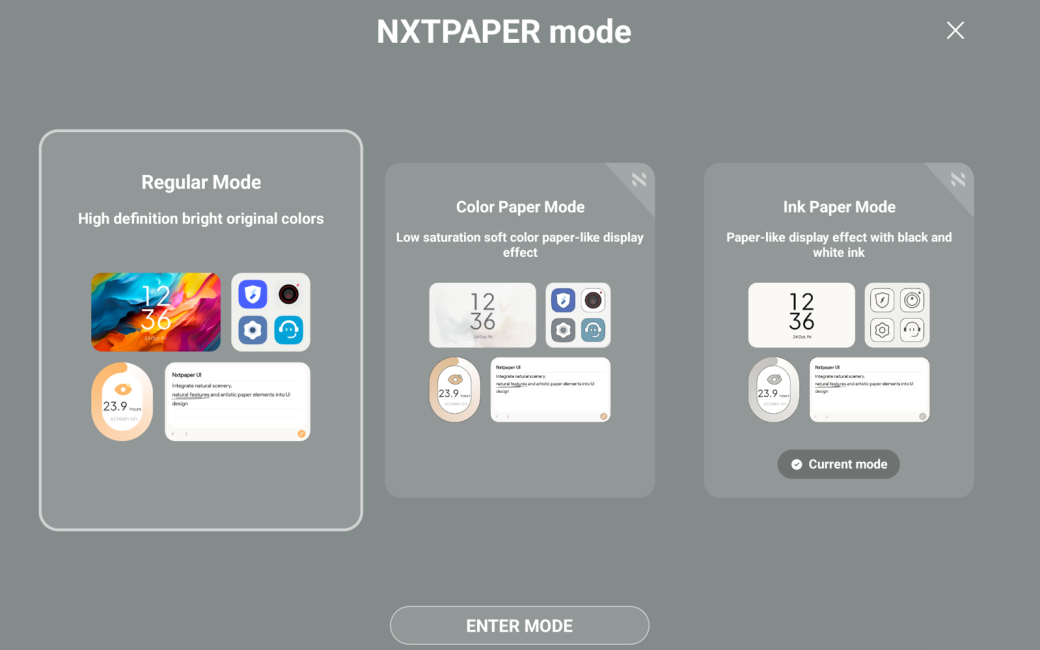
Hi, George from Tulsa here with a review of the TCL NXTPAPER 11 Plus Android Tablet.
On April 14, Allison and Steve posted a January 2026 CES video interview with Sara Yin about TCL’s NXTPAPER Android tablets.
I watched Allison’s interview, checked out some reviews of the NXTPAPER line, and ordered the TCL NXTPAPER 11 Plus from Amazon the next day. Its price on April 15 was $288. The same tablet is $236 on June 7.
I emailed Allison that she had once again spent some of my money. To my surprise, she responded, “What I don’t get is the three modes. Maybe some commas are missing in “regular color LCD/LED”? All I understand are color and greyscale, but can’t all tablets do that? Please do a review.”
Allison’s consternation is understandable. TCL’s marketing of its NXTPAPER devices, both phones and tablets, creates confusion. The company advertises that NXTPAPER screens have three modes: “ink paper,” “color paper,” and “regular.” In my opinion, TCL is implying that the “paper” modes imbue the NXTPAPER LCD screen with the characteristics of an “ePaper” display, which it does not.
After more than two decades and the sale of 220 million “ePaper” readers, “ePaper” has a meaning. In shorthand, it’s the familiar screen of Amazon’s ubiquitous Kindle eReaders. They’re reflective and don’t need a backlight. Text and images are actual physical black-and-white microdots arranged by the eReader’s processor using a minuscule burst of static electricity. They’re protected by a top layer etched to diffuse surface reflections. They’re so efficient, they can hold a charge for weeks.
“ePaper” displays are persistent. No electricity is needed to maintain what’s displayed. For example, a couple of months ago, I excavated a 2010-era Kindle DX from a drawer where I stashed it when it was orphaned by Amazon. Years after I put it in the drawer, and with a fossilized battery so dead it wouldn’t charge, the last screen I was reading when it went in the drawer was crisply displayed, just as it was years before.
If you’re interested in the technology of E INK and “ePaper,” I’m putting a link to a Wikipedia article which includes a little video of the microdots in transition. I’m also putting in a link to a video about the difference between monochrome and four-color E INK. Plus some cute photos and more. So visit the show notes!
Color or Black and White, which ePaper is Best for You | BOOX
Allison, trying to explain to me why she didn’t think NXTPAPER’s modes are special, showed me how she used Settings to simulate greyscale “ePaper” on her iPhone. She said it required a good number of clicks. TCL just makes it easy by embedding the settings for its three modes in hardware and providing both a physical switch and a Settings screen for easy transition.
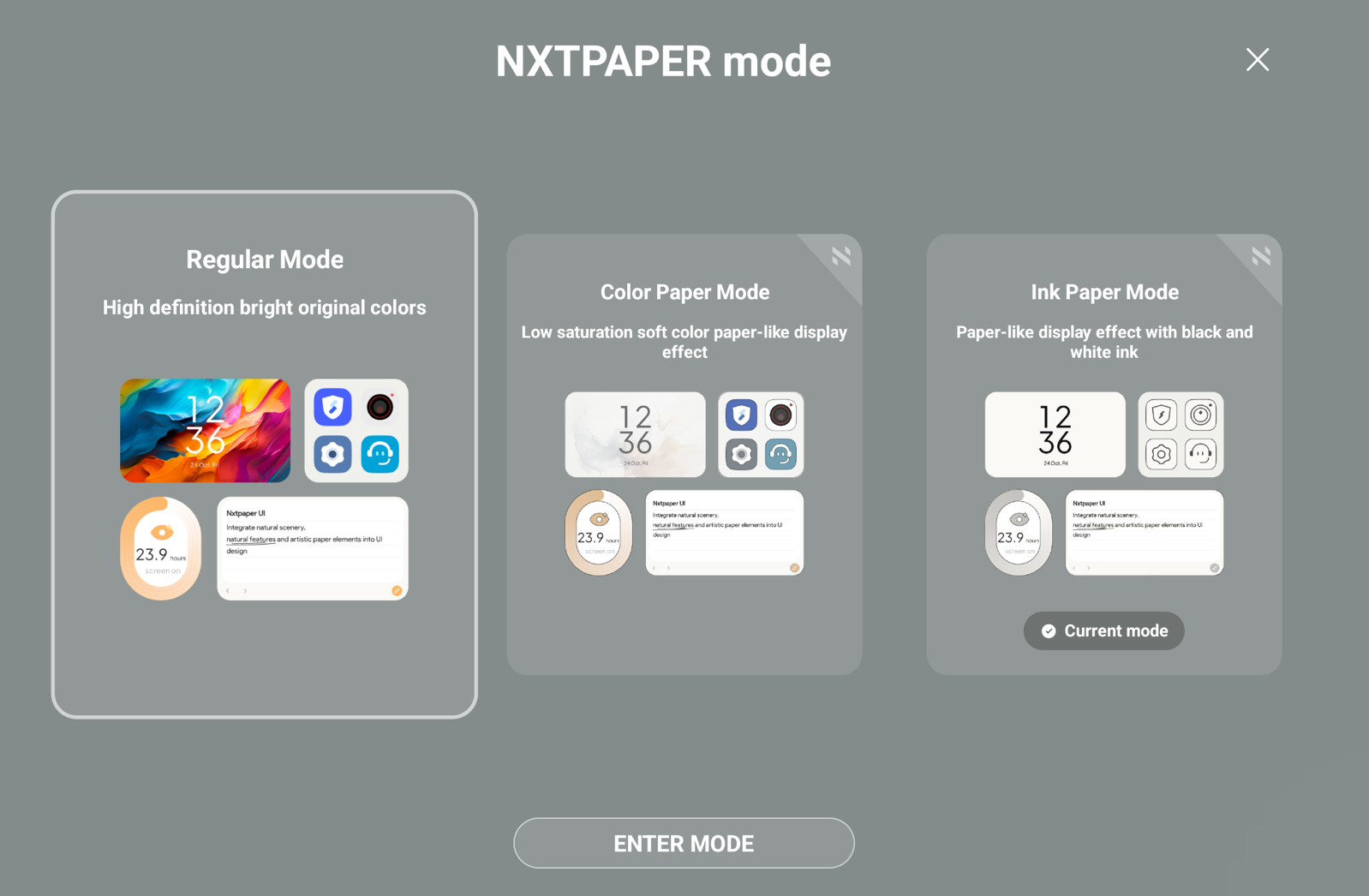
Regarding Allison’s greyscale settings, I add that the Android Kindle eReader App installed on both my Pixel phone and NXTPAPER has easy, granular controls over how eBooks display, without having to change device-wide settings. That seems to make TCL’s “paper modes” redundant.
TCL says the “paper” modes save power. I’m dubious. The battery-sucking backlight can’t shut down: no backlight, no display. If there’s power saved because greyscale uses less CPU than full color, it’s certainly nothing like the “I can hold my breath forever” of a real “ePaper” display.
In fact, that little Green Android Robot inside my NXTPAPER is always busy running background processes. Where a Kindle eReader can last weeks between charges, I have to completely power down my TCL to be sure it will power up the next time I pick it up.
It”s possible that fans of comics and graphic novels will enjoy the muted four-color mode as it’s closer to how some are printed on paper. Other than that, it seems to me NXTPAPER modes exist not because they’re useful, but for market differentiation.
Having said that, it’s a fair question to ask why I bought one. What I, and my tired eyes, wanted the NXTPAPER for is its nano-etched anti-glare, anti-reflection, smudge-rejecting screen.
Several review sites suggested the screen is made with the same nano-etching process Apple offers as options on its most expensive monitors and iPads. I don’t know if that’s true, but same process or not, it’s really good. While it can’t overcome full sun, it works great in a bright room, doesn’t noticeably reduce image quality, and best of all, doesn’t reflect my face back at me.
So is the TCL NXTPAPER 11 Plus worth buying?
Some specs. It has 8 GB of RAM, plenty for Android 15, a generous 256 GB of storage, a MicroSD slot that would support another Terabyte, a 4,096 level pressure-sensitive stylus that nests magnetically in the included portfolio case. It does have those three display modes and the nano-etched screen. All for today, $236.
I’m enjoying it, fully aware it’s disposable. Based on TCL’s track record, it isn’t likely to be upgraded from Android 15, and Android 17 is already on the near horizon. Nor is TCL likely to continue providing security patches for more than a couple of years, if that long.
Which is sad, because it’s a nice device. It suffers none of the welded-in bloatware that’s the bane of many Androids. It’s essentially the same pure Google experience that’s on my Pixel 9 phone.
If you’re in the Google ecosystem, as I am, Gmail, Google Docs, Sheets, Forms, Calendar, and more sync automatically. An optional, dedicated TCL Bluetooth portfolio keyboard is $60 on Amazon. I could get a lot of work done on it if I had that keyboard.
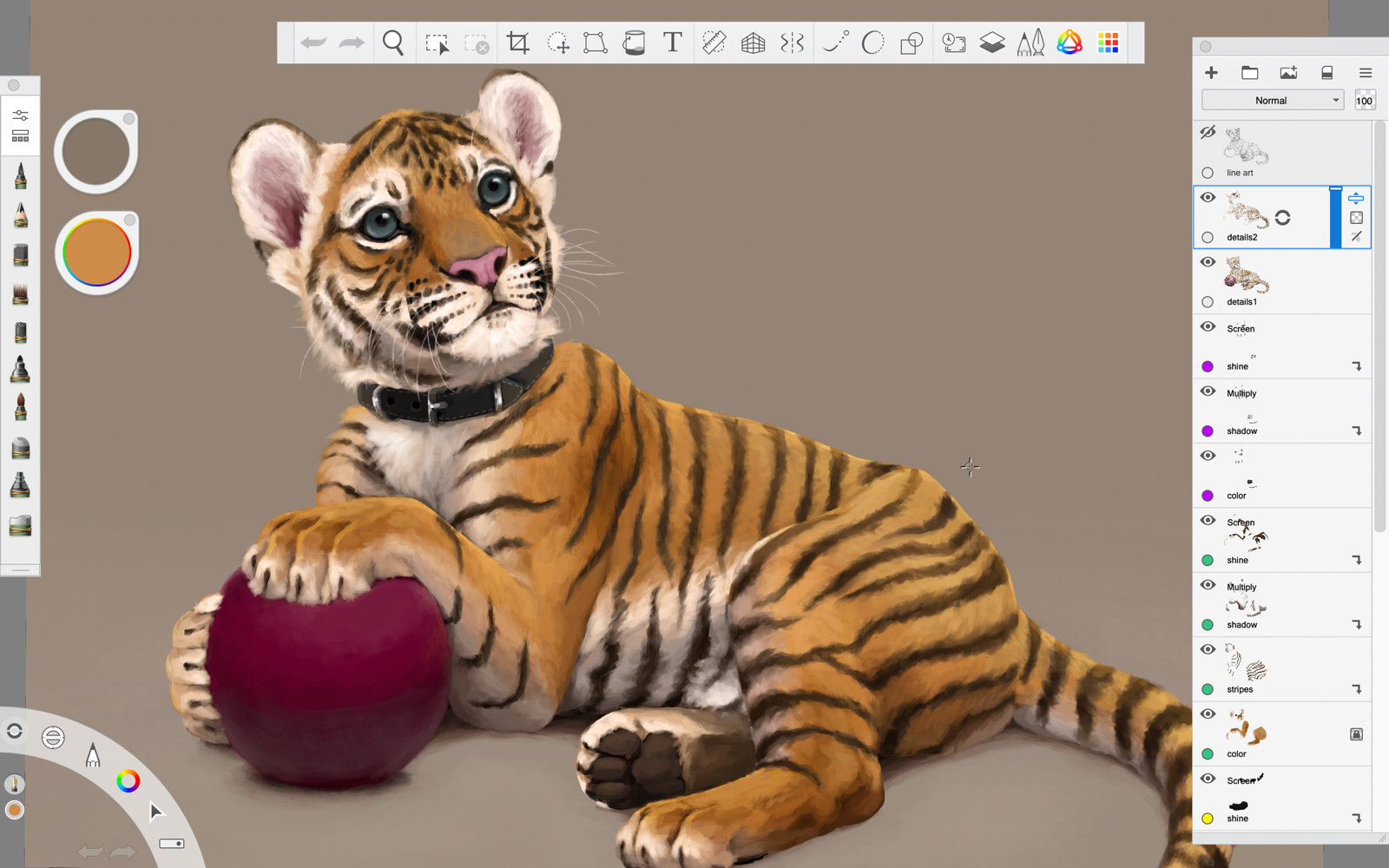
Its 4,096-level pressure-sensitive pen works. I tested it on the free and powerful Sketchbook drawing App originally created by Autodesk.
TCL says its large 8,000mAh battery can charge other devices. I used a USB-C 4 cable to plug in my Pixel, and it seamlessly started charging.
So what about the NXTPAPER as a value proposition?
In 2018, I bought three freshly released 6th-generation iPads. My elementary-age granddaughters are using two for carefully supervised fenced-in educational enrichment. I’m putting pics in the show notes of my older granddaughter learning Python
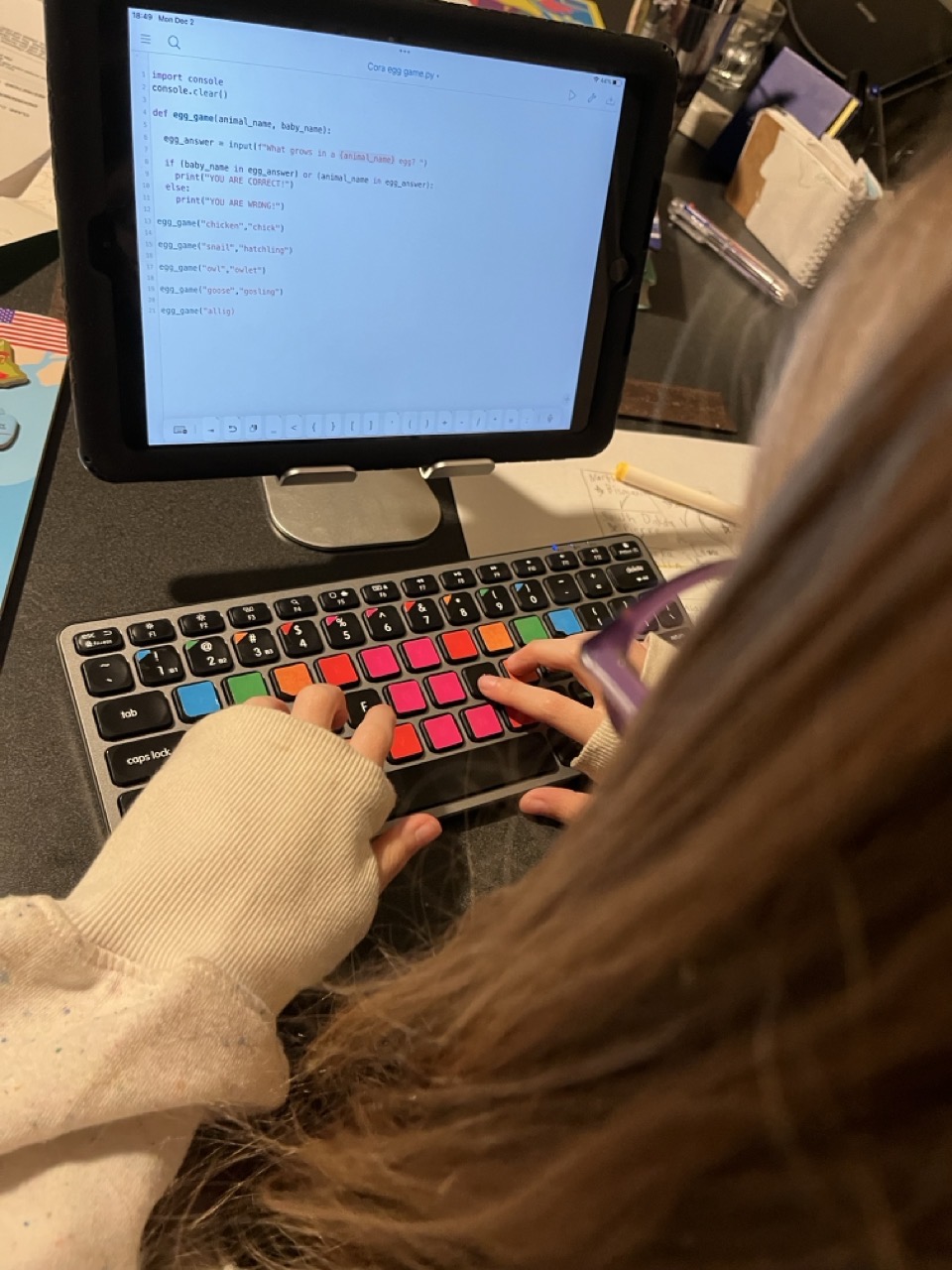
and using a DOS emulator to play “Where in the World is Carmen Sandiego” on an iPad nearly as old as she is.
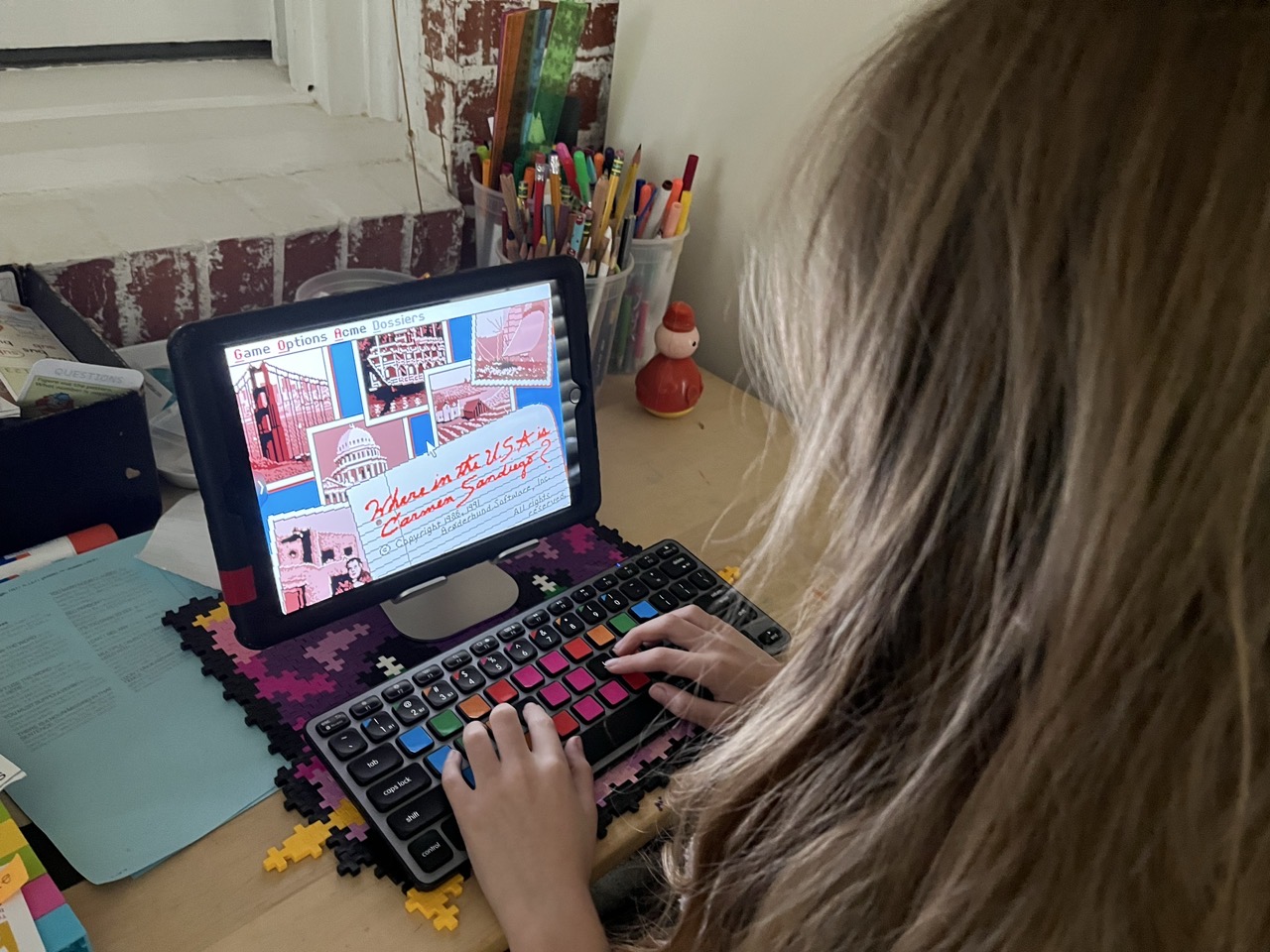
Those iPads are eight years old and, yes, that’s a long life for a tech gadget. Which doesn’t make it any easier to toss perfectly good devices in the recycle because they’re not receiving security updates.
Whining aside, the much greater longevity of iPads puts a different spin on the NXTPAPER’s “cheap.” I suspect its security updates won’t carry it two more years. If that happens, even at its lower $236 price, that’s $118 a year.
The much, much, much more powerful M4 iPad 11 Air that released in March 2026 is, with an Apple Pencil Pro and a portfolio case: $907. If that bundle lasts 8 years, as did my 2018 iPads, that’s $113 a year. Cheaper than the cheap NXTPAPER. You’ll just have to cough up the $907 upfront – and do without the wonderful nano-etched screen. Unless you’re willing to spring $1,699 for the 11″ M5 iPad Pro, which is the least expensive iPad with a nano screen.